Hackers Use Invisible ‘Text Salting’ to Trick AI Email Security
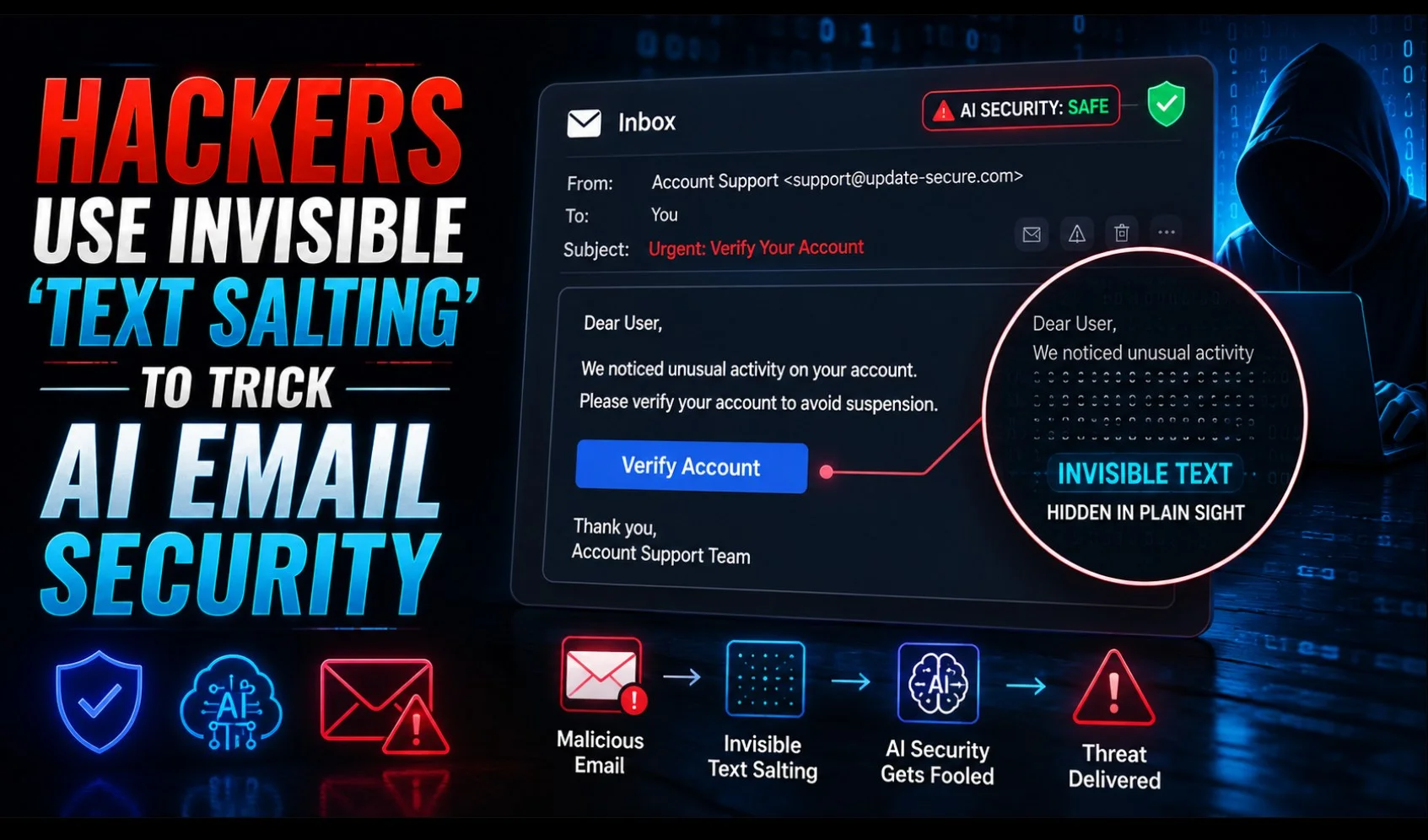
An old spam trick has been repurposed to confuse the AI now guarding company inboxes. Barracuda researchers say they’ve spotted more than a million phishing attacks since April using a technique called text salting, which buries large amounts of invisible, harmless-looking text inside malicious emails. The point is to skew what security software sees, while the recipient sees only the scam. Barracuda’s threat analysis is on its official blog, written by senior threat analyst Pranati Sethy.
The campaigns share a theme. Nearly all of them dress up as retail messages: expiring reward points, gift cards, limited-time redemption offers, the kind of thing you might genuinely have sitting in your inbox.
The trick is dilution
Spam filters have traditionally worked by scoring an email on how many suspicious words it contains. Pack a message with terms like rewards, expires, and card, and you’ll trip the filter.
So attackers pad out the email. They include hundreds of words of completely innocuous filler, random short stories, generic chit-chat, project-style notes, and loaded terms like puppy, training, notes, task, rhythm, and book. That lowers the ratio of dodgy words to harmless ones, and the message starts to look benign to a scoring system. The victim, meanwhile, sees none of it. All they get is the urgent retail lure and a malicious link.
Two details make these campaigns harder to spot. The attackers use compromised legitimate websites or lookalike domains, and they configure those domains with proper email authentication such as DKIM, so the messages arrive carrying the technical markers of a legitimate sender.
Three deadbolts, not one
Hiding text in an email isn’t new, but the layering is. Modern security tools often force hidden text to render so they can read it, so attackers now stack several concealment methods at once. Barracuda compares it to locking a door with three deadbolts instead of one: crack one and the rest still hold.
The CSS tricks are the main ones. clip-path: inset(100%) crops the filler text’s viewing area to nothing from all sides. max-height: 0 and line-height: 0 act as backup, collapsing the block’s height to zero so there’s no suspicious empty gap if the first instruction fails. text-indent: -9999px Shoves the text roughly 10,000 pixels off the left edge of the screen, and overflow: hidden stops the browser adding a scrollbar that would give it away.
Then there’s the zero-font technique, which is sneakier. Attackers set the injected text to font size zero and drop it inside real words. An email’s HTML might read “Your pass [random text] word expired” — a scanner hunting for the exact phrase “Your password expired” sees nothing to flag, while the recipient reads a clean, unbroken sentence.
Here’s the part that matters. A large language model reading an email typically processes the raw text and HTML source, and unless it’s been specifically trained or told to ignore hidden content, it has no idea which parts of that text a human will never see.
Feed it 400 words of pleasant invisible waffle about a puppy’s training schedule alongside twenty words of phishing, and the model’s read on the email’s intent, tone, purpose, and risk can shift. It classifies the message as harmless. The email lands. The recipient sees only the scam.
There’s a neat irony in this, and Barracuda points it out: AI is what makes the attack scale. Generating endless paragraphs of natural-sounding filler on random topics used to be tedious. Now it’s free and instant, and every single phishing email can carry entirely different filler text, which makes the campaigns very difficult to fingerprint or track.
What actually helps
Barracuda’s advice is to stop leaning on any single detection method, including keyword scoring or AI content analysis. A layered setup should weigh message structure, sender reputation, behavioural anomalies, authentication results, embedded links, and how the HTML actually renders.
The key capability is comparing what the recipient sees against what’s in the source code. A large gap between the two is itself the tell, regardless of how innocent the hidden text reads. Barracuda also flags the obvious non-technical layer: regular threat-awareness training, so staff recognise a too-good-to-be-true rewards email when it does slip through.
Worth remembering that Barracuda sells email protection, so the recommendations naturally point toward what its products do. That doesn’t make the research wrong; the technique is well documented, and the CSS examples are concrete, but it’s the usual thing to keep in mind when a vendor publishes threat research.