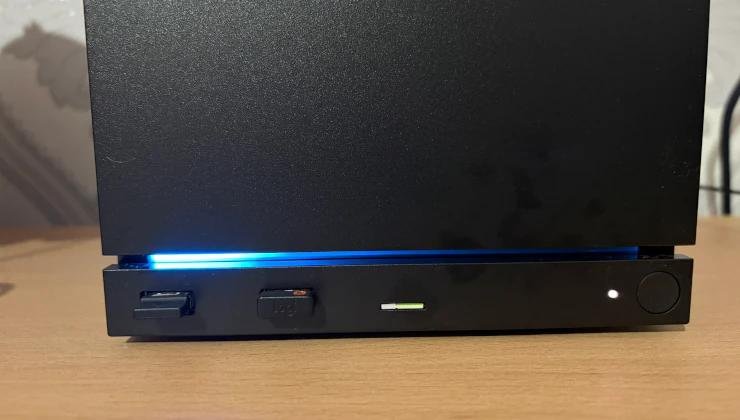
Steam Machine with SteamOS Linux – initial thoughts
Good news everyone, I now have a Steam Machine in the GamingOnLinux house and I have some initial thoughts. Note: my articles on the Steam Machine are completely unsponsored. This was a personal purchase – as Valve PR did not return my emails.
Also a shout out to the wonderful Marc for giving up their reservation for me. Big thank you!
Model tested: 512GB with Steam Controller.
Now then, what do I think so far?
It’s So Damn Small
Well, we all knew already that it was small. But you truly cannot appreciate just how small it is until you have it in the palm of your hand. It’s actually a bit ridiculous how compact it is. The weight of it is surprising too! You could easily put this in a backpack to hook up at a friend’s house. The fiancée was nicely surprised by the size of it too, fitting in with our life happily so she can still have all her various trinkets around since it takes up barely any space at all under our living room TV. It’s barely wider than the new Steam Controller, and only a bit taller than the Nintendo GameCube.
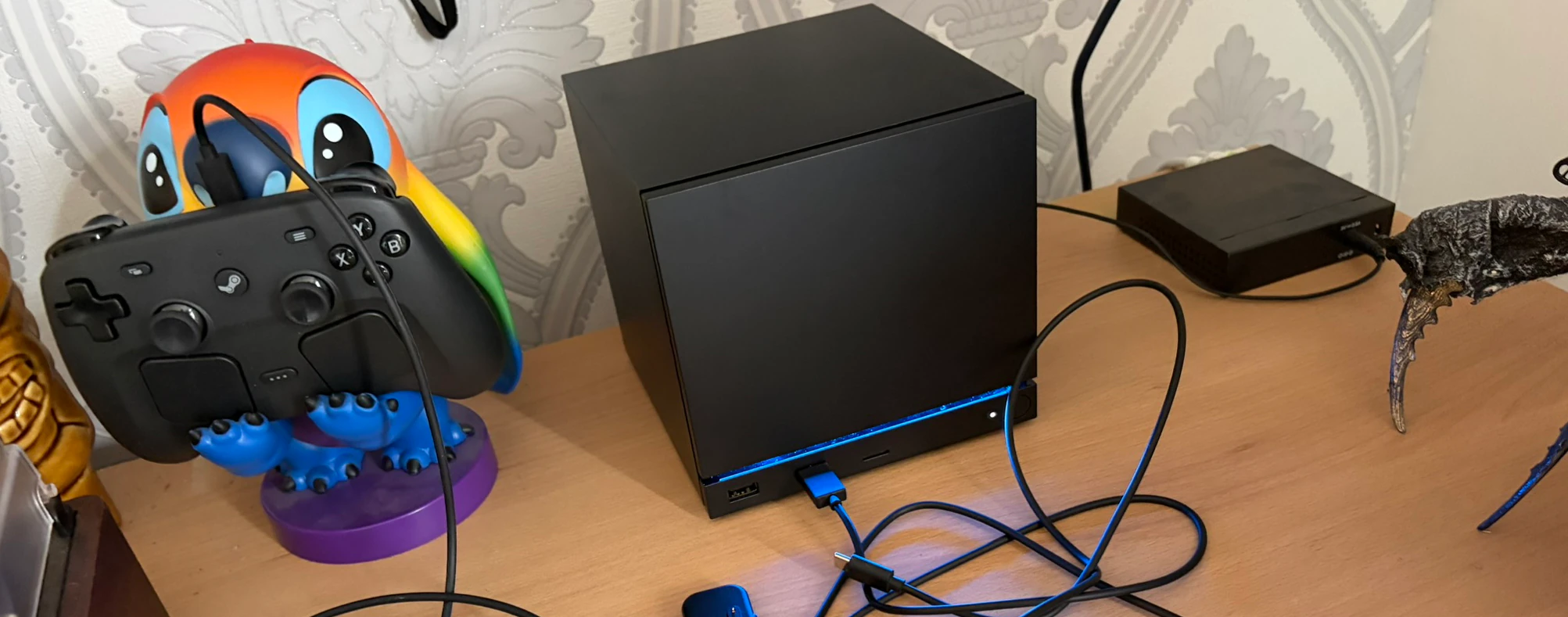
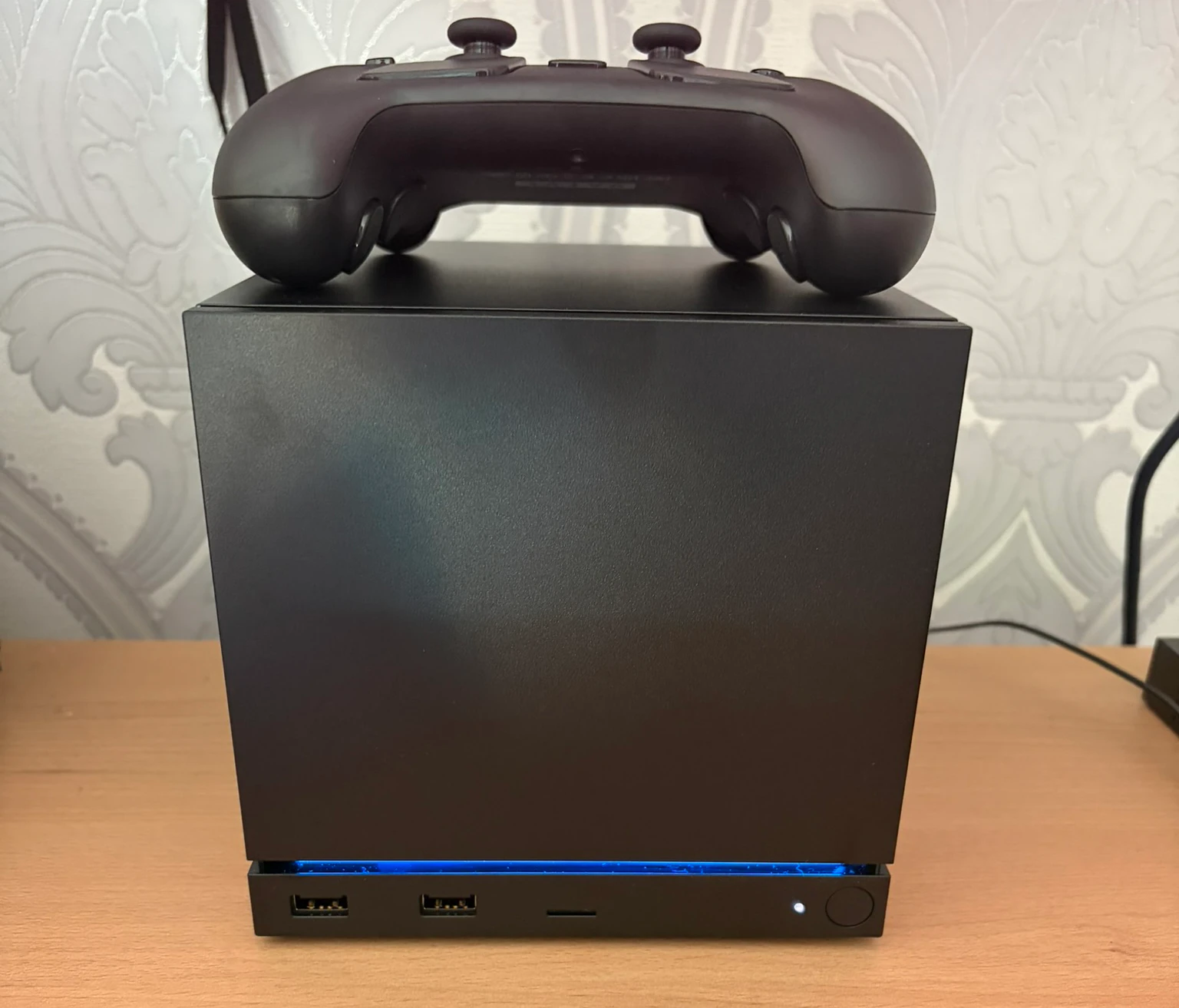
The Setup
I was expecting a few warts with the setup, especially since I know what Valve hardware launches are like. The Steam Deck had (and still has…) plenty of quirks, so I went in expecting things to be a bit funky. However, my unit arrived at a good time, since Valve just launched the latest stable Steam update that smoothened a few of those rough edges.
The actual setup was shockingly nice and simple and really just no fuss. You plug it in, turn it on, hook up a controller and away you go. Signing into Steam was a simple case of scanning the QR code with the Steam app on my phone – it’s all so easy now.
Once the basic initial setup is finished, it asks if you want to sync the Steam Controller to the built-in antenna so you don’t need to use the Puck. That also worked without a hitch. No problem there at all. And so far, the controller signal has been great with no drop-outs.
You will have to wait a little while though before you can actually get gaming, as there’s plenty of updates to run on the first load for both the Steam Machine and Steam Controller – that also all went smoothly without an issue as well and the upgrades were surprisingly quickly too. So far, so good.
When going to download the first set of games though, I came up against the first odd quirk.
Steam was clearly online, it did all the updates, I could browse the store and so on. But the games just would not download a single bit. Just…nothing was happening. The downloads just sat there. I paused and unpaused, swapped around downloads and nothing. It just refused to download anything at all. Annoying. Thankfully, solving that was a simple case of toggling the WiFi off and on and it hasn’t been a problem since through multiple reboots and re-testing. Just an odd initial setup bug.
I’ve downloaded, removed and moved games to and from the SSD to a microSD Card without issues now.
More Thoughts
Another little annoyance is the performance monitor overlay, where you can see the FPS, RAM, VRAM usage and more. It is absolutely tiny and does not seem to scale at all. No matter the display settings I use – it’s just tiny. This has been a problem for some time on SteamOS with external monitors / TVs but probably pretty low priority for Valve to actually solve and not really a big deal. Just a minor nuisance really.
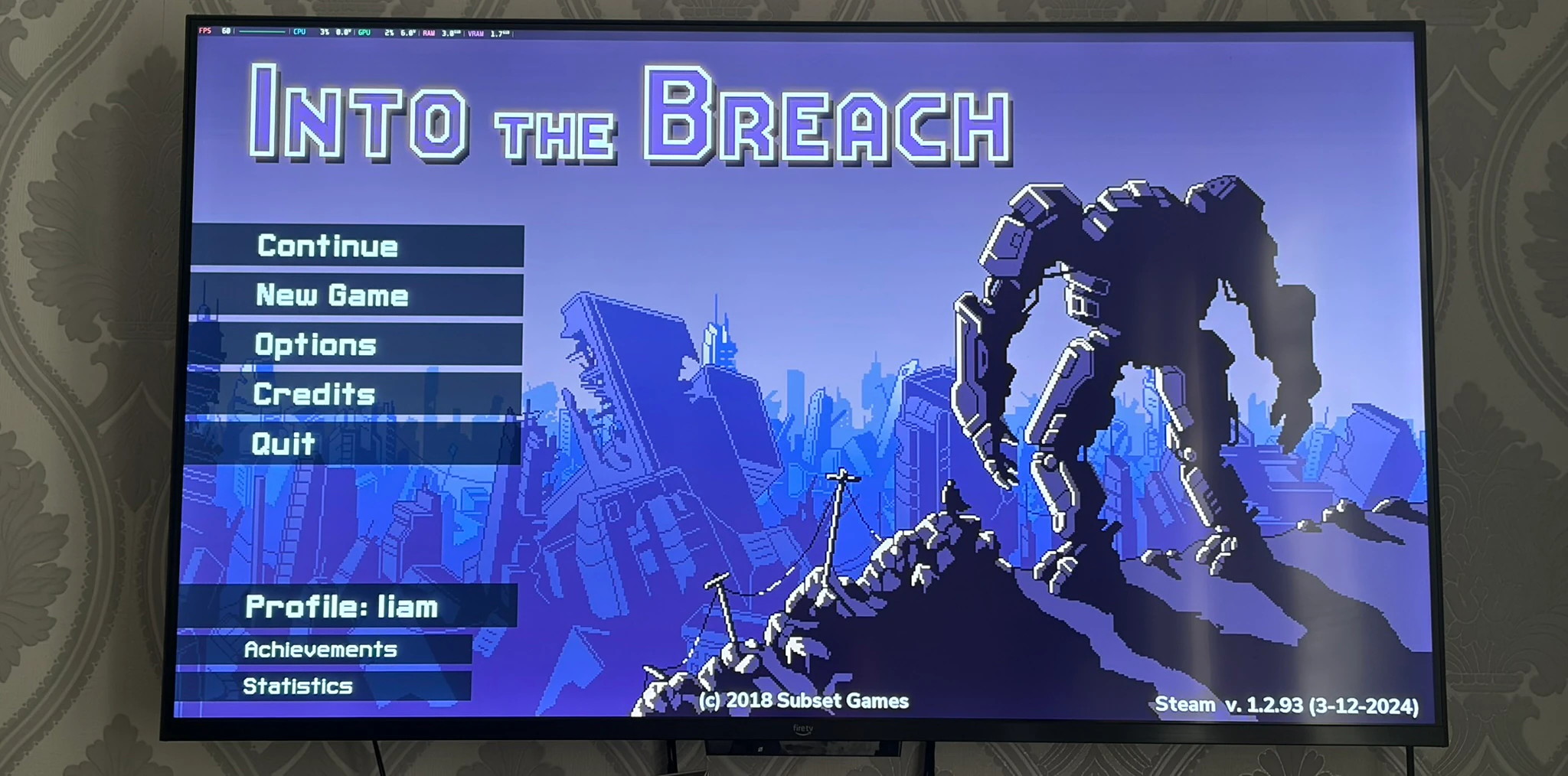
How am I supposed to see any of that? What is this, a performance monitor for ants?
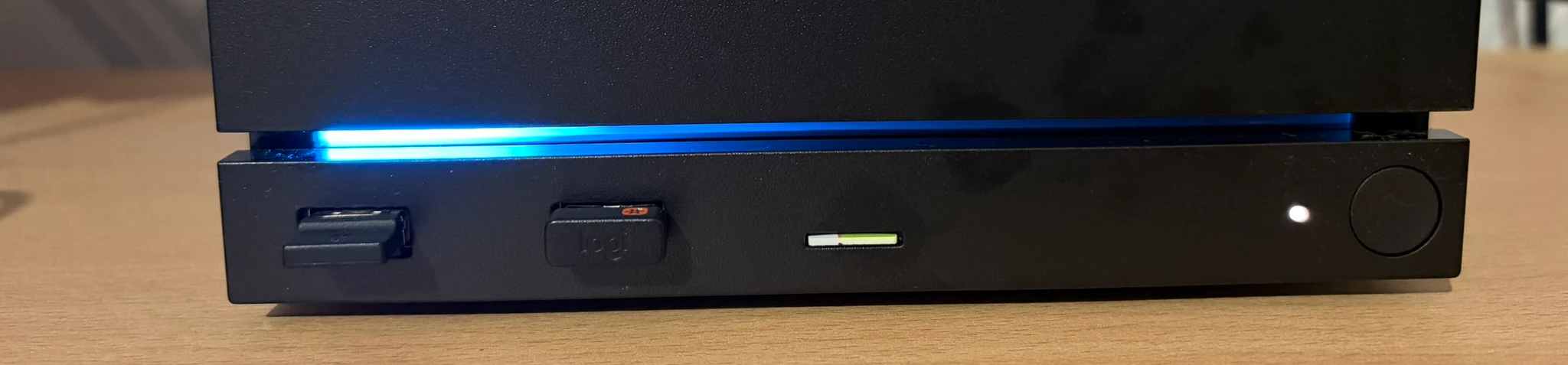
The microSD Card port is also kind of terrible. I really dislike microSD cards as a whole anyway. They’re flimsy, easy to lose, easy to snap and the port itself just doesn’t give proper feedback that you’ve actually clicked it in.
Full Specifications
More Thoughts Continued
Wireless performance on my network is so good I don’t even feel the need to connect up Ethernet to it either. Nice to not have another wire laying around.
Something I do actually love is the LED bar on the front. Valve integrated it directly with SteamOS so it even acts as a download meter, lighting up gradually from the left end to the right based on your current download progress. I appreciate little gimmicks like that – because not only does it just look cool, but it’s actually quite useful too if you’re watching something on your TV while a download is on. Brilliant.
Also, it is crazy quiet. You can’t hear a thing coming from it to the point I repeatedly felt like I had to check it was doing anything at all. Valve certainly did some impressive technical work when it comes to the thermals and fan to keep it this silent despite the amount of power and heat it will give off. I’m in awe of the hardware achievement here.
One thing I will say as a warning – is not to place it into an enclosed area. It might be small, and fit into your gaming / TV cabinets but don’t do it. It blasts out heat with certain games, and needs good airflow otherwise it is quite likely to see temperatures climb a lot.
I’ve also hooked up my trusty Logitech K400 Plus, a wireless Keyboard with a built in Mouse trackpad – here it continues working great. Plug in the dongle – done. Exactly how it should be. I’ve been using this same one since 2020 for the Steam Deck LCD and then later the Steam Deck OLED, and here it also works without issues. So I still continue to recommend it for those of you who want a proper keyboard for your Steam Machine.
Go To Sleep!
Much like my kids, the Steam Machine at times really doesn’t want to go to sleep. You tell it to go, and it comes back a minute later complaining of a headache. It likes to wake itself back up. This is likely to do with HDMI-CEC, but it is a genuine issue Valve need to solve, as I’ve seen lots of other reports on it. Quite troublesome. Fast sleeping and waking was a great thing on the Steam Deck but here it just doesn’t seem to work right. I expected bugs and no doubt Valve will be going through their list with more updates to come.
Performance Considerations
As for performance, you definitely need to keep expectations in check with this. It’s clearly not a device for people who want to max everything and stare at an FPS counter. Unlike traditional console type machines – here we have access to lots of settings, and tools to actually check performance. As a 1080p machine, it has been running great. 1440p is also achievable easily in plenty of titles. 4K is just a silly thing to expect really, even the most powerful standalone GPUs struggle to do 4K properly. Valve’s initial advertising on that was more than a bit stupid.
Thankfully, Valve are aware of 4K being terrible for this machine, and so by default it’s set to a maximum resolution of 1080p across the whole system. However, you can easily change this across the board in the settings:
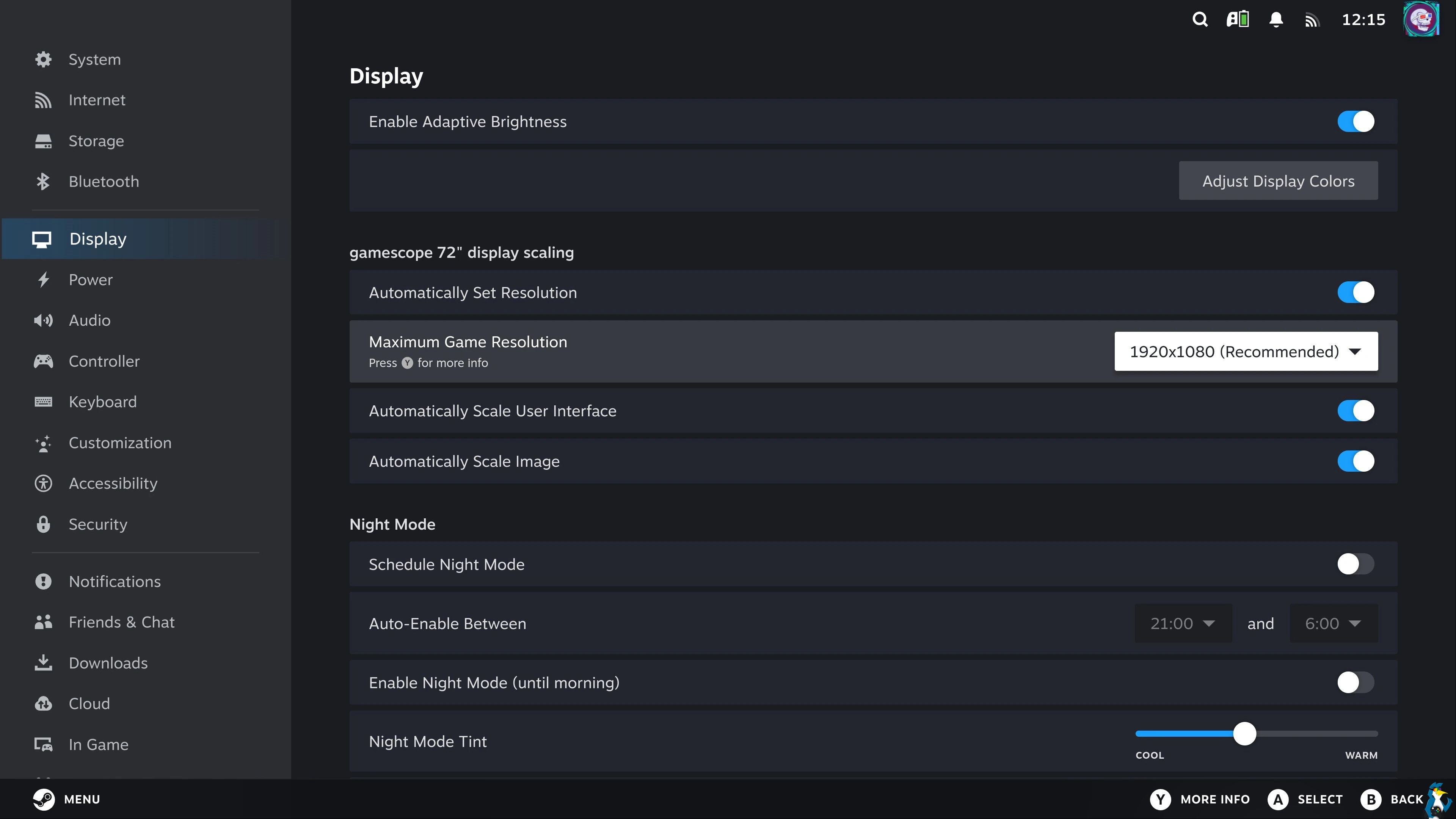
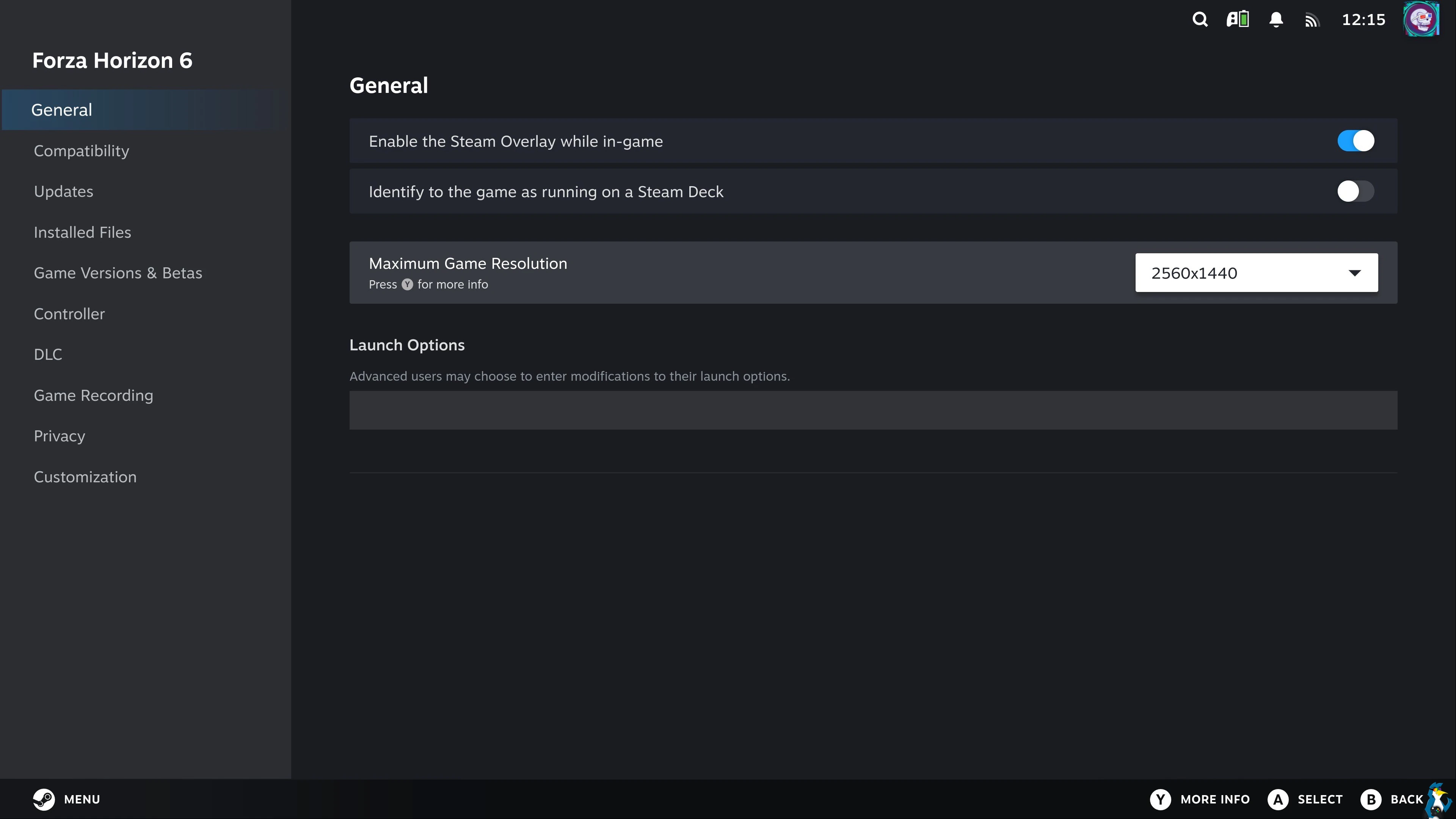
And you can also change it on a per-game basis in the settings too. The point is – you have control with SteamOS.
Initial Quick Benchmarks
Overwatch
Proton Experimental – This one I was expecting to run quite well – and it does. Playing a whole lot of rounds with my fiancée and it has been so silky smooth so it has been a great experience. If Overwatch is one of your favourites – it’s a great machine for it.
Testing at 2560×1440 with AMD FSR 2.2 with everything cranked up High / Ultra:
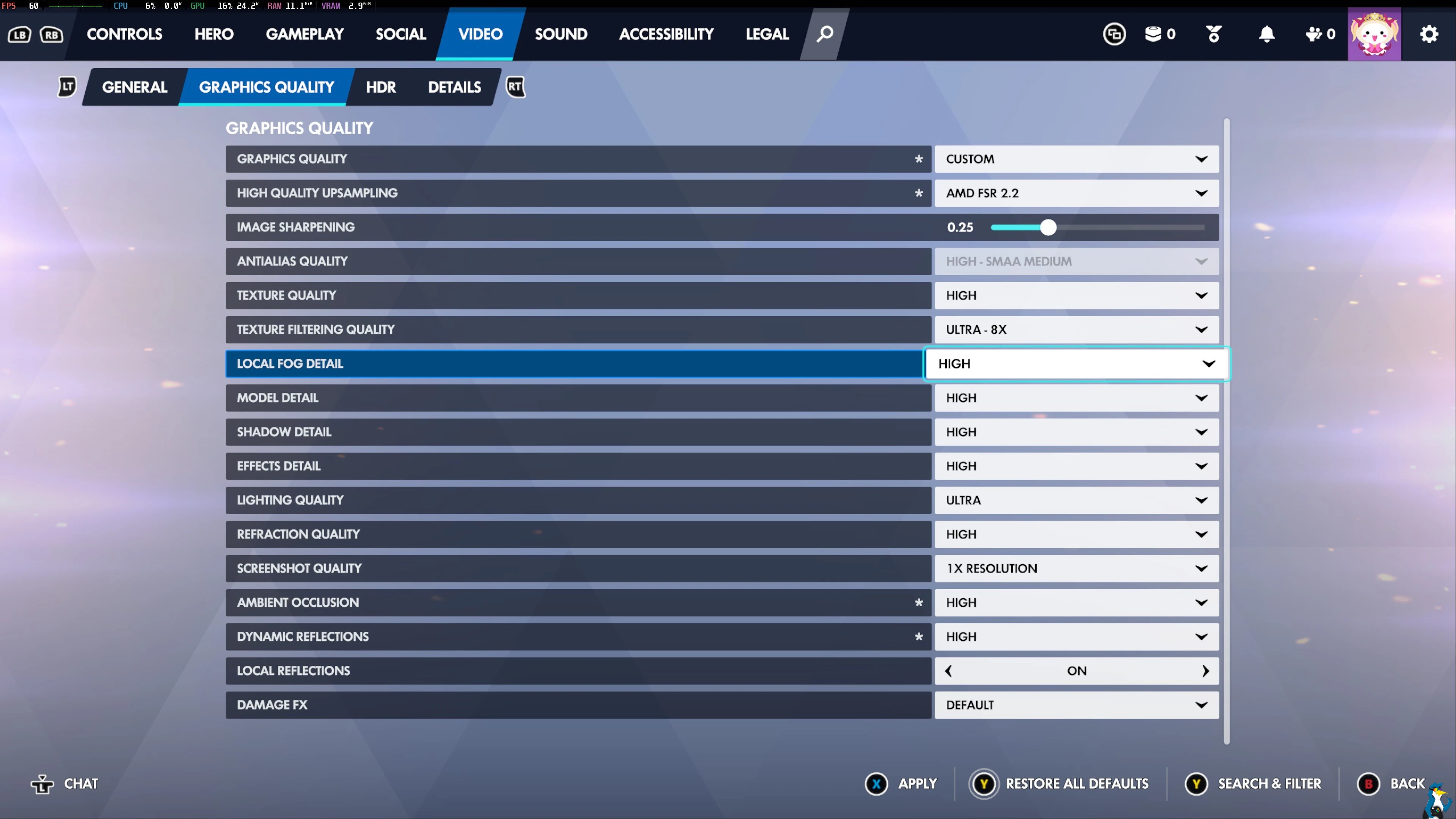
I’ve yet to see Overwatch dip below 120FPS.

Forza Horizon 6
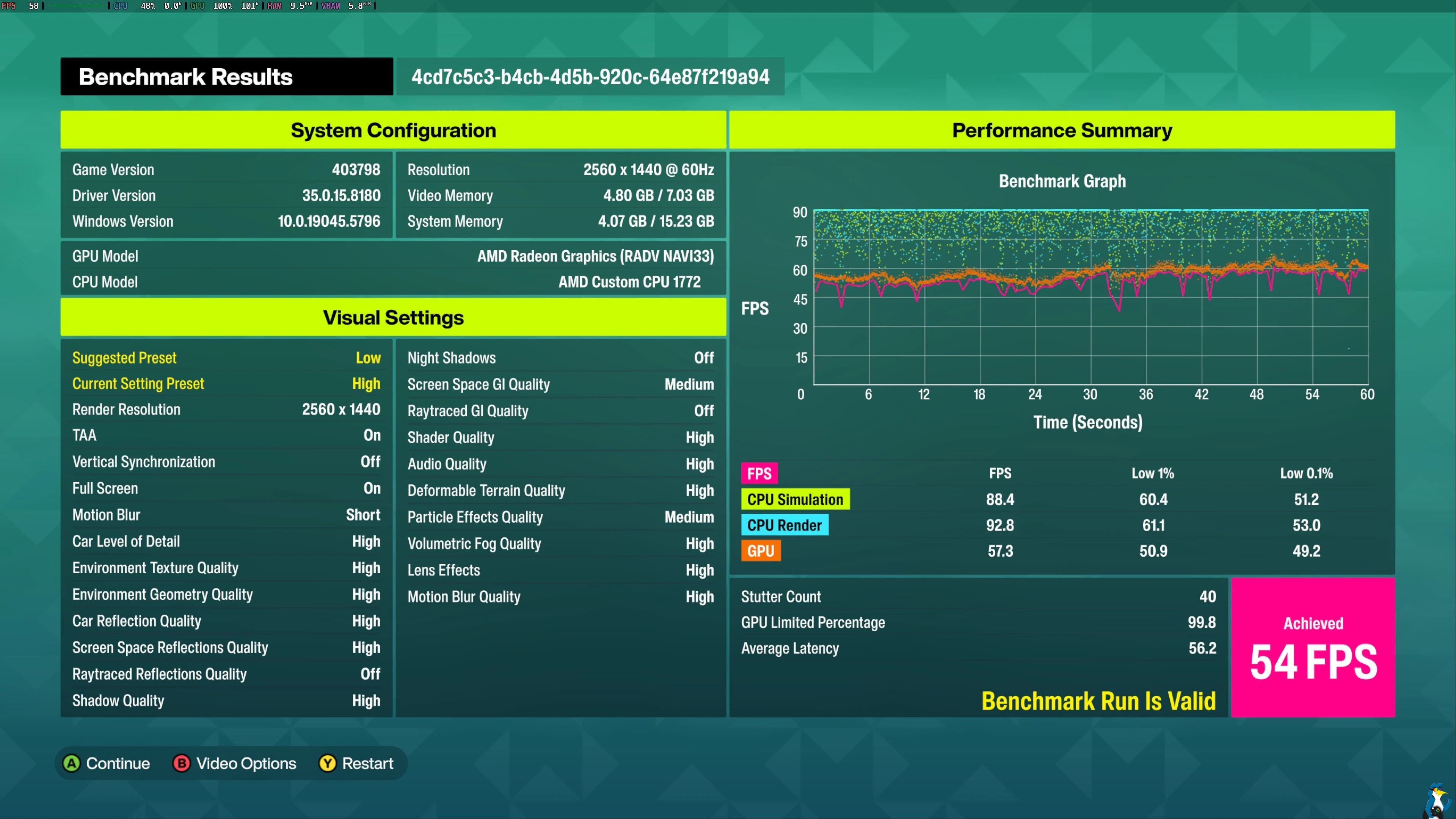
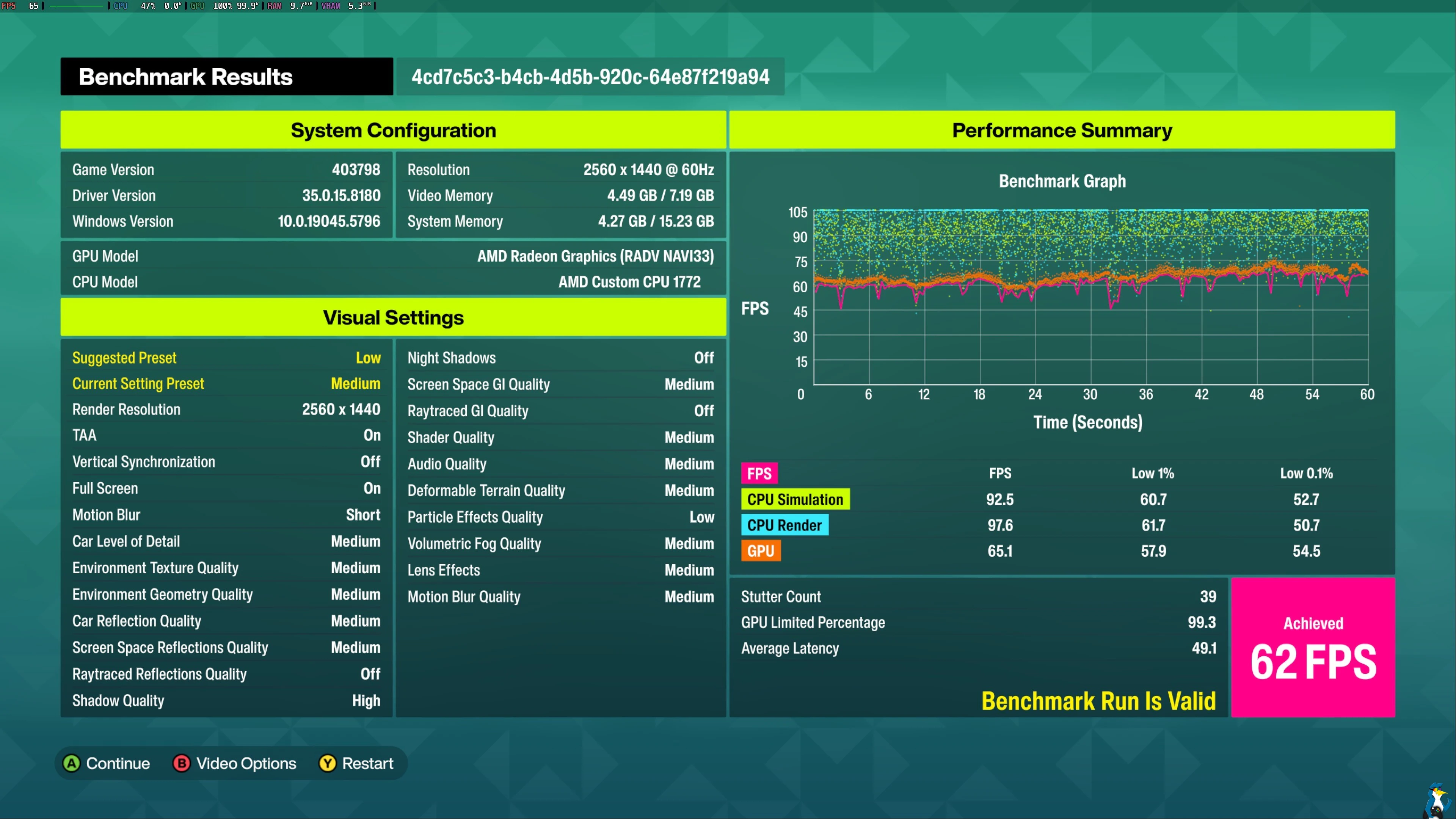
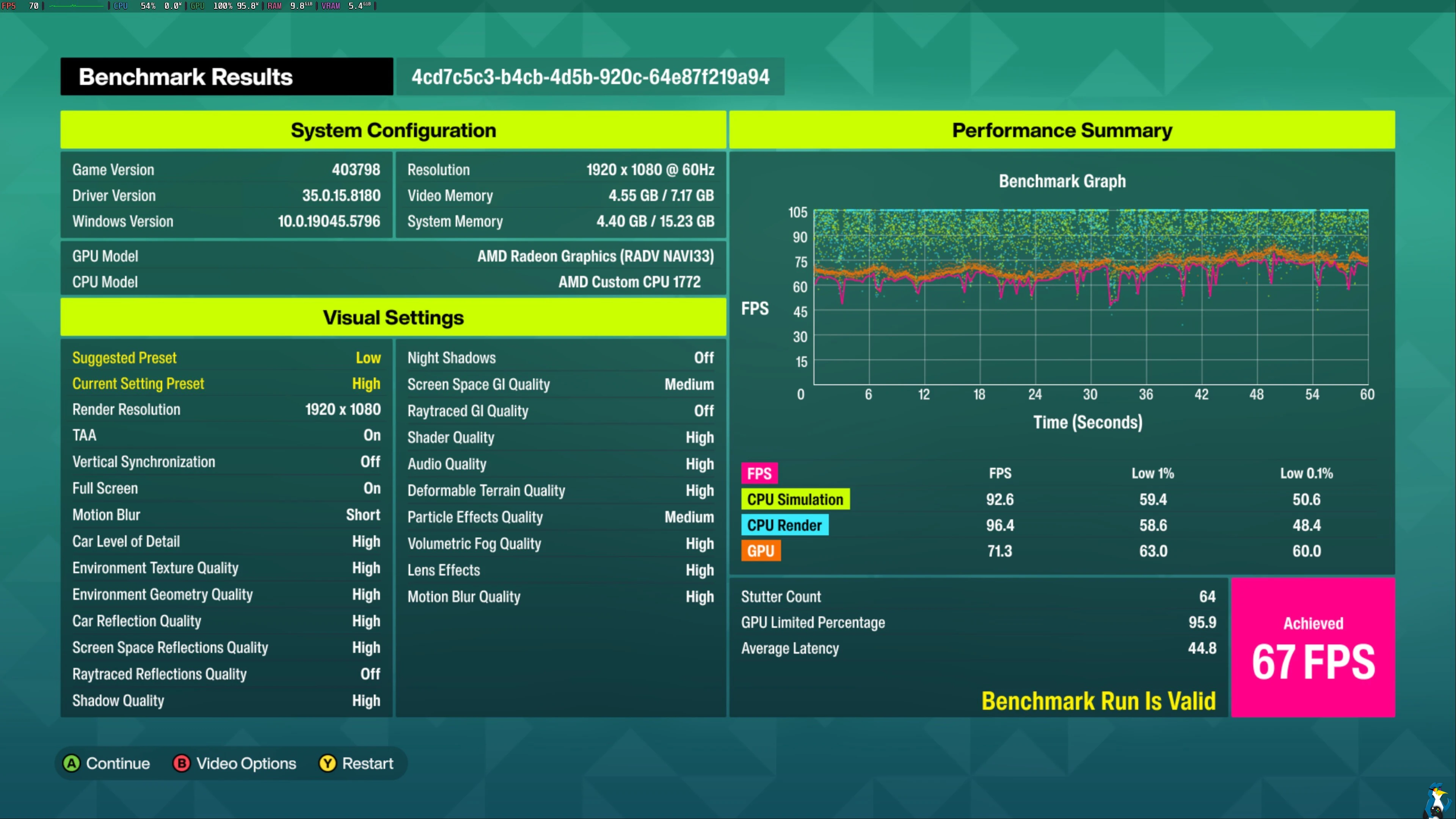
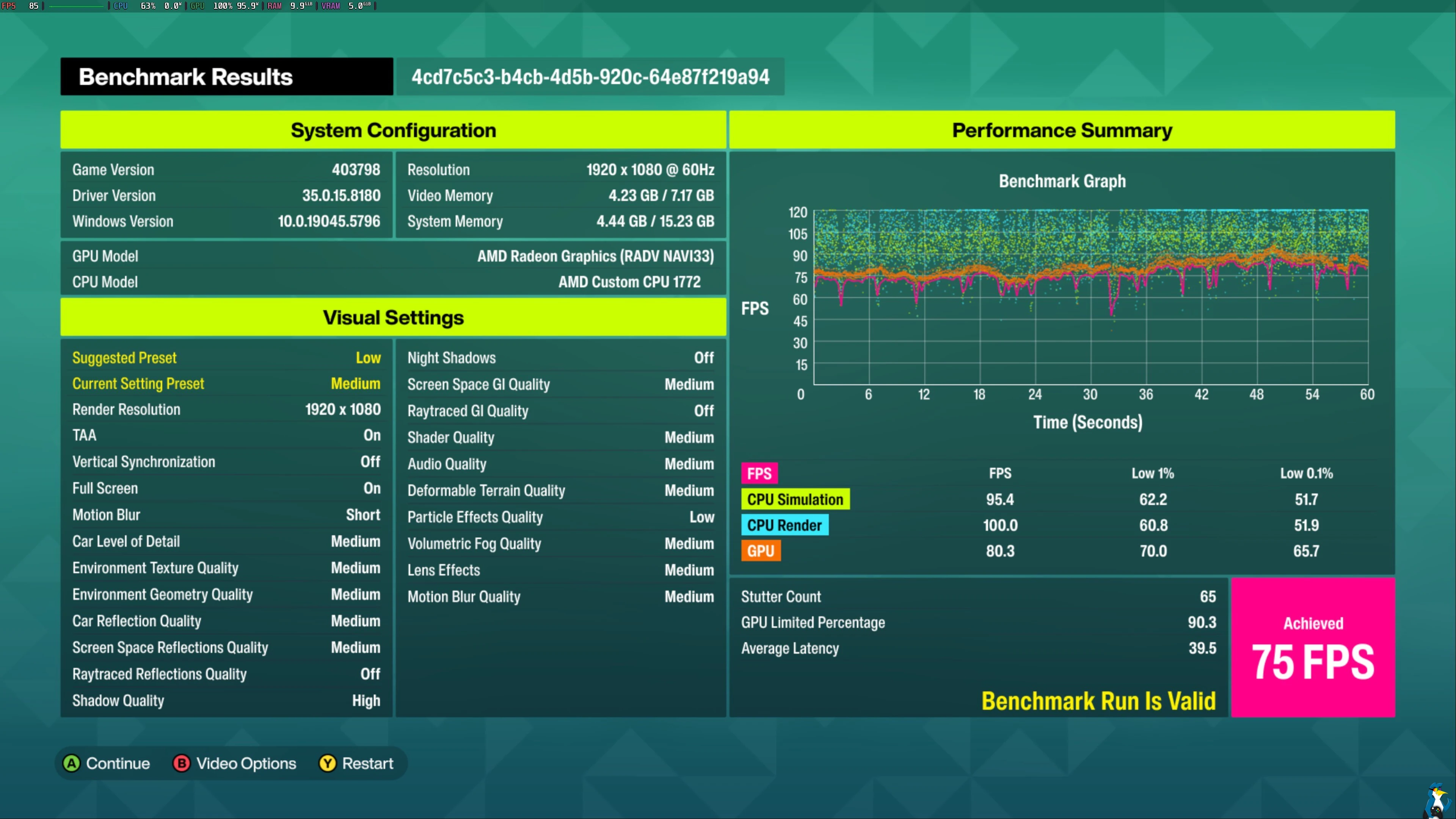
Proton Experimental – I thought Forza Horizon 6 would be a bit on the rough side, but even Forza Horizon 6 has been quite surprising on it. There’s still the issue of random hitching, which seems to be a general Proton performance issue. Aside from that, it does run quite well.
Check out the benchmarks:
High – 2560×1440
Medium – 2560×1440
High – 1920×1080
Medium – 1920×1080
Cyberpunk 2077
Proton Experimental – I figured Cyberpunk would be the one to really destroy the performance – but as long as you don’t have Ray Tracing turned on, you can have a really nice experience here too. Surprisingly so. On higher settings too.
Check out the benchmarks:
High – 1920×1080, FSR4 Quality
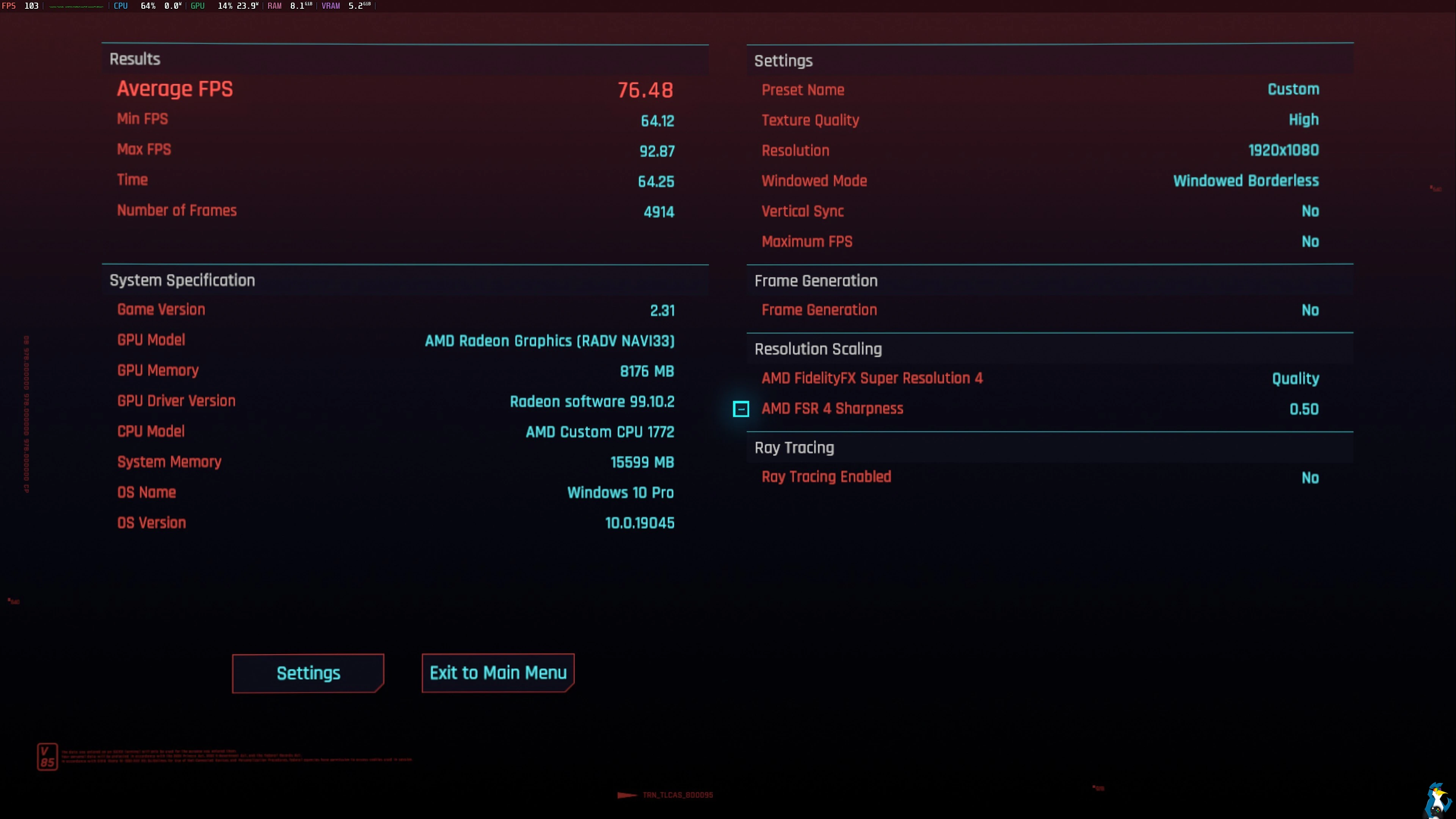
High – 2560×1440, FSR4 Quality
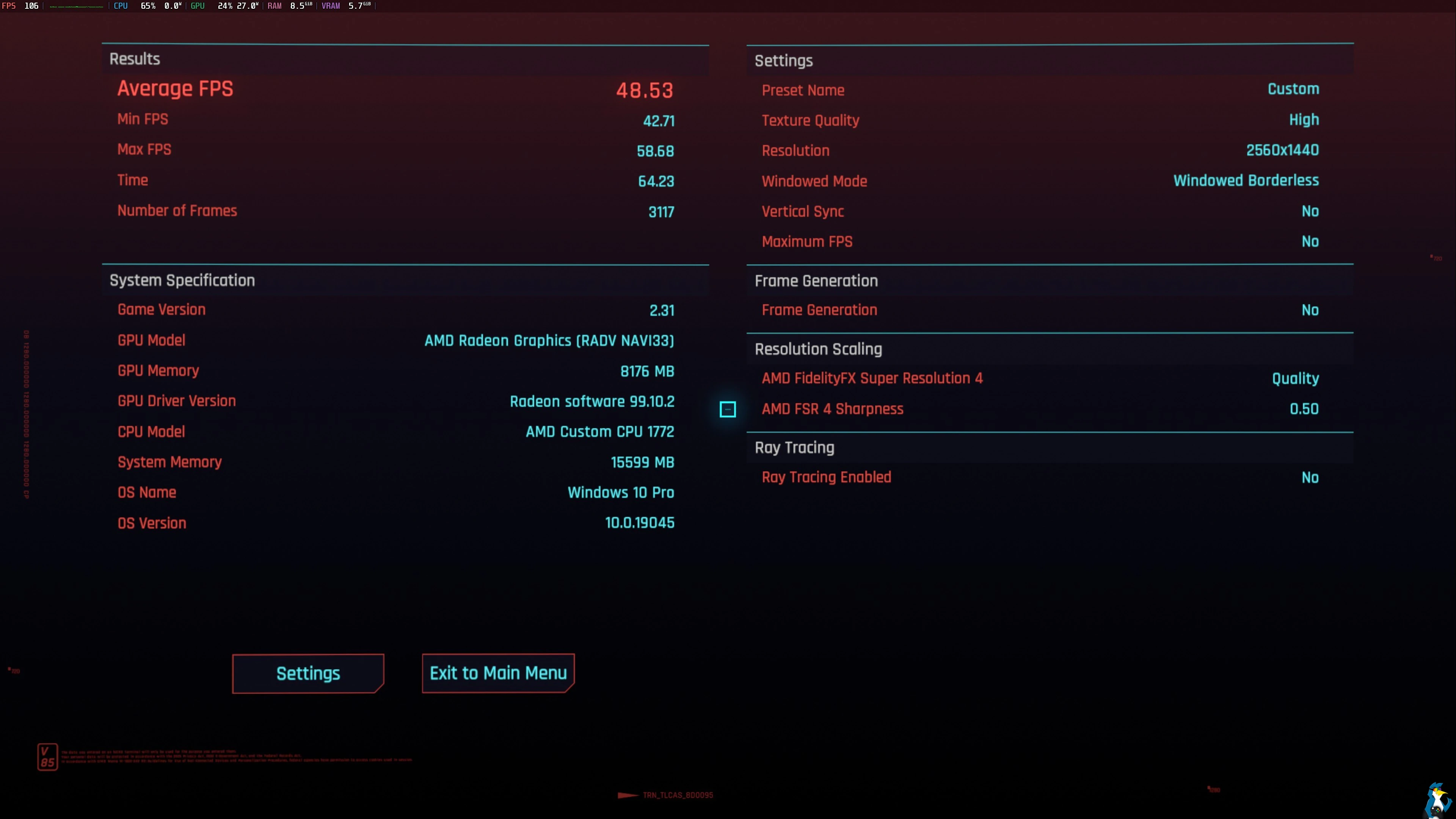
Medium – 2560×1440, FSR4 Quality
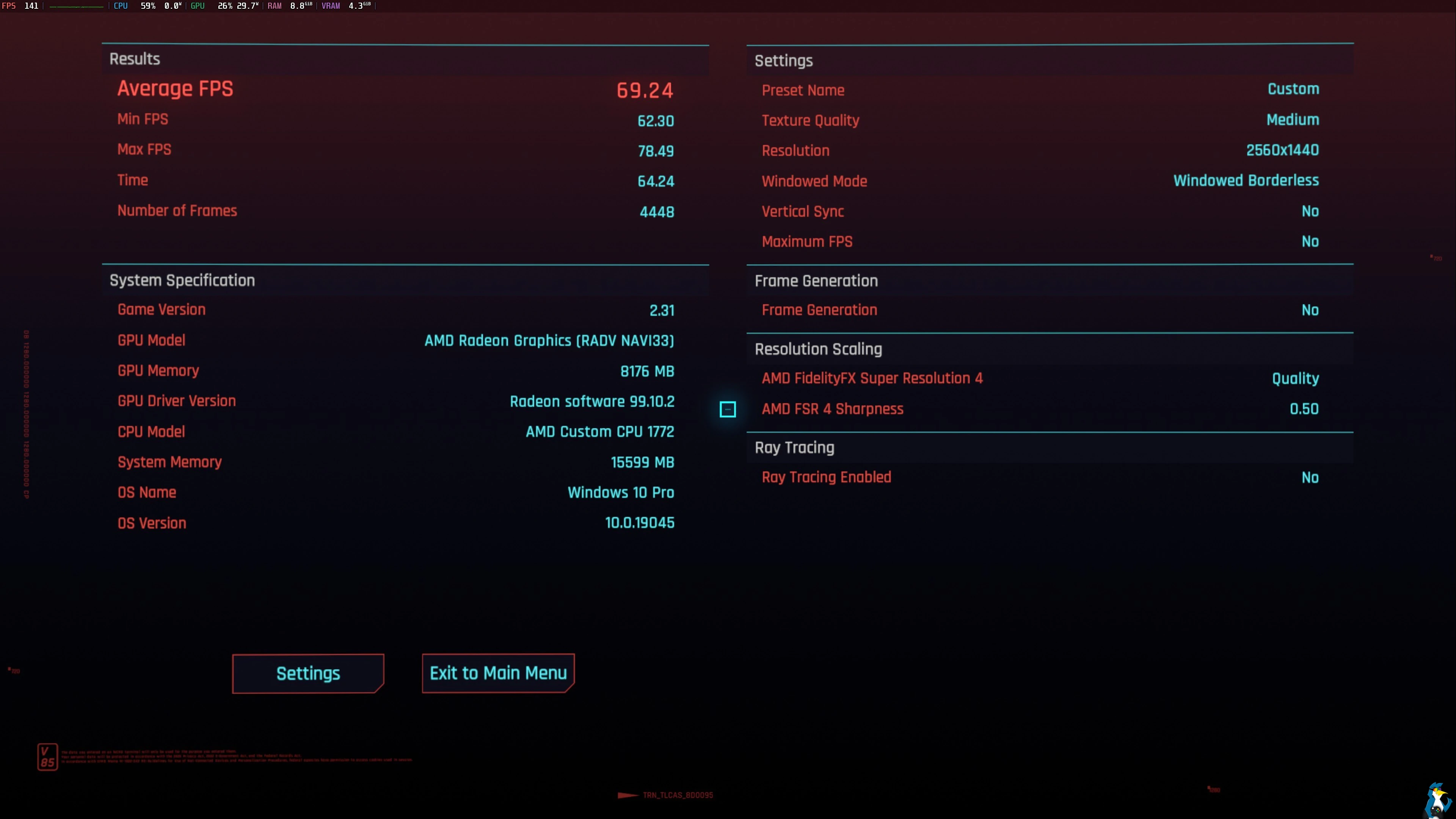
Nice To Haves
Something I would like to see are better filters on the Steam web store. We already have them for the Steam Deck – why not the Steam Machine?
Additionally, I think they need completely to re-do how they show Steam Deck / Steam Machine / SteamOS (and eventually Steam Frame) compatibility. Currently it’s a small box you click into on the right side of Steam pages, and from what I understand that only gets shown if you’re currently in a supported region. It also still says “Steam Deck Compatibility” on Steam store pages despite having multiple categories stored in it now. Perhaps a dedicated slot by the system requirements would make a lot more sense?
I’m nitpicking about the UI at this point, but shoulder buttons to swap between storage drives in the storage menu would be a real small but nice UI tweak. It’s all about removing little annoyances that add up.
Better account switching is also going to be needed. The current way is just not very good. For multiple people having an account on SteamOS, you should just be able to bring up a menu and swap directly between them smoothly. I hope they will focus on streamlining that now they have what is essentially a living room console PC hybrid, something that is ideal for multiple people and families.
Ending Notes
Aside from the WiFi download quirk and sleep issue noted above – for people who want a small form factor PC that’s quiet, while being plug and play without having to source components and build it – this seems to be a good option. Aside from the price (which is annoyingly high), but the price of all tech is just simply terrible right now everywhere, mainly thanks to AI data centre expansions sucking up all the manufacturing.
This has easily and happily replaced my Lenovo Legion Go that was docked in the living room, which now gets relegated to the bedroom.
Looking at the bigger picture – this has spurred on so many posts I’ve seen on social media, Reddit, and YouTube videos of people making their own versions of a Steam Machine with SteamOS. This is the kind of movement I was hoping to eventually see one day – lots more people seeing the real true value of a more open system where you truly own the hardware.
Just remember to check out our dedicated anti-cheat page for game compatibility on popular multiplayer titles.
My time with the Steam Machine has only just begun, but I can already see it fulfilling its purpose nicely. A tiny performant PC box, with SteamOS Linux to get you gaming quickly, that runs lots of different games from indies to AAA rather well.
You can expect ongoing news, reviews, and general testing of the Steam Machine from me here at GamingOnLinux just like I’ve done for years with the Steam Deck and Desktop Linux. I’m currently overhauling our very own charts system to make displaying benchmarks easier – so expect a lot more soon!
If there are questions you wanted answered and things tested, do leave a comment and let me know.
Now I just need the Steam Frame and my Linux gaming life will feel complete…