A $30 USB-C dock turned my handheld into the living room PC I actually wanted
For a long time I thought that I absolutely needed a home theater PC. I teetered between forcing a massive ATX tower into my media console and picking up a mini PC to create an uncompromised machine that handles 4K movie bit rates, local gaming, emulating layers, and desktop web browsing straight from the couch. However, there’s endless friction with these systems. They ran hot, required constant wireless keyboard and mouse usage, and demanded high idle power draws. Suddenly, I realized I had the exact device I was looking for already in my hands in the form of a gaming handheld. All I needed was a cheap dock and I was ready to go.
The hardware beats out a mini-PC
An amazing APU and great cooling
The gaming handheld packs absolutely amazing hardware for those looking to use it as a home theater PC. You get a highly efficient AMD mobile APU, up to 24 GB of high-speed system memory, a silent cool link architecture, and a pre-configured console interface, meaning you don’t need to have a keyboard and mouse sat on your coffee table at all times.
The dream of a dedicated living room PC didn’t die. It’s just migrated into this portable silicon. By using a basic USB-C dock with power delivery and HDMI 2.1 mapping, you can seamlessly anchor your handheld to your living room TV to create a whisper-quiet low-power living room hub that gives you the ability to balance desktop utility as well as native console comfort. All for significantly cheaper than it would cost you to build an alternative
When building a dedicated mini ITX computer, it can be pretty steep financially. Small form factor motherboards, low-profile CPU coolers, and high density SFX power supplies carry a massive pricing premium that inflates your budget before you’ve even factored in processing power.
The architecture you already get in your handheld comes with that pre-engineered mobile advantage. Mobile APUs like the Ryzen Z1 or Z2 Extreme series are heavily optimized to maximize computational throughput within a tight 15W to 30W thermal envelope.
If you’re placing your ATX or small form factor desktop inside an entertainment center, you have to be wary that it’s continuously dumping hundreds of watts of hot exhaust into a closed space. This can force the case fans to run very loudly at high speeds. A docked handheld handles local video decoding and UI rendering at low temperatures, drawing minimal power from the wall and remaining virtually silent during operation.
Ensure you get the right dock
There are some specs to look out for

Realistically, when setting up a handheld to use with your TV, you don’t need to invest in official proprietary first-party docking cradles that can sometimes cost around $100. A dock is not an active computation accelerator. It’s a passive hardware splitter that breaks out the high-speed data lanes of a single USB-C port. This means that a budget-friendly $30 to $45 dock needs to fulfill the ability to act as an uncompromised media bridge. There are certain requirements you should look out for.
You need to ensure that it has USB-C power delivery pass-through, and it has to support at least 65 W to 100 W charging in order to satisfy the handheld’s maximum power state without depleting the battery under load. Some handhelds, like the Steam Deck, charge at 45W, which is well below this mark, but there’s no use being able to dock and use your gaming handheld if it’s losing power whilst you’re watching a movie.
The next thing to be on the lookout for is HDMI 2.1 or DisplayPort 1.4 output. This is crucial for delivering 4K signals at 60 Hz or 120 Hz straight to modern panels without any perceptible differences in color or quality.
Another optional factor to look out for is a dedicated USB-A port or even an array of them. This will make it significantly easier for you to hook up a 2.4 GHz controller or even wireless keyboard and mouse dongles if you want to, as well as any local storage that you might need.
Software poses an issue
Windows isn’t the best

An issue with traditional living room computers is that navigating software, windows, or a web browser from a couch using a finicky trackpad, keyboard, or an imprecise gyroscopic remote can be frustrating. It can cause a point of friction to the point where you don’t even want to use your PC anymore.
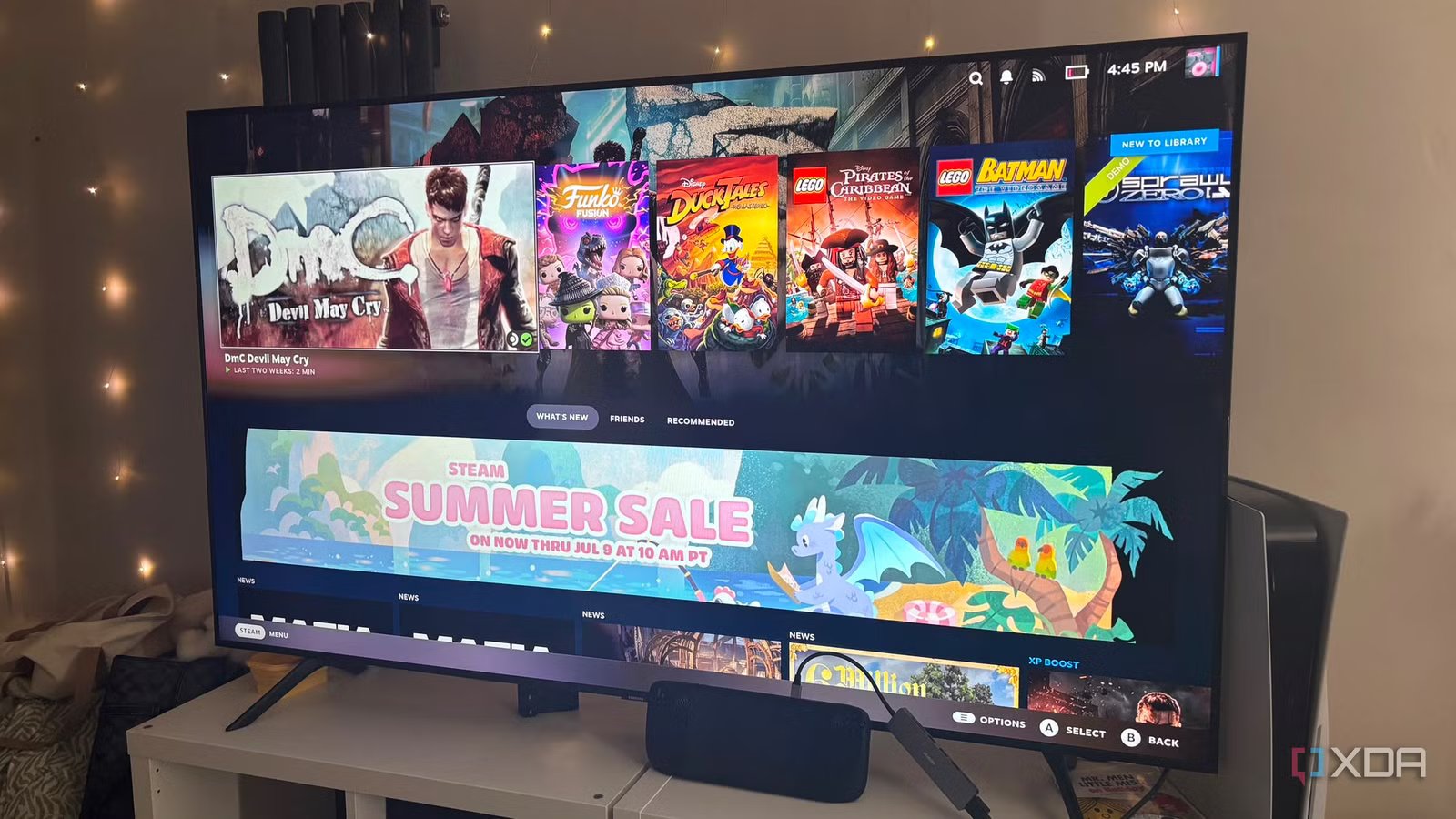
By utilizing operating systems like Steam OS or Bazzite, this headache is completely solved. When docked, the handheld boots straight into a clean 10-foot gamepad-driven UI. You can scroll through your game collections, tweak system configurations, and launch media applications using nothing but a standard Bluetooth controller, completely preserving the seamless feel of a traditional home console.
Of course, using either of these operating systems doesn’t lock you down to them completely. The dual-purpose nature of the setup is being able to use your desktop as a desktop when you need to. This means if you want to handle heavy work tasks, write scripts, or manage local network storage directories, a quick menu selection can drop the system into a full unthrottled desktop/sandbox environment. The cheap dock routes clean connections to your wireless desk peripherals, instantly transforming your media center into an ultra-fast local workstation terminal.
Don’t invest in a PC you don’t need
A gaming handheld works just as well
Instead of building dedicated single-purpose computing hardware for every separate room in your home, it might be worth utilizing the technology you’ve already got. Keeping a higher-power desktop tower permanently anchored under a TV can be expensive and comes with its points of friction too. A gaming handheld is fully capable of driving the entire experience instead. You get quiet cooling thanks to its mobile APU, plus less friction from its operating system. Just ensure that you’re grabbing yourself a budget-friendly dock that meets all the requirements that you need.

- Type
-
JSAUX Steam Deck dock
- Color Options
-
Gray
- What’s Included
-
Steam Deck dock
- Brand
-
JSAUX