I have 9 NFC tags in my house and put them all to good use — here’s what each does
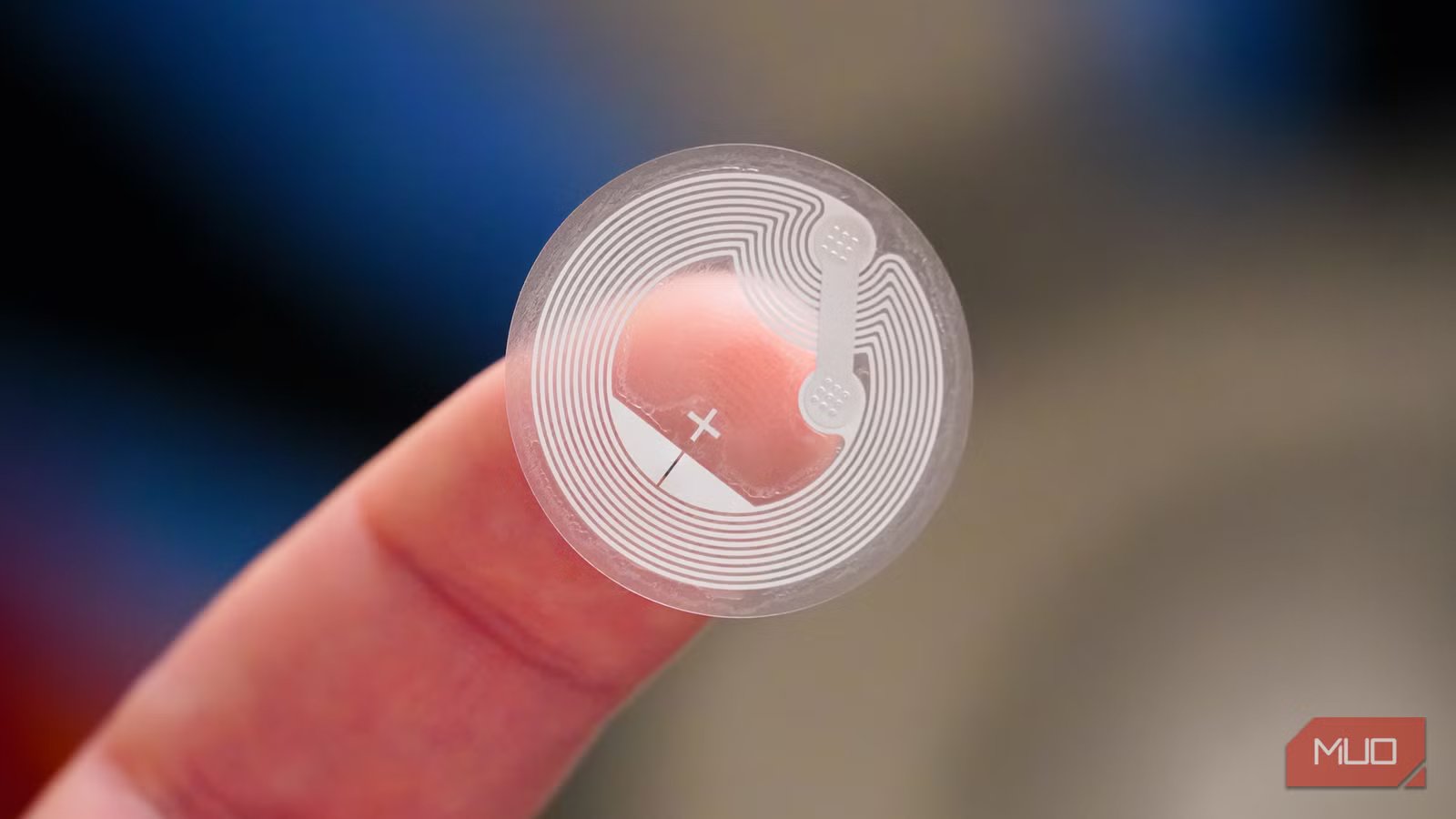
Nine programmable stickers are hidden around my house right now, and not one of them cost more than a dollar. They sit under a desk, inside a cabinet door, on a lamp base, and in five other spots nobody has ever noticed. Tapping my iPhone against any of them fires a different automation, which is how these tags took over a stack of small phone chores I used to handle by hand. Apple has supported NFC as a Shortcuts trigger since iOS 13, and every iPhone from the XS forward reads tags without a third-party app. Here’s the full inventory, tag by tag, along with why each NFC Tag ended up where it did.
The coffee counter and the car console
The first tag of the day is stuck to my Nespresso machine. Tapping it while the cup fills loads the morning headlines and the local forecast, then queues whichever podcast episode I abandoned yesterday. Reading through all of that takes roughly one brew cycle, which is the only reason the habit stuck. Nothing about it is clever. It just removes the part where I stand at the counter unlocking a phone one-handed.
Tag number two sits in the center console of my car, next to the phone mount. Setting the phone down and tapping it gets my driving playlist going, verifies that Bluetooth actually connected, and switches on driving Focus, all before the garage door finishes opening.
Anything you put in a vehicle deserves a second thought about heat. Most NFC stickers carry a working range topping out near 140°F, and a dashboard in an Indiana July gets well past that. A shaded console keeps the tag inside its rating.
Two tags in the same room do completely different jobs
The office doorframe and the underside of my desk
My basement office holds two tags, and they overlap less than you’d expect.
The doorframe tag is the arrival routine. Walking in and tapping it pulls up my calendar, loads email, opens my project apps, and swaps the Hue recessed cans over to daylight white. It gets the room ready.
The desk tag is deliberately narrower. It silences everything except my wife and kids, opens my task manager, and stops there.
Splitting the two matters because entering a room and committing to work are separate moments. Plenty of trips downstairs are just trips downstairs. The desk tag is the one I only tap when I mean it, and that small bit of intent is most of why it works. Shortcuts supports far more NFC triggers than most people set up, so there’s room to slice routines this finely. Naming them clearly helps once you pass three or four. Mine are labeled by location instead of by function, because the location never changes.
The kitchen cabinet, the washer, and the front door

The tag inside the cabinet door beside my stove is the one I hit most while cooking. A single tap opens my recipe app, holds the screen on, and puts timers within reach. Hiding it inside the cabinet was intentional, since it stays close to the range without getting triggered every time someone grabs a pan.
The washer tag kicks off a countdown matched to my normal cycle, which is the cheapest way I know to get a notification out of an appliance with no app and no Wi-Fi behind it. Appliances do introduce one complication. Standard NFC stickers cannot read through sheet metal, so anything mounted on a washer or dryer needs a plastic panel or an on-metal tag with ferrite backing behind the antenna.
A small framed sign by my front door holds the last of the three. It carries my guest network credentials, so visitors hold a phone up to the frame, approve the join request, and skip the password entirely. No app is needed on either platform. Two warnings belong with this one: the tag stores those credentials unencrypted, and it should point at your guest network rather than the one running your cameras and thermostats. More NFC tag placements worth borrowing exist beyond the obvious spots.
The weight rack and the nightstand lamp
The gym tag lives near my weight rack in the basement. Tapping it brings up my fitness app, gets music going, and mutes anything that isn’t an emergency. A timer runs alongside all of it, so the length of a session gets logged rather than estimated.
The nightstand tag is the busiest of the nine. It’s mounted on my lamp base, and one tap sends the house dark. That same tap pulls all three thermostat zones back for the night, arms tomorrow’s alarm, and hands things off to my sleep app.
Because that one gets scanned nightly, it’s the only spot where chip specs matter at all. NTAG215 chips carry a rated endurance around 200,000 scans, while NTAG216 chips are rated closer to 500,000. At one tap a day, neither figure is a ceiling you’d ever reach. A different limitation applies to all nine tags: automations only fire on an unlocked phone. Tap with the screen locked and you get a notification instead.
- Brand
-
Catephe
- Connectivity
-
NFC
Placement mattered more than the automation itself
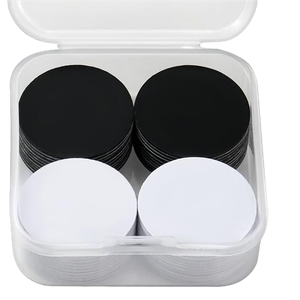
Every tag on this list sits where the manual habit already happened, not where the automation logically belonged. That distinction turned out to be the entire trick. The ones that stuck intercepted something I was already doing with full hands or a locked phone. If you want to try it, a pack of 30 NTAG215 stickers runs $10–$15, and the smart move is putting two of them wherever you currently fumble with your phone. The rest of the spots tend to reveal themselves within a week. Other people’s NFC automations are a good place to steal from once you’ve got the first two working.