
After the Break-In: What Attackers Do Once They’re Already Inside

Most of us in IT spend our energy trying to keep attackers out. But a recent incident investigated by Huntress tells us a lot about what happens after an attacker gets in (and why it matters just as much).
Once an attacker has gained initial access, they don’t rush straight to the smash-and-grab, doing things like stealing data, encrypting files, or dropping ransomware. Instead, they take time to dwell and settle in—creating backdoors, covering their tracks, and disabling the tools meant to catch them.
This post breaks down a real incident from June where an attacker did an unusually thorough job of doing exactly that. We’ll look at where the threat actor took aggressive steps to modify the environment after gaining initial access, and what it means for how defenders should think about post-breach cleanup.
How They Got In
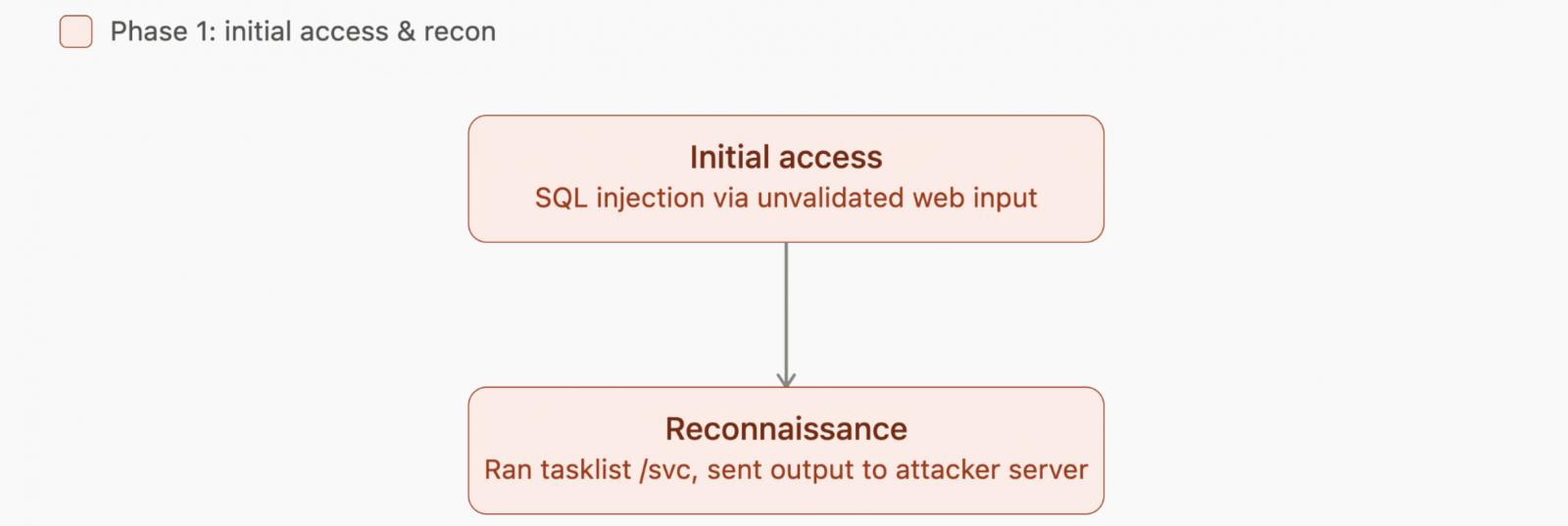
Huntress’ security team first noticed suspicious activity tied to a Microsoft SQL Server process. Digging in, analysts found the attacker hadn’t gone after the database directly.
Instead, they found a webpage on the same server that wasn’t properly checking user input, a classic SQL injection vulnerability. That flaw allowed the attacker to access the underlying Windows machine.
Worth noting: SQL injection remains one of the most common (and most preventable) web application vulnerabilities. It happens when a website takes information a visitor types in, like a search box or login form, and passes it directly to a database without checking that it’s actually safe to use.
Hacker tradecraft’s evolving daily, so let’s break it down on Tradecraft Tuesday!
Join us monthly for an in-depth look at attacker tradecraft—no sales or product talk involved. Sign up for the series today or catch up on previous episodes. No tricks, just tradecraft.
Casing the Joint
Once inside, the attacker didn’t act rashly. They ran a built-in Windows command that lists which services are running on the machine—a simple recon step attackers commonly use to figure out what’s worth targeting or which processes they could disguise malicious activity as.
They even sent the results of that scan out to a server they controlled, likely to review later or feed into automated tooling.
From there, the attacker got to work making the environment their own:
-
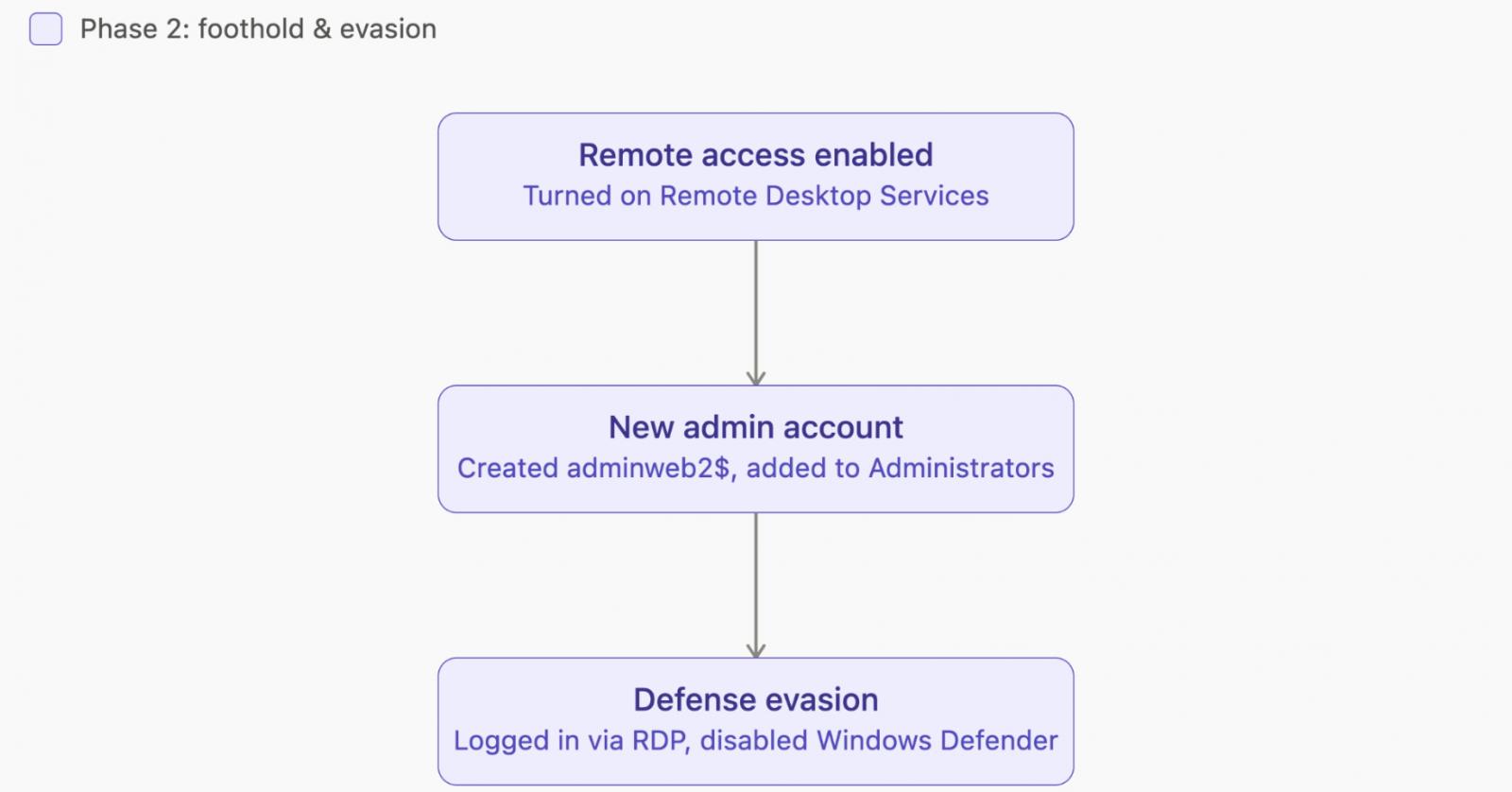
They turned on Remote Desktop access, which wasn’t previously enabled.
-
They created a new user account and added it to the local Administrators group, giving them instant, high-level access that would also survive a reboot or a basic cleanup.
-
They logged in through Remote Desktop using that new account.
-
They disabled Windows Defender, Microsoft’s built-in antivirus. Though notably, they left other security monitoring tools (like EDR) untouched. That’s a bit unusual, and suggests they either didn’t notice EDR was present or didn’t have a way to disable it.
Turning the Web Server Into a Weapon
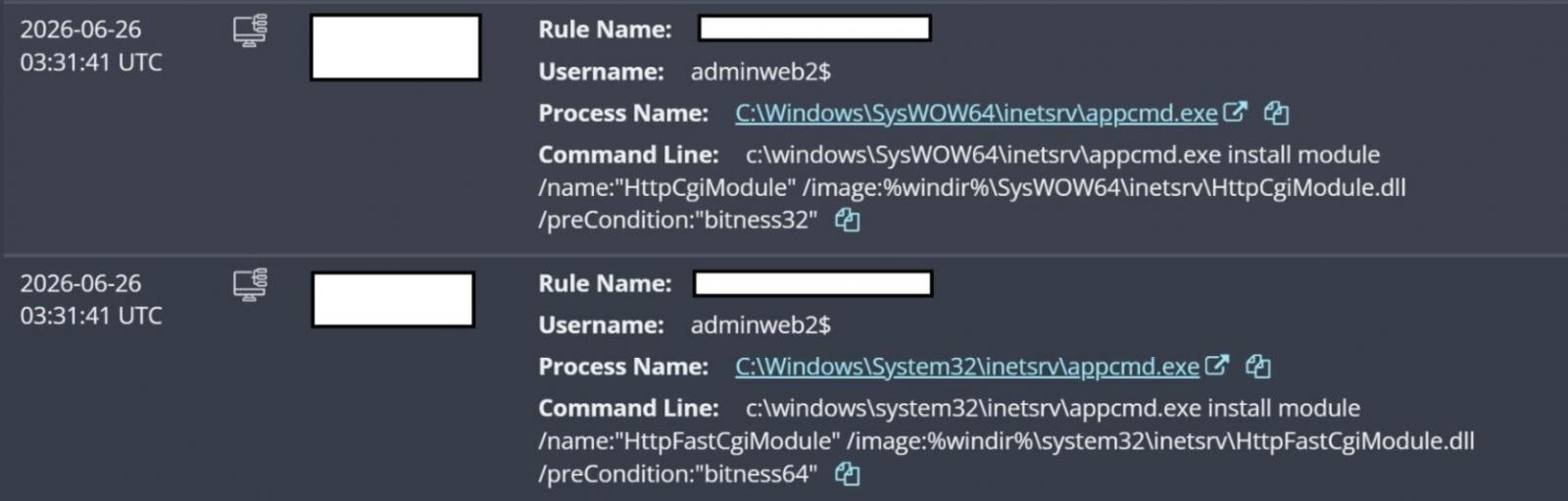
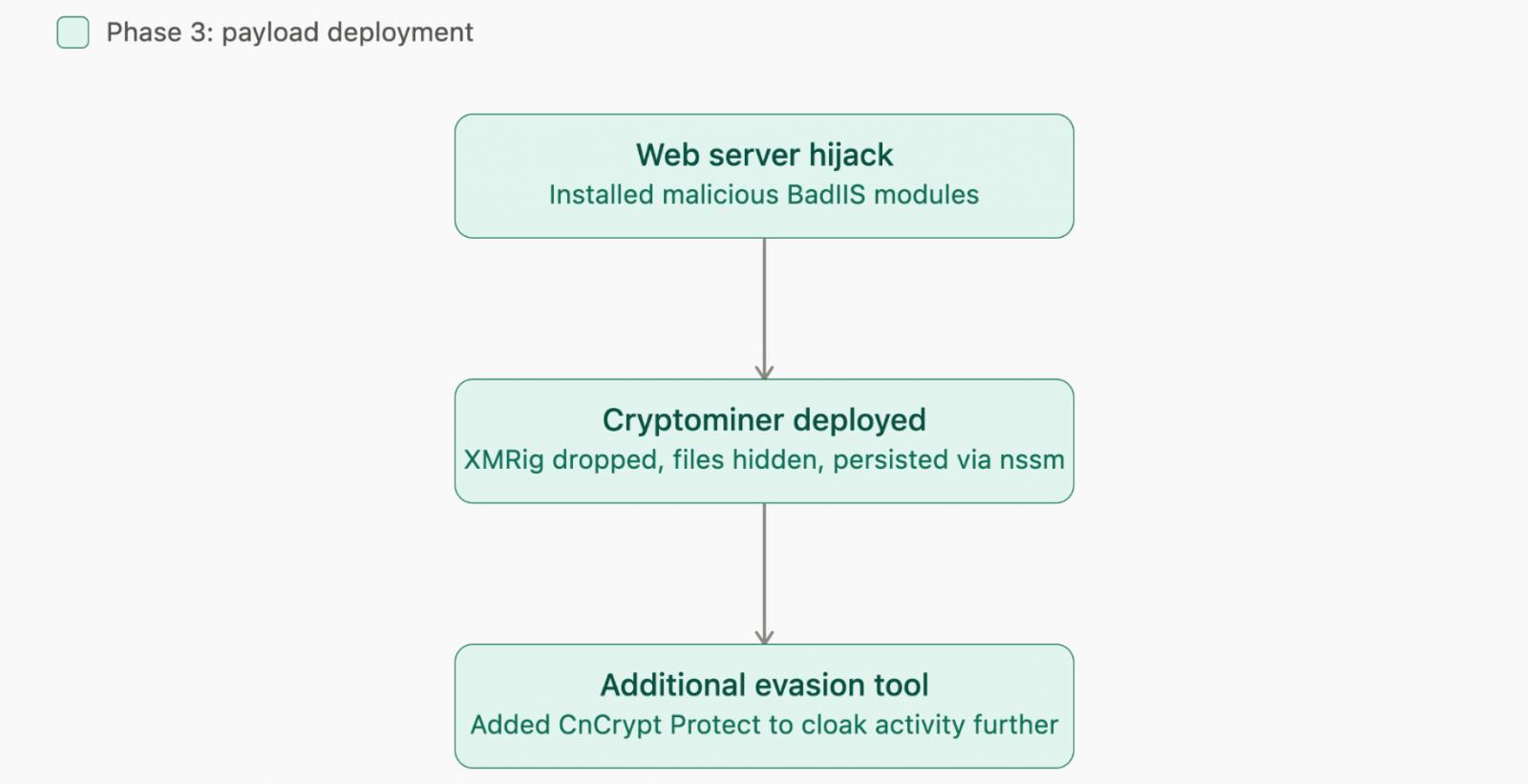
The attacker then installed a couple of malicious add-ons for the Internet Information Services (IIS) web server software running on the machine.
These add-ons are part of a known malware family called BadIIS, which is typically used to hijack legitimate website traffic for search-engine fraud, redirecting visitors, injecting hidden links, or serving up different content than what the real site intended.
It’s essentially turning someone else’s web server into a tool for manipulating search rankings and ad traffic, all without the website owner’s knowledge.
Quietly Mining Cryptocurrency
Next, the attacker dropped a cryptocurrency mining program onto the machine, a common way for attackers to squeeze extra value out of compromised systems by using their processing power to generate cryptocurrency, all on the victim’s electric bill.

To keep it hidden, they:
-
Disguised the mining program’s files by marking them as hidden, system, and read-only—the kind of file attributes that make something less likely to show up during a casual look through File Explorer.
-
Set up the miner to run as a Windows service using a legitimate, freely available admin tool, ensuring it would start automatically and keep running even after a reboot.
-
Installed an additional tool designed to help the malware avoid detection.
Scripts, Scripts, and More Scripts
Throughout the attack, the intruder downloaded a series of PowerShell scripts and batch files from external servers, a common way to bring in additional malicious tools without having to include everything in the initial attack.
They also used PowerShell in a way specifically designed to run silently: no visible windows, no security prompts, and no restrictions from Windows’ script execution policies.
Individually, none of these techniques are groundbreaking. Attackers install malware and try to hide their tracks all the time.
What stood out to Huntress analysts was just how many different changes this one attacker packed into a single incident, on a single machine.
If you want a look at our full investigation of this incident, check it out here.
What This Means for Defenders
It’s natural to feel like we have “home field advantage” as the people who own and manage our own systems. But without a solid plan for locking things down and watching for suspicious activity, an attacker who gets in can flip that advantage, reshaping the environment to suit their own goals, often well beyond just disabling antivirus and dropping malware.
The biggest lesson here: finding and fixing the entry point matters as much as cleaning up the mess left behind.
In this case, that entry point was an unvalidated input field on a web page. If a team had removed all the attacker’s tools and accounts but never fixed the underlying SQL injection flaw, the attacker could have simply walked back in through the same open door, and the next time might be harder to catch.
Practical Steps to Take
We recommend starting with the basics: know what you have. Build (and keep current) an inventory of every physical and virtual system, plus every application and its version, across your environment. From there:
-
Shrink your attack surface. Fewer exposed services and applications means fewer opportunities for attackers.
-
Remove anything unnecessary or unauthorized. If it’s not needed, it’s not worth the risk.
-
Lock down access. Only authorized users should have access, and multi-factor authentication (MFA) should be standard wherever possible.
-
Keep everything updated and monitored. Every active application should be patched regularly and included in your monitoring coverage.
-
Investigate root cause, every time. When you catch an incident, don’t stop at removing the obvious malware — figure out exactly how the attacker got in, and use that finding to strengthen your defenses going forward.
Attackers count on defenders stopping at the surface-level cleanup. Digging deeper (to the actual point of entry) is what keeps the home field advantage where it belongs: with you.
Tradecraft Tuesday: No Products. No Pitches. Just Hacks.
Tradecraft Tuesday provides cybersecurity professionals with an in-depth analysis of the latest threat actors, attack vectors, and mitigation strategies. Each weekly session features technical walkthroughs of recent incidents, comprehensive breakdowns of malware trends, and up-to-date indicators of compromise (IOCs).
Participants gain:
- Detailed briefings on emerging threat campaigns and ransomware variants
- Evidence-driven defense methodologies and remediation techniques
- Direct interaction with Huntress analysts for incident response insights
- Access to actionable threat intelligence and detection guidance
Register for Tradecraft Tuesday →
Advance your defensive posture with real-time intelligence and technical education specifically designed for those responsible for safeguarding their organization’s environment.
Sponsored and written by Huntress Labs.