I used Lossless Scaling on retro emulators, and it fixed the one thing emulation couldn’t solve
Lossless Scaling is one of the best apps to have if you’re into gaming but can’t afford the highest-end hardware, or if you have a gaming handheld like the Steam Deck. It can increase the resolution of your games on almost any relatively modern hardware, and it even supports frame generation to increase the smoothness of your games.
That much isn’t new information to me, but the fact that I can use Lossless Scaling with emulators really takes this tool to a whole new level. I recently tried using Lossless Scaling with some of my retro titles, and it changes everything about how these titles feel.
Some old titles run pretty slowly
Emulators can’t always make up for it

Emulating older hardware isn’t overly difficult these days, but even if you have powerful hardware, some games are designed to run at a relatively low framerate, and they may be locked to a maximum of, say, 30 frames per second.
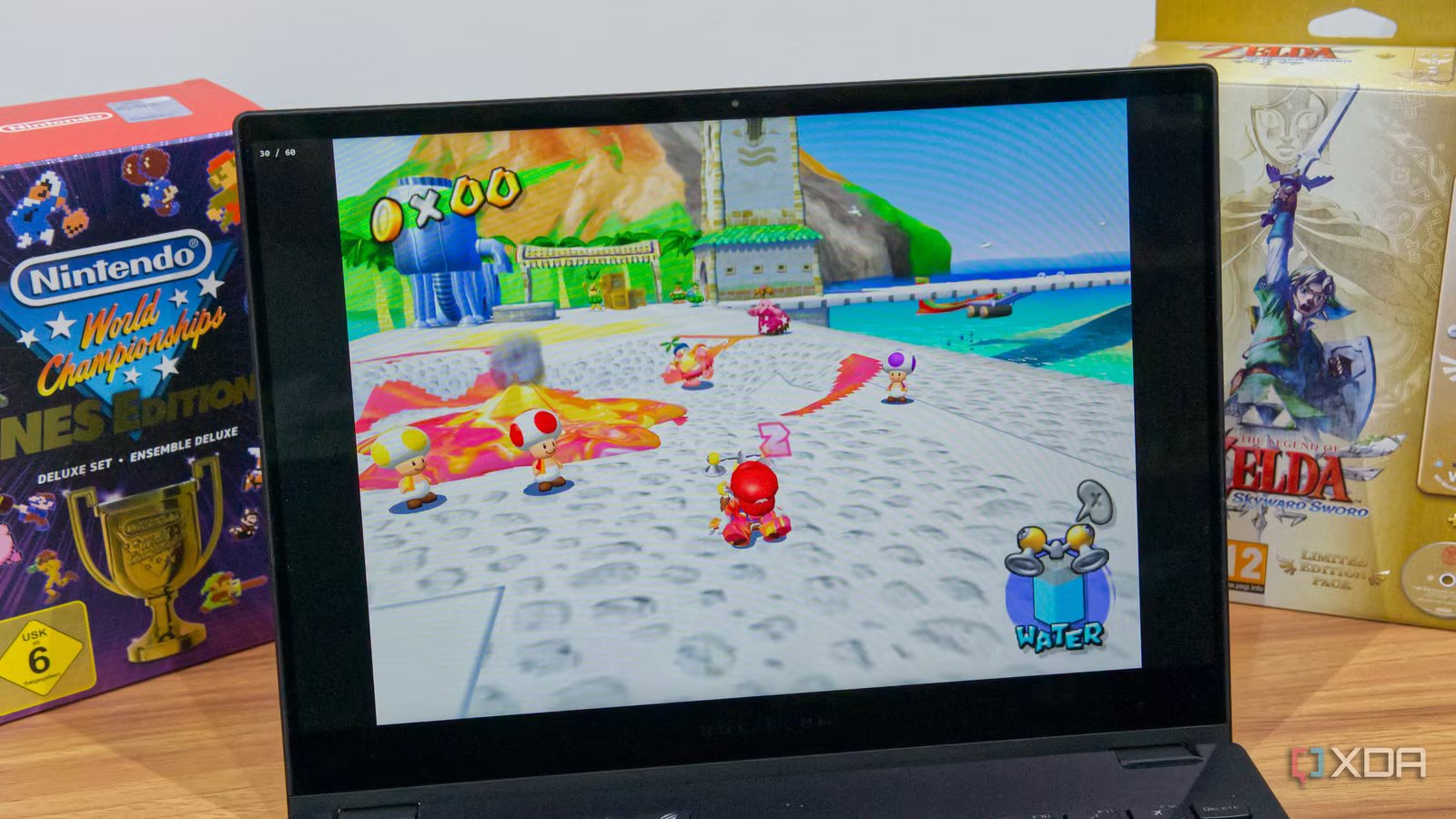
For example, games like The Legend of Zelda: Twilight Princess or Super Mario Sunshine run at 30 frames per second on the GameCube, and while emulation can increase things like the resolution and texture quality, the frame rate is something that can’t easily be worked around for these games.
But it can be even worse. A good example is The Legend of Zelda: Ocarina of Time. The original Nintendo 64 release of this game came with a hard cap of a measly 20 frames per second, which makes the game feel a bit choppy. It would be even worse if you’re playing the PAL version of that game, since the 50Hz limit cuts the framerate back even further to just 17FPS. Suffice it to say, it’s not the most pleasant experience by modern standards.
Lossless Scaling makes it way better
With one big caveat

If you’re not familiar with Lossless Scaling, it has two main features: upscaling the resolution of your games and frame generation (LSFG), which increases the frame rate of games by essentially interpolating the frames in between the frames rendered natively.
I already tried and loved Lossless Scaling with PC games, but the cool thing about it is that it doesn’t actually need in-depth integration with the software you’re upscaling. So, just as you can enable it for PC games, it works just as fine with emulators, and that’s a huge boon for some of these retro titles.
I tested this on my laptop and tried doubling the frame rate on Ocarina of Time first, and the difference was very quickly apparent. In the original game, it feels like it’s almost stuttering, but using Lossless Scaling smooths everything out and makes the experience much more enjoyable. This does come at the cost of some artifacts during fast camera transitions, like when I pressed the Z button to look forward, but I’d say it’s worth it for the extra smoothness.
The same can be said for The Legend of Zelda: Twilight Princess and Super Mario Sunshine. Both of these titles run at 30 frames per second originally, which is decent, but faster movements definitely look noticeably smoother once Lossless Scaling is enabled. Though the artifacts get pretty bad in this game because of how prominent the HUD elements. The motion estimation expects the UI elements to move with the rest of the on-screen content, which causes some notable issues. Lowering the multiplier to 2x and increasing the Flow Scale slider seems to make this much better, though.
Lossless Scaling should also be a lighter solution compared to natively rendering the game at a higher framerate, or somehow hacking it with an emulator. I did a quick battery test for anecdotal evidence, and I saw my laptop go from 79% to 66% in 10 minutes while playing Ocarina of Time without Lossless Scaling.
I then played with it enabled (with a 3x multiplier and Flow Scale set to 40%) for another 10 minutes, and battery life dropped to 50%. A noticeable increase, but not a major one, and you could tweak the settings to lower power consumption if needed.
There are some things to keep in mind
Lossless Scaling may not behave how you expect

One thing I noticed during my testing is that Lossless Scaling doesn’t detect the original frame rate of the game you’re playing. Depending on your emulator, it may still be declaring a 60FPS frame rate, so if you use adaptive frame generation, keep in mind that your target frame rate may not be accurately be reflected in the game itself.
For example, I was playing Ocarina of Time and had the target frame rate set to 120FPS, to match my laptop’s refresh rate. However, because Lossless Scaling was capturing a 60FPS refresh rate, that meant it was only doubling the base frame rate of the game, which meant going from 20FPS to 40FPS. As such, it may make more sense to use fixed scaling and choose the scaling ratio based on the true frame rate of the game as well as the refresh rate of your display.
Another thing to note is that while LSFG is useful in this case, the resolution upscaling provided by Lossless Scaling probably won’t do as much for you, especially in some of these older titles. You can use the emulator to increase the internal resolution of the game and get a far better result. It may use more power, but it will have a much bigger impact on the image quality.
For some games, there may also be recompilation projects that make for an even better way to play them, but there are a ton of titles that won’t be covered by those projects, so this is still great to have.
Lossless Scaling is an easy purchase
Lossless Scaling may not be free, but at $7, it’s extremely easy to recommend, especially for a Steam Deck owner or anyone with a less powerful PC — though, keep in mind, you’ll need Decky Loader and the LSFG VK plug-in on your Steam Deck to make it easier to use. It can make PC games look noticeably sharper and smoother, and as it turns out, it even helps with emulation. That alone may be worth the asking price, but when you consider all it can do, it gets all the sweeter.

- OS
-
Windows
- CPU
-
64-bit processor required