There’s a way to have the entire Wikipedia offline, and it’s smaller than you’d expect
Wikipedia stops working the moment a connection does, which is easy to forget until it actually happens. The habit of opening a browser tab and typing a question doesn’t survive that moment, because the tab has nothing saved to fall back on. So I went looking for an app built to survive a dropped connection instead of just stalling on one, and landed on Kiwix, made specifically to keep Wikipedia, and a surprising amount of else, readable on a phone with zero bars.
The app is small, but Wikipedia definitely isn’t
You have to choose between every fact and keeping my photos
Kiwix is an offline reader rather than a separate encyclopedia. It opens websites packaged as ZIM archives, a format that stores browsable web content in a compressed file, making it a brilliant tool if you want to build a tiny offline internet to get answers during an outage. Like many 100% open-source Android apps, it is free, ad-free, and usable without an account. Its Google Play listing also says it does not collect or share user data.
The first launch clarified the preparation requirements via its onboarding pages. The Library then presented a blunt “No files here” message and a Download Books button. Until I downloaded an archive, Kiwix was an empty bookshelf.
The Download tab is an online catalog rather than a Wikipedia-only store. Cards show the title, publisher, language, snapshot date, file size, and labels such as Pic, Vid, Text Only, or Short Text. The catalog extends to Wikivoyage, Wiktionary, Project Gutenberg (the ultimate source of free eBooks), TED material, Stack Exchange archives, technical documentation, maps, and other educational collections, although availability changes.
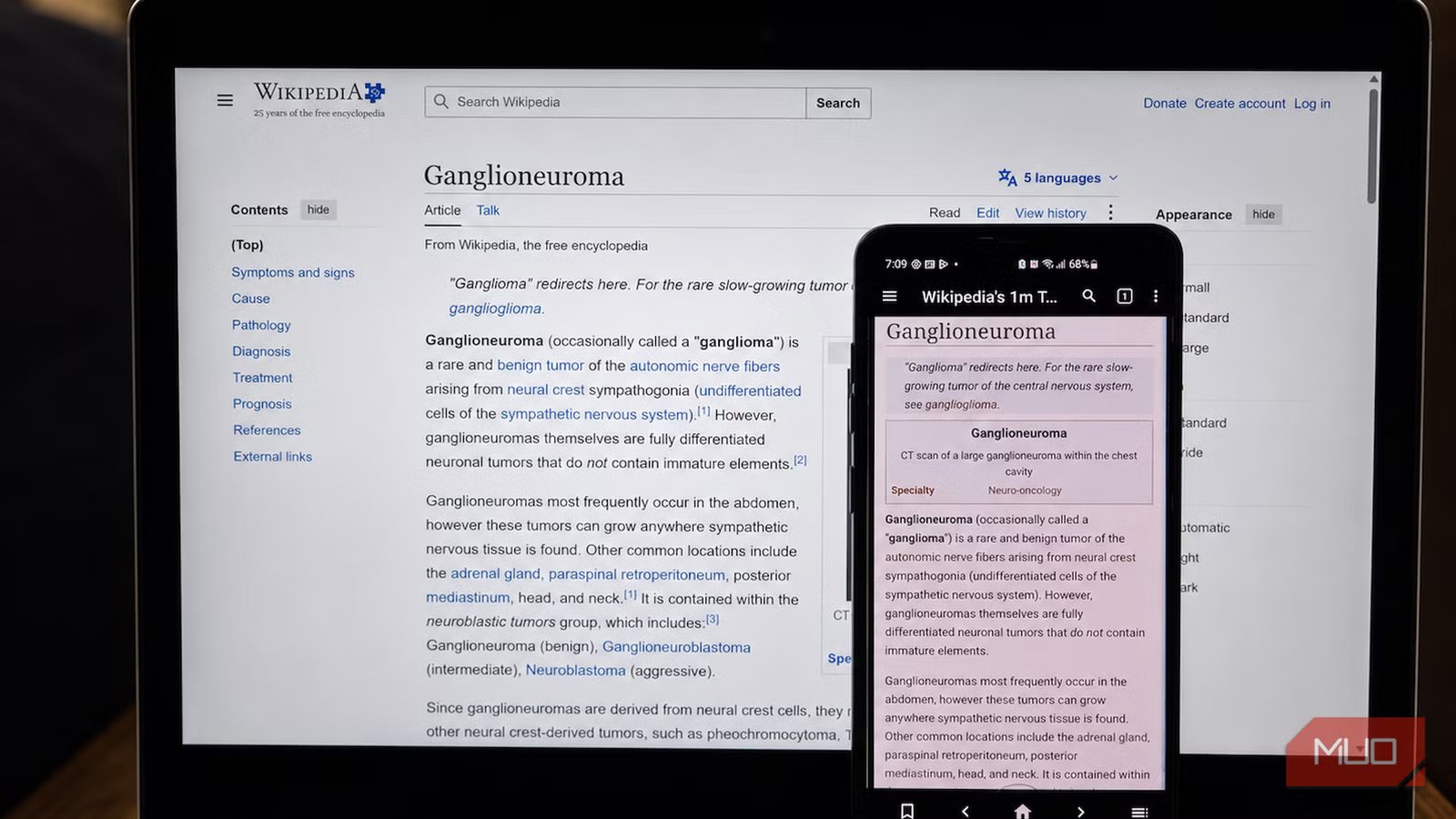
Searching for English Wikipedia exposed the cost. In the catalog I tested, “Wikipedia’s 1m Top Articles” appeared in three editions dated April 28, 2026. The full-text package without pictures was 46GB, a short-text edition with pictures was 2.8GB, and a media-rich version was 16GB. My phone had only 9.2GB of internal storage free, and knowing that Android phones slow down past a storage threshold, I chose the more conservative 2.8GB edition.
Those variations matter. Kiwix describes mini archives as article introductions and infoboxes, nopic archives as full articles without images, and maxi archives as the fuller default editions. The official Kiwix directory currently lists the complete English Wikipedia at roughly 115GB for maxi, 49GB without pictures, and 12GB for mini. Compression has not turned the entire encyclopedia into a polite little download.
After I tapped the package, Kiwix asked where to store it, and I left the phone on Wi-Fi until it finished. Anyone planning for an outage must complete this part while the internet is still feeling cooperative.
Airplane mode was where the trick became real
I grounded the internet and kept browsing anyway
If you know what airplane mode is and how it works, you know it normally stops web browsing dead in its tracks. But with the archive downloaded, I enabled airplane mode and searched for medical terms and concepts. The articles are loaded with formatted text, an infobox, and linked terms. When I searched for “parabola,” it displayed equations and embedded diagrams. During my test overall, pages opened promptly without the half-loaded layout or refresh spinner that usually betrays a cached webpage.
These were not a few pages my browser happened to remember. Search worked across the archive, internal article links opened offline, and the back, forward, home, bookmark, and contents controls remained available. It makes offline reading one of the best things you can do while on airplane mode. The app also exposed tabs, history, notes, and find-in-page. I used the contents panel to jump between sections instead of scrolling like a determined archaeologist.
The experience still reflected my choice of package. A short-text archive could answer broad questions, but it did not contain every paragraph and media file from the live site. Images appeared where the archive included them. External references remained visible in some articles, but following them beyond the archive required a connection.
Every ZIM is also a dated snapshot. Wikipedia can be edited after that snapshot was produced, but the downloaded copy will not know. Kiwix does not apply incremental updates to an existing archive, so refreshing the library means downloading a newer ZIM when one becomes available.
The knowledge stays, and so does the storage bill
Free information still charges rent on your phone

Kiwix makes the most sense when the archive matches the situation and device. A compact top-articles package is easier to justify on a phone than the complete English encyclopedia. A traveler could add Wikivoyage, while a student might prefer Wikipedia, Wiktionary, or a focused Stack Exchange collection. Multiple libraries are useful, but each competes with photos, apps, and ambitious WhatsApp backups.
The Play Store build also works within Android’s tighter storage rules. It handles ZIM files through permitted app directories rather than scanning storage as freely as the standalone build. Archives in an app-specific location may be deleted when Kiwix is uninstalled, or its data is cleared, so a large download deserves a deliberate move or backup before cleanup.

- OS
-
Android
- Price model
-
Free
- Open-Source?
-
Yes
Kiwix lets you access Wikipedia, Project Gutenberg, Stack Exchange, TED Talks, and other knowledge collections completely offline. It’s an excellent tool for learning without an internet connection, whether you’re traveling, in school, or preserving digital knowledge.
The next outage will have to try harder
Kiwix has earned a permanent place on my phone, although the largest Wikipedia package has not. I will keep a reduced archive ready for flights, poor coverage, and the next outage that turns my browser into decorative glass. Offline knowledge works wonderfully, provided I remember to pack it before leaving.