I compared my favorite apps on Android Auto and Apple CarPlay, and one was miles ahead
Android Auto and CarPlay both promise to bring my most-used phone apps safely to the dashboard, but the real experience depends on how well those apps actually work once I start driving. To find out which platform best fits my routine, I tested some of my favorites, including WhatsApp, Google Meet, Spotify, and, of course, Google Maps, on both systems.
On paper, the two platforms look similar. In practice, though, the difference was much bigger than I expected.
Spotify has always been my go-to music streaming app
Overall, Android Auto wins when it comes to details

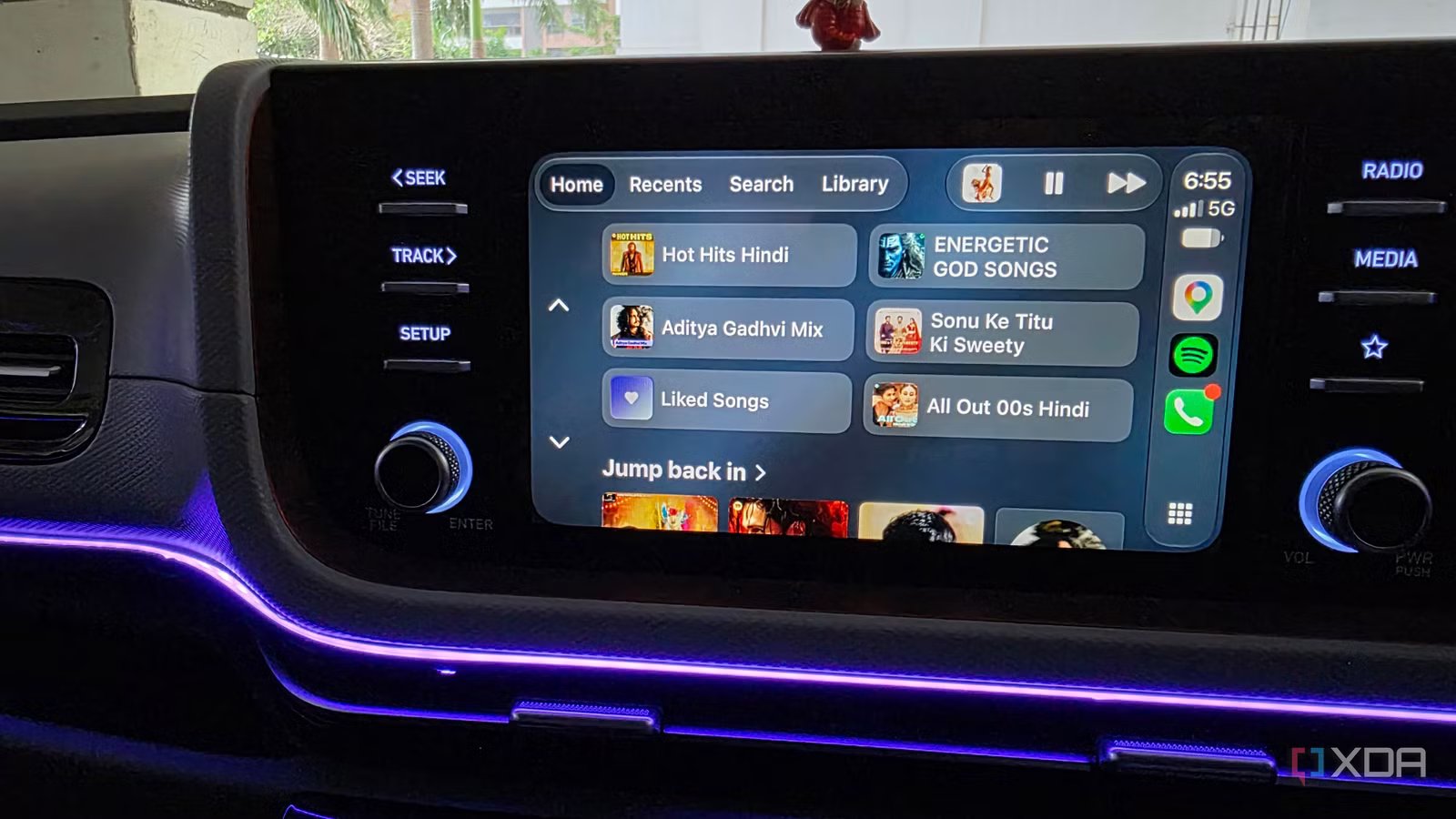
Spotify delivered a solid experience on both Android Auto and Apple CarPlay, with core functionality largely the same. I can browse my library, switch playlists, skip tracks, and control playback without any real trouble. However, Android Auto pulls ahead in the smaller details that matter when I am actually driving. The play and pause controls are larger and easier to tap at a glance, which makes the interface more practical on the road.
I also liked having access to the progress slider, since it let me jump to a specific part of a song instead of repeatedly skipping around. Apple is finally adding such a crucial option in the latest iOS 27 update. The bigger advantage, though, is Gemini integration. On Android Auto, I could ask Gemini to play a specific track, find music for a specific mood, or even describe a scene and let it choose something that matched.
That alone made Spotify feel less like a basic dashboard app and more like an intelligent part of my driving routine.
Google Maps is a top-tier in-car navigation app
CarPlay wins with design, but Android Auto dominates functionality

Google Maps gave me the most interesting comparison because Apple CarPlay actually looked better at first glance. The interface feels cleaner and more polished, with important details such as my ETA, remaining distance, and arrival information neatly arranged inside a rounded pill.
It’s easier to read quickly while driving, and the overall presentation felt more refined than the current Android Auto layout. That advantage might not last long, though. With Android Auto’s upcoming redesign, I am hoping for a neat makeover for Maps. The situation changed completely when I started using voice commands. CarPlay’s voice support is basic at best, while Gemini made Google Maps far more capable.
It could understand context and work across other apps, rather than only responding to basic navigation requests. For example, I can ask Gemini to find the name of a shopping mall I’ve saved in Google Keep, navigate to it, and send the ETA to Rich on WhatsApp. It does all three tasks without breaking a sweat.
WhatsApp is the main way I stay in touch with family and friends
CarPlay looks more polished, but Gemini works smarter

WhatsApp felt more polished on Apple CarPlay at first. The interface looked clean, I could access my pinned chats, and there was even a dedicated Calls menu that made it easy to reach frequent contacts without touching my phone.
When a new message arrived, I could tap the notification and ask the system to read it aloud, which worked well enough for basic conversations. The experience became more frustrating when I started replying with Siri. I often had to be very precise with my wording, pronunciation, and tone before it understood what I meant.
Gemini feels much more natural by comparison. It handled my English (India) accent accurately and understood casual commands without forcing me to speak like a robot. More importantly, Gemini can work across third-party apps. I can ask it to pull my grocery list from Google Tasks and send it to Harvey on WhatsApp with a single command. CarPlay has a better WhatsApp interface, but Android Auto makes the app far more useful with smarter voice control and deeper app integration.
Audible is a great way to kill time when I’m on the road
Both platforms handled the basics very well

Audible works well on both Android Auto and Apple CarPlay, and neither platform significantly changes how I listen to audiobooks. I can open the app, return to my current title, browse my library, and access the essential playback controls without reaching for my phone. Apple CarPlay had a slight edge in presentation. The Audible interface looked cleaner and made my library feel easier to browse at a glance. The artwork, menus, and playback screen also felt more polished. Android Auto isn’t far behind, though.
Its larger, more straightforward controls made it easier to pause the narration or jump backward to reply to something I had missed while driving.
Unlike Spotify, Google Maps, and WhatsApp, Audible don’t really reveal a major difference between Siri and Gemini.
One platform fits my routine better
After using my favorite apps on both platforms, Android Auto comes out slightly ahead for me. Apple CarPlay often looks cleaner, especially with Maps and WhatsApp. However, Android Auto is more capable where it mattered most. Gemini understood my voice more accurately, handled contextual requests, and connected apps in ways Siri simply could not.
The gap is not enormous, but Android Auto already fits better into my daily routine. I am also eager to see its upcoming redesign. If Google combines Gemini’s functionality with a cleaner, more modern interface, Android Auto could widen the gap and become a clear winner.