4 Android app stores I always use instead of the Google Play Store
If you’re trying to de-Google an Android phone (good luck with that), replacing the Play Store is a reasonable place to start. Google has an unfair monopoly when it comes to the app market, largely because the Play Store is available on almost every mainstream Android smartphone by default. The majority of people, I would say 99% of those who use an Android phone, don’t want to look beyond the Play Store for installing apps because it’s convenient.
Most of us only look at sideloading when a particular app is not available on the Play Store. Not every app is listed on the Play Store, and you almost never get the best selection due to Google’s commercial and policy requirements. I, for one, try to avoid the Play Store as much as possible and rely on alternative app stores. There are plenty of them, including these four that I use on a daily basis.
F-Droid
Along with the Droid-ify client
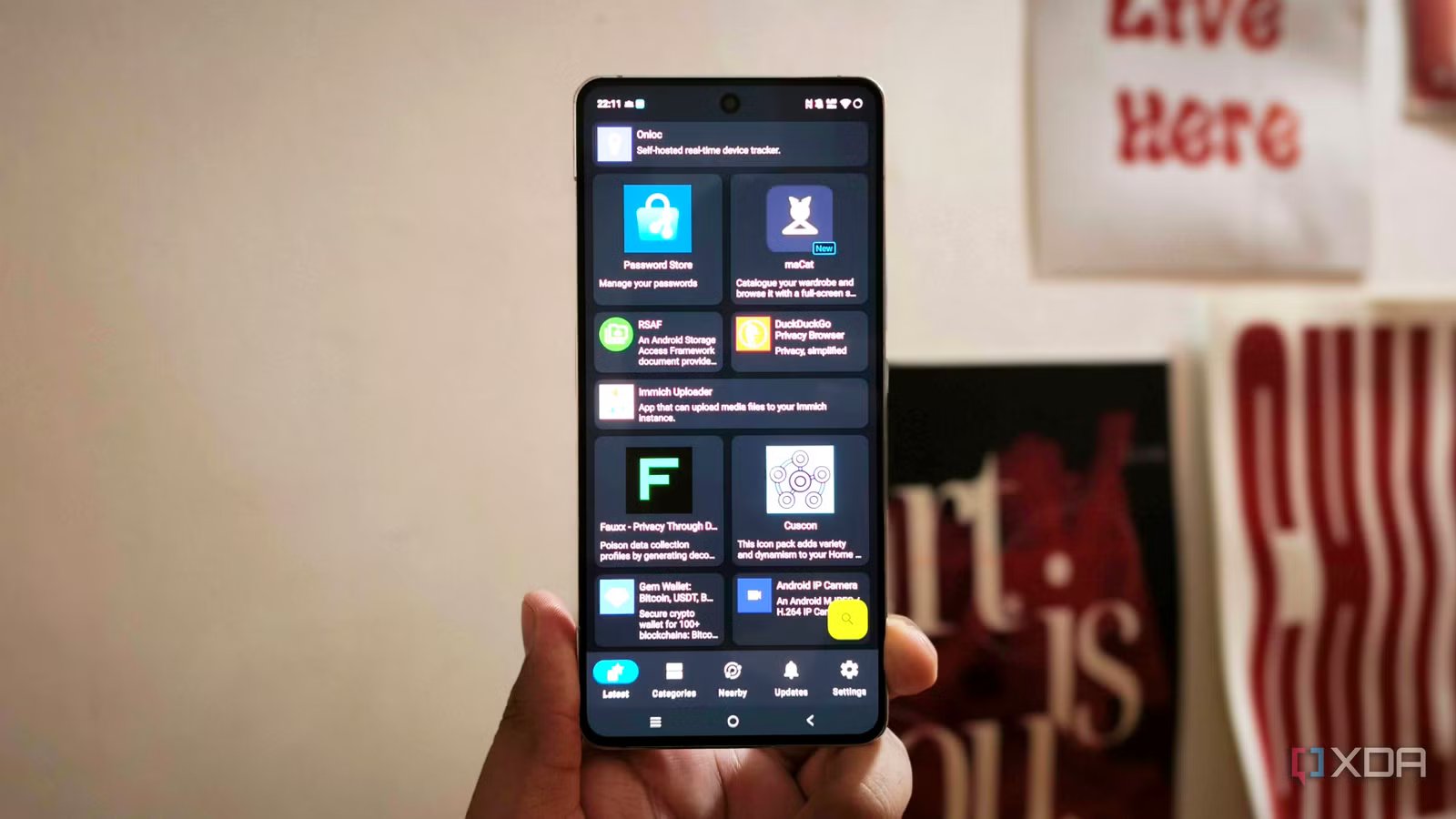
F-Droid is the first app store I install when I am setting up an Android phone because it gives me access to a completely different selection of apps. Its main repository focuses on free and open-source software, so you will find plenty of privacy tools, lightweight utilities, launchers, media players, open-source clients, and niche applications that receive little attention on the Play Store. Many of these apps do one specific job without stuffing the interface with advertisements, subscriptions, account requirements, and unnecessary analytics.
The biggest advantage is the amount of information F-Droid provides before you install anything. It labels apps with what it calls anti-features, including advertising, tracking, known vulnerabilities, dependence on proprietary services, and non-free components. Apps that track you are hidden by default unless you choose to see them. F-Droid also examines source availability, licenses, dependencies, and whether the application can be built from its published source code. It publishes build logs and source archives alongside binaries, which makes the entire distribution process much more transparent than what you generally get from the Play Store.
While I love F-Droid, I don’t use the official client. I use a fork called Droid-ify, which provides a much better interface for accessing the same ecosystem. Droid-ify can browse multiple F-Droid repositories, add custom repositories, automatically download updates in the background, and support different installation methods, including standard Android sessions, Shizuku, and root access. It can also continue working offline after the initial repository sync.
APKMirror
An archive of every Android app version

APKMirror works more like a verified archive of Android applications than a conventional app store, and that is exactly what makes it useful. I use it whenever I need a specific version of an app, want an update that has not reached my phone yet, or need to roll back after a developer ships a broken release. The Play Store normally gives you one approved version based on your device, account, region, and rollout group. APKMirror lets you browse the release history and choose from the versions that remain available.
This is especially useful because Android updates are often released gradually. A developer can publish an update, but Google Play may take days or weeks to make it available to every user. APKMirror often releases it much earlier, allowing me to install it without waiting for the staged rollout. It is also one of the easiest places to find beta releases and versions designed for Android TV, Wear OS, or particular hardware configurations. When an older release is still available, I can downgrade to it after uninstalling the newer version.
The site verifies uploads before publishing them and checks whether the cryptographic signature of a new release matches previously verified versions from the same developer. For a completely new app, APKMirror attempts to compare its signature with that of another legitimate release or to obtain the app from a verified location. The company even claims that the apps it cannot authenticate are not published.
Aurora Store
Google Play access without Google

Aurora Store is the closest thing on this list to a direct Play Store replacement, as it accesses the Google Play catalog via an unofficial, open-source client. You can search for applications, read descriptions, view screenshots and reviews, install apps, and receive updates without keeping the official Play Store installed. The applications still come from Google Play, but Aurora provides a different interface for accessing them.
The main reason I use Aurora Store is its anonymous login option. I can access free applications from Google Play without connecting my personal Google account, and Aurora does not require Google Play Services to be installed on the phone. That makes it particularly useful on de-Googled Android systems, custom ROMs, and devices where I have disabled most Google applications. Aurora is also free and open source, does not contain advertisements, and uses a clean interface that is less crowded than the current Play Store.
Aurora also gives you more control over how Google Play sees your device. Its device-spoofing options can make your phone appear as another supported model, which sometimes helps when an application is incorrectly marked as incompatible. There are also options for changing the language, region, and installation method.
Obtainium
Updates straight from developers’ sources

Obtainium is the least traditional app store on this list because there is no central catalog controlling what gets published. Instead, it installs and updates applications directly from the places where their developers release them. You add an app using its GitHub, GitLab, Codeberg, F-Droid, or another supported release page, and Obtainium checks that source for new versions. When the developer publishes an update, the app can notify you and download the new package directly.
This solves one of the biggest problems with sideloading. Installing an APK from a developer’s website is easy, but keeping it updated requires revisiting the website, checking the version number, downloading a new file, and installing it manually. Obtainium turns that process into something much closer to an app store. I can keep applications from several independent sources in one place, refresh them together, and see which ones have updates available.
Its source support is surprisingly broad. Along with GitHub and GitLab, it supports Forgejo and Codeberg, F-Droid repositories, IzzyOnDroid, SourceHut, direct APK links, and several third-party app platforms. It can even fall back to scanning an ordinary webpage for APK links. APKMirror is supported for tracking releases, although Obtainium cannot directly download updates from it.
Google wants to kill sideloading
Sideloading is one of the defining features of Android and has always helped it stand out compared with the iPhone. You have the freedom to download the apps you want from wherever you want, whether that is the developer’s official website or a third-party app store. Google has recently announced changes to its sideloading rules that will require developers to verify themselves and register their apps with Google for normal installation on certified Android devices. That effectively restricts one of Android’s defining features and proves that Google is on track to kill it while gaining more control over the operating system.