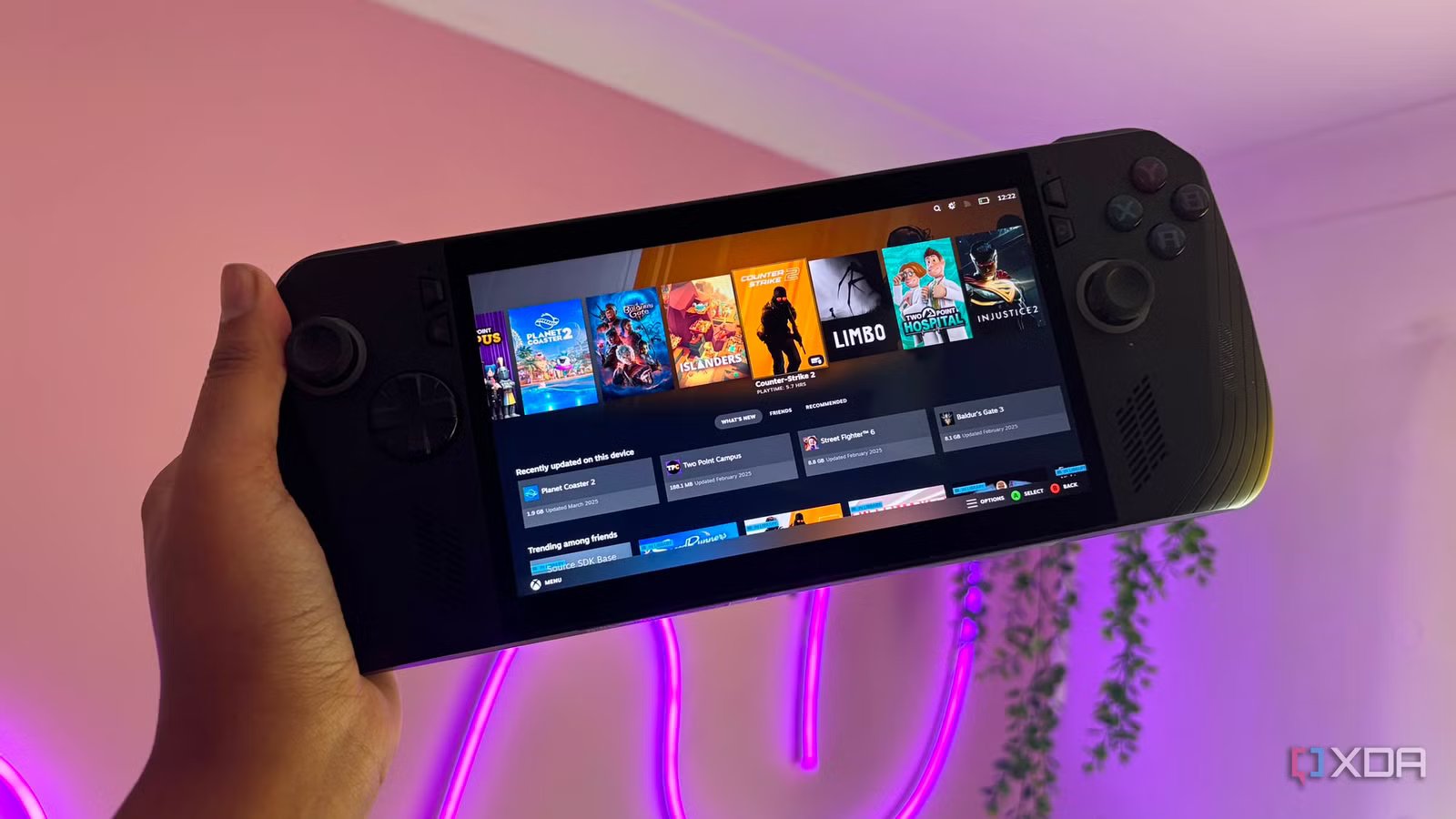
The Asus ROG Ally X has everything the Steam Deck doesn’t, except the one thing that actually matters
When I first picked up the Asus ROG Ally X, I thought it was an amazing piece of kit. It had a massive 80Wh battery, 24GB of LPDDR5X RAM, and a great chassis. On paper, it had every single physical ingredient required to be a Steam Deck Killer. However upon switching it on, I was met with immediate abrasive software friction that makes it feel so far removed from the perfect gaming handheld.
While there are band-aid solutions like Asus Armory Crate, nothing feels as seamless as SteamOS. As I tried to adjust, no amount of launch speaking, custom button mapping, or shell optimization can transform a desktop OS into a seamless console environment. Windows is fundamentally incapable of providing a true handheld console experience, which feels like it is in turn sabotaging the hardware’s immense potential with desktop-first design choices, aggressive background processes, and a complete lack of system-level control or cohesion.
Windows on a handheld is annoying
It’s no where near as seamless as SteamOS
When using a Windows handheld like the Asus ROG Ally X, you aren’t greeted by a seamless dedicated console environment. You’re instead greeted by a bloated desktop-first operating system that just doesn’t feel quite right on a 7-inch touch screen.
Of course, there are attempted fixes like Asus Armory Crate SE or even Microsoft specialized compact Xbox full-screen modes. No matter how polished a launcher overlay looks, it just remains as a fragile skin stretched over a desktop operating system on a handheld device. The moment a game launches, an update hangs, or a background window loses focus, the illusion shatters and you’re met back with the friction of the desktop environment.
Forcing a mouse and keyboard operating system onto a gamepad-driven device is obviously going to lead to flaws. Handhelds require absolute input determinism, meaning every button press must correlate to a predictable system action, but Windows, by design, treats controller inputs as a secondary emulation layer layered on top of the core mouse coordinates.
Alongside this, an incredibly frustrating window focus anomaly that plagues handheld gaming can cause major friction too. You tap play inside a dedicated launcher but then a random background utility, an Epic game store sync prompt, or a user account control warning flashes invisibly behind the game environment. The system registers that the game window has lost active focus, and then it completely disables your physical joysticks and face buttons until you slide a finger across the touchscreen to click the hidden executable.
Because on-screen text input engines appear quite regularly, the virtual keyboard can feel a little bit erratic. Unlike the deeply integrated SteamOS keyboard that overlays flawlessly across any running binary, the Windows virtual keyboard frequently fails to trigger automatically when selecting game text boxes. It can block critical UI fields or crash entirely when summoned during a borderless fullscreen application. Overall, the software experience on an Asus ROG Ally X as well as other Windows handhelds can just feel completely unpolished.
Power states are another point of friction
I should be able to pause mid game

Something I absolutely love about my Steam Deck is being able to put the device to sleep even when I’m mid-game. It gives you the ability to immediately pause and resume, tying into its on-the-go element. The Steam Deck utilizes a dedicated Linux kernel-level suspend-to-RAM pipeline, allowing you to click the power button mid-boss fight, throw the device into your backpack for three days, and then tap the button again to resume gaming in less than a couple of seconds.
Unfortunately, you don’t have the same luxury on a Windows gaming handheld. This is because Windows Modern Standby is slightly unpredictable on mobile APUs. Clicking the power button on the Ally X doesn’t reliably freeze the game engine. It instead instructs the operating system to enter a low-power sleep state while remaining connected to background network threads. This means the system will frequently wake itself up in a closed case to download a routine software update, causing the system to run hot inside a packed bag and in turn completely draining the 80 Wh battery.
On top of all of this, you can’t even pick up where you left off in the game either, as it likely has crashed or frozen during your handheld’s sleep state. No matter what settings you adjust, you just cannot get a Windows handheld to replicate the Steam Deck’s pause and play functionality.
SteamOS is superior
Windows can’t catch up

So why does the Steam Deck hold the crown for handheld gaming? The ultimate technical differentiator is Valve’s GameScope micro compositor. GameScope acts as an isolated sandbox layer between the game executable and the physical display panel.
It forces every game to see a clean uncompromised console display, allowing for flawless system-level AMD FSR upscaling, absolute refresh rate synchronization and instant refresh rate modulation.
This goes much further than an overlay like, what you get to remedy the OS issues on Windows gaming handhelds. Steam Big Picture Mode or Asus Armory Crate SE just don’t do the same thing that SteamOS does, they’re simply overlays to try and cover up the problem but the problems will always reside underneath them.
The hardware is spot on
Too bad the software lets it down
The Asus ROG Ally X is a beautiful piece of mobile hardware, but it’s hard to take advantage of the hardware itself when it feels like the software is just constantly a point of friction. Trying to patch over the desktop OS with software overlays is a temporary fix that doesn’t actually resolve anything. If anything, it ruins the plug-and-play spirit of portable gaming. Until Windows opts to develop a mobile version of their operating system, these issues are constantly going to persist.

- Dimensions
-
11.02 x 4.37 x 1.45 inches (280mm x 111mm x 36.9mm)
- Weight
-
1.49 pounds (678 grams)