I taught Claude to talk like a “caveman” and ended up saving 70% of my output tokens
I love using Claude, and I am among the swarm that moved to Anthropic’s AI model from ChatGPT a while ago, and frankly, I haven’t looked back since. Claude’s responses feel more human and better in every regard, whether it’s writing code or breaking down technical topics. Most importantly, it isn’t afraid to push back and hold its ground in its responses, unlike the rest of the models designed to be people-pleasers.
However, there’s a big downside to switching to Claude: its usage limit applies to every plan, and depending on which model you use, the “tokens” the model uses to calculate usage can be consumed quite easily. There are some habits you can break to extend your Claude usage, but teaching it to speak like a caveman has had the biggest impact: my output tokens are reduced by 70%, with the added benefit of getting concise, clear-cut answers.
Formalities are eating up your token budget
Where the waste adds up

I generally avoid casual conversations with Claude because the usage limit can be burned through so quickly. Claude’s tokens are counted through text processing, and a general rule of thumb is that every token equates to four characters. It’s also important to note that tokens are counted in both directions, including the user’s input and Claude’s response.
Claude has a rolling 5-hour limit for all users, and the token limit is dynamic — you’re only allowed 15–20 messages at a time on the free plan. The capacity increases with higher tiers. For Pro users, it’s 5X more than the free plan; Max plans (5X or 20X) multiply Pro’s allowance further.
Now imagine that all the tokens accumulated from the filler words in each session — Claude’s usage could be considerably increased only if it avoided formalities like greetings and typing sentences in an attempt to have a conversation, which, to be honest, nobody cares about.
What the caveman skill actually does
Two ways to install it

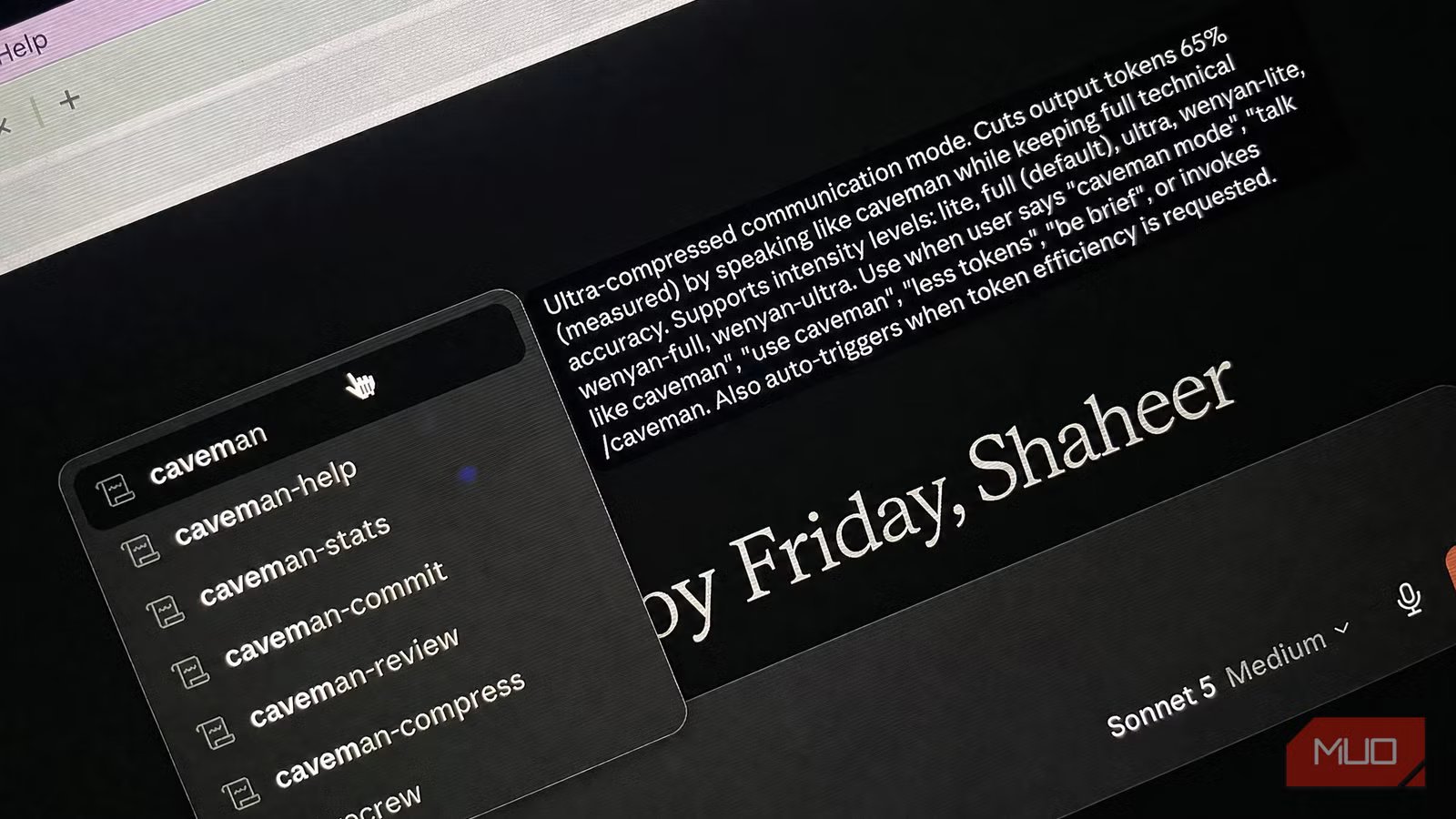
The caveman skill does exactly what it sounds like it does: teaches Claude to converse like a caveman. To install the plugin in Claude Code, head to the repository on GitHub or enter this code in the terminal:
For Windows:
irm https://raw.githubusercontent.com/JuliusBrussee/caveman/main/install.ps1 | iex
For macOS:
curl -fsSL https://raw.githubusercontent.com/JuliusBrussee/caveman/main/install.sh | bash
To initiate the plugin, type /caveman. Claude will then converse with you in Caveman language, giving you shorter, more succinct responses.
Running plugins necessitates a paid plan from Claude. However, you can imitate the same behavior with a prompt that you can paste in the instructions for the free plan, and here’s the one I use:
Respond in caveman speak only.
No pleasantries.
No filler.
Short sentences.
Subject-verb-object.
Give answer directly.
Explain only if asked.
Testing the 65% savings claim
Output drops but input climbs
The idea of a direct response sounds great for extending usage and, according to the plugin creator, reduces token consumption by 65%, but the real-world numbers tell a different story. I tested a wide range of prompts, including baseline prompts, terse prompts (asking Claude to be precise in its answers), and prompts that use the caveman skill.
|
Prompt |
Input Tokens |
Output Tokens |
Total Tokens |
|---|---|---|---|
|
Normal Prompting |
180 |
1,000 |
1,180 |
|
Terse Prompting |
90 |
850 |
940 |
|
Caveman Prompt |
600 |
300 |
900 |
For output tokens, there was nearly a 70% reduction with Caveman compared to the baseline and a 65% reduction compared to terse prompting.
However, input tokens are where things start to get interesting. Regardless of how lengthy or concise the input may be, Claude will have more data to process since it accounts for the plugin or the instruction, hence increasing the input tokens. Caveman ended up costing about 233% more than normal prompting and a whopping 567% more than terse.
What Caveman ended up saving in output tokens, it gave away in input tokens, and the difference became negligible over terse.
However, this scenario only works for a single prompt — when you follow up with additional questions and extend the conversation, Caveman’s input overhead is then reduced. Here’s the average token count I found across 10 prompts.
|
Prompt |
Avg. Input Tokens |
Avg. Output Tokens |
Avg. Total Tokens |
|---|---|---|---|
|
Normal Prompting |
210 |
1,120 |
1,330 |
|
Terse Prompting |
120 |
900 |
1,020 |
|
Caveman Prompt |
280 |
540 |
820 |
In longer conversations, Caveman showed greater savings than the other approaches. For output tokens, Caveman saved 52% on average, and the overall token count was reduced by 38%.
So, does Caveman live up to its hype?
You also get more accurate responses, in addition to a cut in token consumption

I ended up saving 52% more on output tokens overall, which is still less than the creator’s advertised 65% savings. However, real-world tests heavily depend on which sort of prompt you’re going for. For normal chat and explanations, the gap is huge, but for coding and heavy workflows, you’ll notice a smaller difference since there won’t be much to reduce the output.
Even so, this approach to prompting remains a no-brainer, especially if you account for the fact that LLMs perform 26% more accurately with brief responses (according to the Brevity Constraints research paper).
Caveman also maintains a proper structure in lengthy conversations, and you can spice it up further by adding instructions like be brutally honest or avoid hallucinations, which further improve the prompts and minimize the margin of error.
Higher-end models like Fable 5 breeze through token limits, and applying the Caveman plugin in that regard could very well double usage.
Here’s when to use it and when to avoid it
The Caveman plugin is an interesting way to reduce token usage, but it isn’t a definitive way to use Claude, as it comes with a few caveats. Single prompting doesn’t unlock Caveman’s full capabilities, and it hardly wins over terse prompts, but it’s still better than normal prompting.
Upon testing, I also found out that Caveman works poorly at breaking down complex topics and creative writing. That’s pretty apparent, since you’re asking Claude to act like a primitive human with a lower IQ, which will also make it drop a few brain cells. However, when used for the right tasks, it performs exceptionally well, e.g., writing code, data extraction, brainstorming, and planning.

- Developer
-
Anthropic PBC
- Price model
-
Free, subscription available
Claude is an advanced artificial intelligence assistant developed by Anthropic. Built on Constitutional AI principles, it excels at complex reasoning, sophisticated writing, and professional-grade coding assistance.