3 ways I made my Amazon Fire Tablet feel more like a real Android tablet
Amazon Fire tablets aren’t the flashiest devices on the market, but they absolutely provide the most bang for your buck. With Android at the core, you’re not limited to Amazon’s services and proprietary home screen setup—you just have to know how to get around the limitations.
To me, the idea of a “real” Android device typically means the Play Store and the ability to swap out default apps. Amazon blocks both of these things—Google apps are not officially available, and you’re stuck with Amazon’s home screen launcher.
Thankfully, it’s pretty easy to get the Play Store and plenty of Google apps on a Fire tablet, but that’s only the tip of the iceberg. I’ll also show you how to replace the home screen launcher and cut the fat of Amazon’s pre-installed services.
Amazon’s tablet with Google’s services
Install the Play Store and more

The first step toward making a Fire tablet feel more like a genuine Android is to get the Play Store up and running. The good news is that this is a relatively simple process. There are several files to download and steps to follow, but it only has to be done once.
We have a full-length, detailed guide that will walk you through the entire process from start to finish. Follow it closely, making sure to take note of specific device models for the files, and you’ll have the Play Store up and running in no time.
From there, it’s just a matter of finding the apps you’re used to having. Google’s entire suite of Android apps is essentially available on Fire tablets through the Play Store. Gmail, Search, Google Calendar, Google Drive, Google Photos, YouTube, and even Google Messages are all there. Thanks to installing Play Services, setting them up is as easy as on any other Android device.
Choose your own home screen launcher
Say “Goodbye” to Amazon’s bloat


Apps are one thing, but they don’t make up the entire experience. On Fire tablets, that’s most noticeable on the home screen. Amazon’s launcher is, unsurprisingly, all about pushing Amazon content. Plus, you can’t add widgets or customize it like you would be able to with most Android launchers.
Now, Amazon is constantly updating Fire OS to break workarounds that enable replacing the stock home screen, but new methods always pop up. At the time of writing, I used Fire Tools by Hayden Plumley on my Fire HD 8 with Fire OS 8.3.3.8 to accomplish this.
The launcher I chose to go with was Lawnchair Legacy (the newer version was not available for my devices). You can choose a launcher from Fire Tools, or select one manually on the device once you have Launcher Hijack installed.
Fire Tools gets even better, too. Click the “Debloat” button and watch Amazon’s many pre-installed apps and services disappear. If there’s still more to clear out, you can select specific apps from the “Packages” menu. Use an app like Package Name Viewer if you’re unsure of which apps to select from the list.
Be sure to select “Disable OTA” in Fire Tools to ensure that future Fire OS updates don’t undo all of this work.
Install a few Pixel-inspired apps

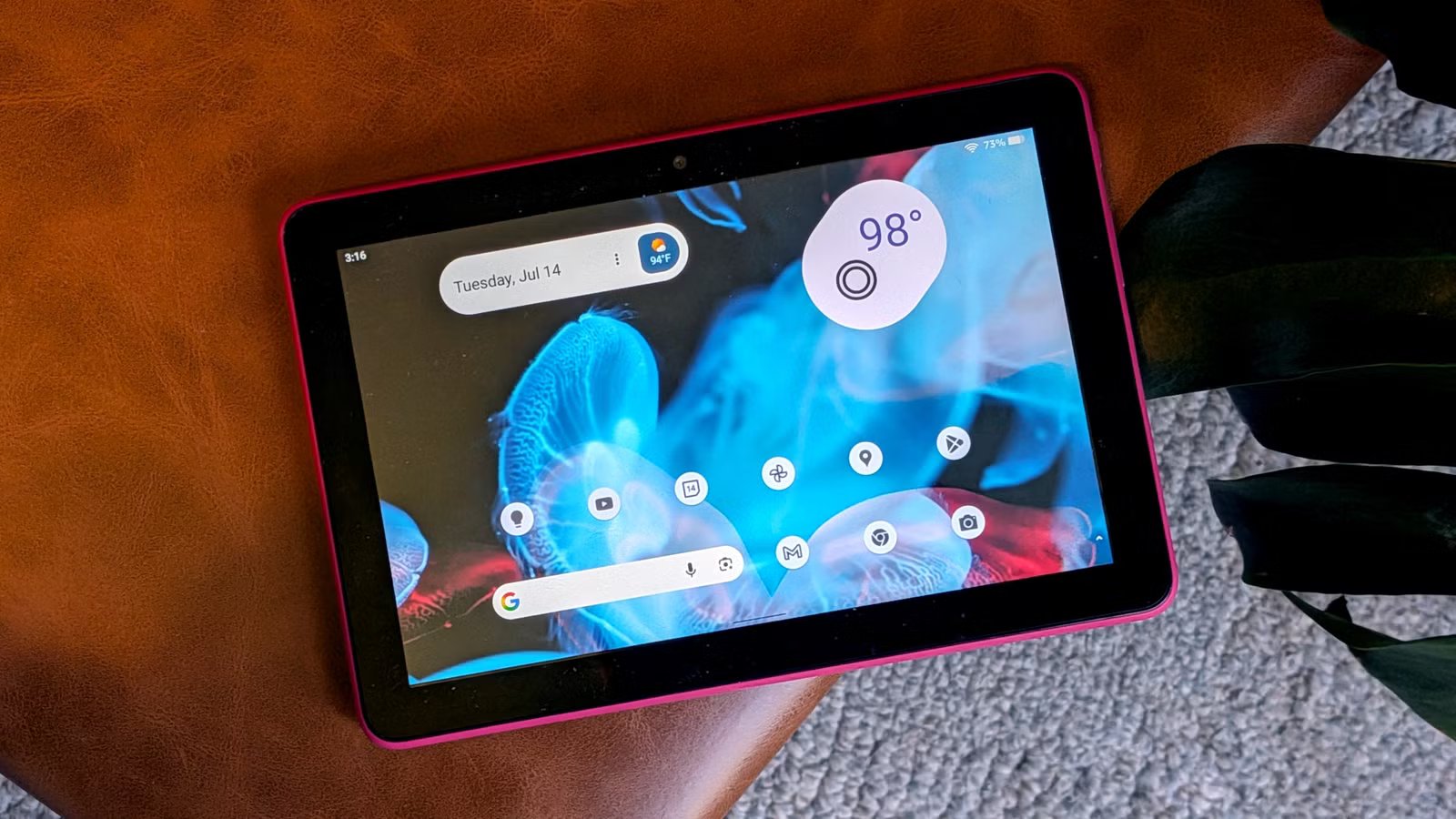
With Google apps and a custom home screen launcher, we’re already well on our way to making the Fire tablet feel like a “real” Android tablet. For extra credit, I wanted to bring a Pixel UI look to my tablet as well.
First, I installed Material You Dynamic Icon Pack—this brought the Pixel’s themed icons to my home screen. Next, I added the Google app’s “At a Glance” widget and the Pixel-style “Current Weather” widget from a weather app called Overmorrow. Lastly, I picked a wallpaper from Google’s official wallpaper app.
If I don’t say so myself, this is the best my Fire tablet has ever looked. There’s no Amazon in sight, and I feel much more at home. Of course, there’s nothing wrong with using Amazon apps on an Android device, but it’s pretty silly to have services like Freevee be unremovable. You should always have the ability to make your device your own.
![[GPU] ASUS TUF 5060 8GB OC- $284.49(YMMV, Amazon targeted coupon)](https://jobssz.com/wp-content/uploads/2026/07/1784083003_wyRlnnC4nIHWRfWMUIBnHvHMsP98N9mROJtKXbnwKWI.png)