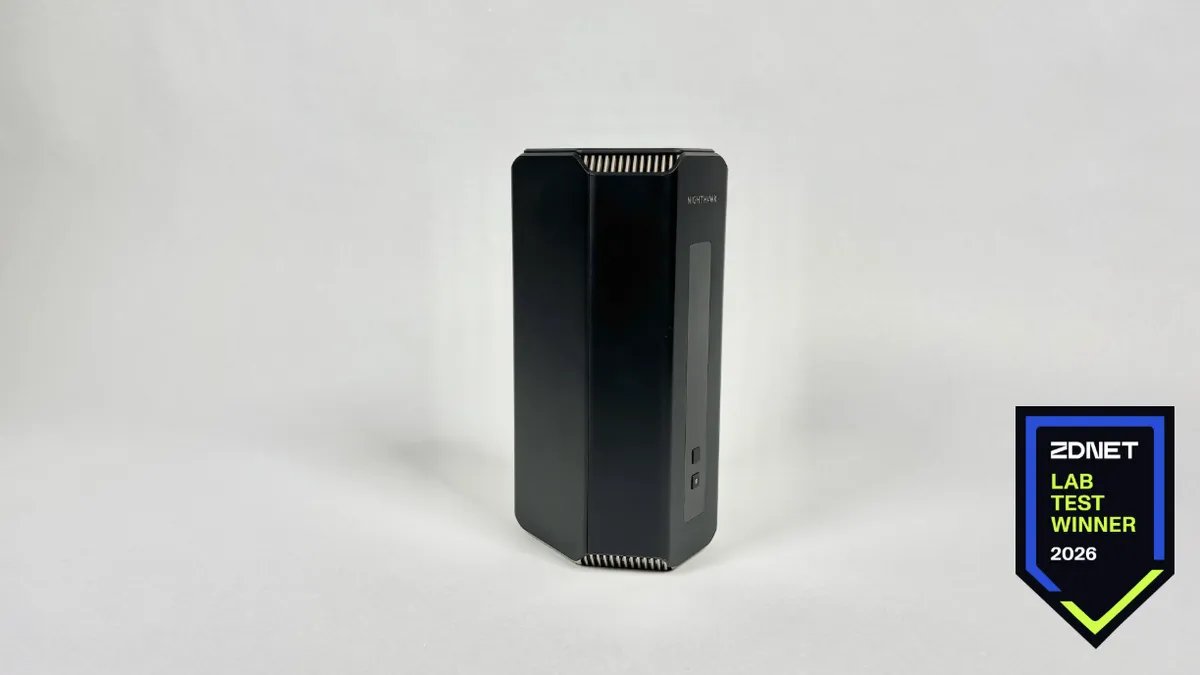
We tested 15 Wi-Fi 7 routers in our lab – this one had the best coverage

Follow ZDNET: Add us as a preferred source on Google.
We all depend on having a reliable Wi-Fi connection to get work done, to connect with friends and family, to power our smart home devices and streaming services, and so much more, so it’s essential to have a Wi-Fi router that works. And even more important than Wi-Fi speed is Wi-Fi coverage, so that areas of your home, like your basement, are still able to get a signal when you need it.
Also: The best Wi-Fi routers you can buy
ZDNET tested 15 Wi-Fi 7 routers from popular brands like Netgear, TP-Link, and Eero in our Louisville-based lab. The lab team’s goal was to evaluate the coverage performance of individual Wi-Fi 7 routers by measuring signal strength in decibel-milliwatts (dBm) across strategically chosen locations throughout our 12,500 sq. ft. lab.
The study is designed to characterize performance not only near the router but specifically as distance and physical obstruction increase, since far-field behavior is where routers most meaningfully differentiate. Based on all of this, the router with the best 2.4 GHz Wi-Fi coverage was the Netgear NightHawk RS700S.
How we tested these Wi-Fi 7 routers
To test these Wi-Fi routers, lab engineer Samantha De Leon used NetSpot, a widely used Wi-Fi site-survey and signal-mapping tool, to collect one signal strength reading (in dBm) at each of the 61 fixed, numbered test points distributed across the lab. Point numbering was held constant across every unit under test (UUT) to preserve comparability and repeatability. The router was located at a single fixed origin for all UUTs.
Each test point is assigned to one of three Distance and Interference (D&I) bands (low, medium, and high), based on its distance from the router and the number of walls between the point and the router.
Heatmap for the Netgear Nighthawk RS700S router’s coverage across 61 locations in our lab.
Samantha De Leon/ZDNET
The average dBm of each unit would misrepresent true coverage, since we tested on a single floor, which is naturally dominated by the strongest near-router points, and the average dBm could mask weak performance in distant or high-interference areas.
In terms of calculating the restults, Gianmarco Chumbe, the ZDNET lab’s product testing manager, said, “By computing a separate power-mean within each D&I band, far-field performance is reported on its own terms rather than being absorbed into an overall figure. Each D&I band was evaluated independently so that a unit that sustains a strong signal at a high distance and with interference is credited for it directly.”
Some caveats to keep in mind about our testing include that we tested only the 2.4 GHz range on a single floor, and that distance and interference covary, especially given the walled and partitioned layout of the lab.
The results
Since Wi-Fi signal strength in dBm is expressed as negative values on a logarithmic scale, routers with the least negative power-mean within a given D&I band are considered to have the strongest coverage in that band. Based on our lab testing, the Netgear Nighthawk RS700S maintained the strongest signal across two out of the three D&I bands. Its dBm range stayed in the “good” rating for medium D&I (-38.4 dBm) and high D&I (-46.9 dBm), meaning it had a strong signal that makes it reliable for streaming, video calls, and browsing.
An honorable mention goes to the Netgear Orbi 370, which received an “excellent” rating for low D&I (-27.2 dBm), making it a reliable router for any use type at this band.
In the chart above, you can see that shorter bars indicate better coverage, so in our testing, the router that performed the worst in terms of maintaining signal strength was the Linksys Velop Micro 7, which ranked last for both low and medium D&I. For high D&I measurements, the Eero 7 did not maintain the best signal strength.
That’s not to say these are not good Wi-Fi routers, but that they might work better on a different Wi-Fi connection range, such as 5 GHz or 6 GHz.
Also: Traditional Wi-Fi router vs. mesh: How to decide between the 2 popular networking options
Our test results might differ from your own experience with Wi-Fi, depending on your Wi-Fi connection range, the layout of your environment, and other factors. However, as a baseline, our testing provides expert analysis of how well top Wi-Fi routers can handle signal strength.
Traditional Wi-Fi routers provide a single access point for your broadband/fiber connections. While routers can deliver excellent speeds and low latency, performance can suffer as more devices are added, creating congestion. Mesh systems take a different approach, using multiple interconnected access points, or nodes, to create a larger, more consistent coverage area. This helps reduce weak signals and improve reliability in larger spaces.
To get the best range and coverage from your Wi-Fi router, place it in a central location in your home to evenly distribute the wireless signal. You’ll want to reduce the number of obstacles and other electronics. Avoid placing it near appliances like microwaves or large entertainment systems. These devices can disrupt Wi-Fi.
| dBm Range | Rating | What it means |
| −15 to −30 | Excellent | Very strong signal; maximum throughput, reliable for any use |
| −30 to −50 | Good | Strong signal; reliable streaming, video calls, browsing |
| −50 to −67 | Fair | Usable signal; acceptable for most tasks, may dip under load |
| −67 and below | Poor | Weak signal; basic connectivity, unreliable for demanding use |