I disabled Android’s app hibernation and got instant notifications back
Telegram had developed an irritating habit of showing me notifications only after I opened it. I do not use the app regularly, but I still expect messages to arrive when someone contacts me. Then I noticed the same pattern with a rarely used banking app, Temu, and Tottenham’s football app, which I had barely opened since the Premier League season ended.
Their notification permissions were enabled, so the obvious switches were not the problem. The common thread was how rarely I launched them, which made Android’s unused app controls my next suspect.
Android mistook neglect for retirement
I ignored some apps, so Android ignored them harder

Telegram was the clearest example. It remained installed, signed in, and allowed to send notifications, yet alerts became unreliable after I had gone a long time without opening it. Launching the app brought messages into view, which pointed away from a muted conversation or disabled notification category, but it did not prove hibernation was responsible.
I worked through the usual fixes for Android notifications that do not appear before blaming hibernation. In Telegram’s App info page, notifications were allowed, the relevant categories were active, background data was available, and the app was not set to Restricted under battery usage. I repeated those checks for the banking app, Temu, and Spurs. Their shared trait was infrequent use rather than a common notification setting.
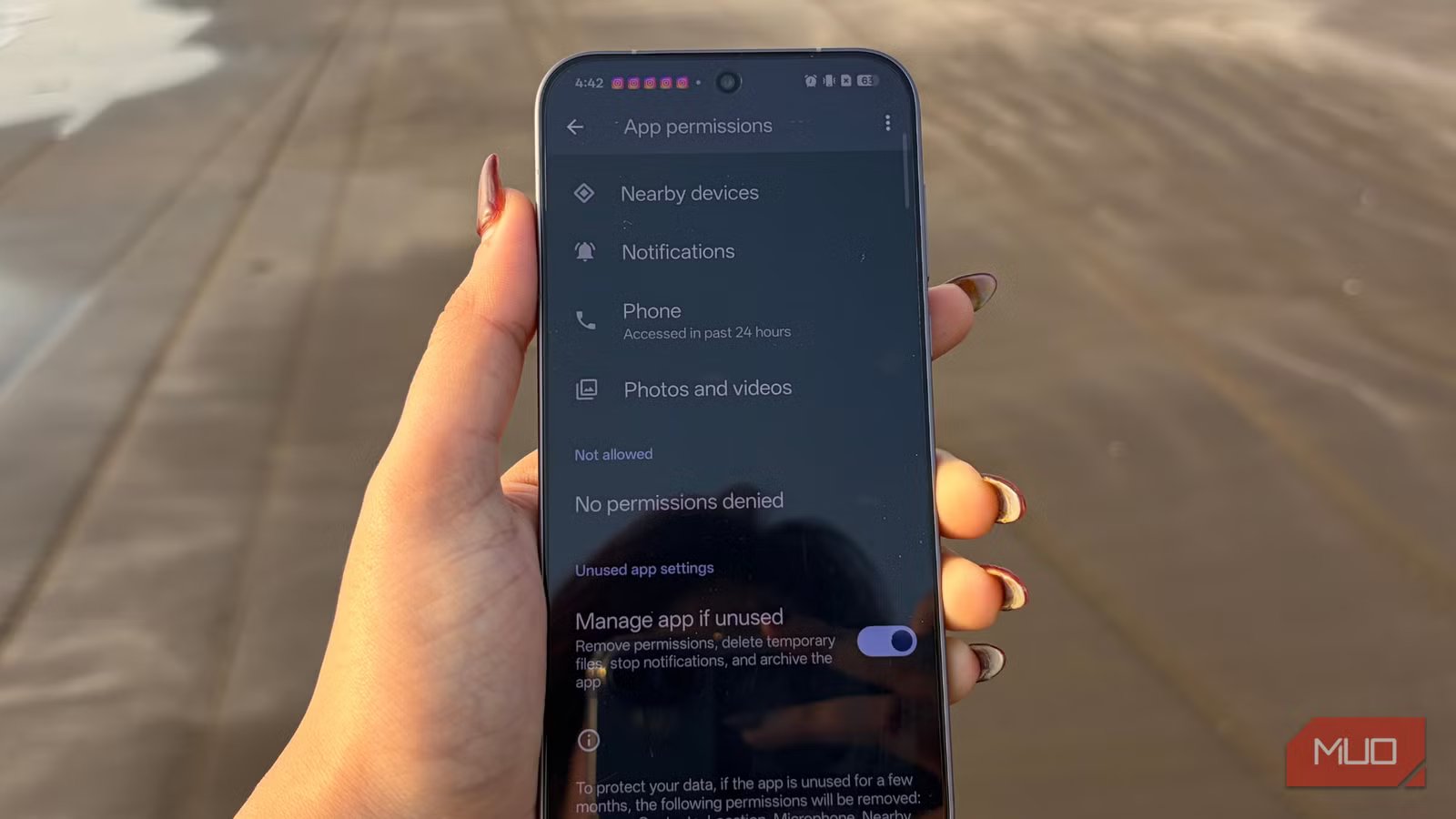
Android treats long-unused apps differently from apps you open regularly. Android 11 introduced automatic permission resets for eligible apps targeting Android 11 or later. Android 12 expanded that system into full app hibernation. On Android 12 or later, a hibernated app can have its runtime permissions reset and cached files removed. It also cannot run background jobs or alarms or receive push notifications until it is used again.
That explains why the notification switch can look correct while nothing arrives. Hibernation is a broader system state, not another notification category. It makes sense for an abandoned game or an editor I installed once, but messaging, banking, delivery, security, and sports apps can still have useful work to do while sitting unopened. I may avoid opening them precisely because their notifications are supposed to tell me when anything needs attention.
One toggle gave the app its job back
It lived exactly where you might have overlooked it
On a current Google Pixel, open Settings -> Apps -> See all apps, choose the affected app, scroll to Unused app settings, and toggle off Manage app if unused. Depending on the Android version, the same control may instead be labeled Pause app activity if unused. Pixel phones also include a broader page under Settings -> Apps -> Unused apps, where you can review everything Android has marked as unused without opening each app’s information screen separately.
Galaxy phones expose a similar unused-app control, but Samsung adds another battery-management layer. Open Settings -> Apps -> [app name], then look near the bottom of the Privacy section for Manage app if unused and turn it off. On older One UI versions, Remove permissions if app is unused may be the toggle’s name. The wording varies, but this is the setting to disable an app you rarely open and still expect to retain its permissions and receive notifications.
Next, open Settings -> Battery -> Background usage limits. This page includes Put unused apps to sleep and lists for Sleeping apps, Deep sleeping apps, and Never auto sleeping apps. Samsung’s process for putting apps to sleep can save battery, but those same lists matter when an important app stops notifying reliably.
Check both sleeping lists. A sleeping app has restricted background activity and may not notify immediately. A deep-sleeping app does not run in the background and becomes active only when opened. If an important app appears in either list, remove it, then add it to Never auto sleeping apps so Samsung does not put it back to sleep later.
After turning off the unused-app control and making sure Telegram was removed from Samsung’s sleeping-app lists, I closed the app and had someone send me another message. This time, the notification appeared without me opening Telegram first. I repeated the test later to make sure the first alert was not a coincidence.
Hibernation has plenty of convincing impersonators
If the affected app is one you open every day, hibernation is unlikely because it has not remained unused for months. Check these alternatives first:
I am happy to let Temu hibernate for as long as it likes. Telegram, the bank app and, come late August, Spurs’ app are a different case. How often I open something and how much I need it are separate measurements, and my phone only tracks one.
If you are unsure whether an alert arrived without attracting your attention, Android’s notification history keeps a recent record of delivered notifications. It can help distinguish an alert that arrives silently from one the app never delivered.