After testing every OneNote alternative, this self-hosted tool is the only one I trust with my data
Self-hosting has been the theme for me for a good stretch of months now, and finding a note-taking app that fits properly has been part of that. The requirements aren’t complicated – something quick to capture into, something that doesn’t need an account, and something where the data actually stays on the machine it was written on. Unfortunately, not many options actually meet that standard.
Memos wasn’t on the OneNote-alternative shortlist to start with. It just came up while looking at self-hosted timeline apps, which is a different category entirely, and it took about a minute to realize the timeline model is actually closer to how quick-note apps get used than the notebook-and-hierarchy model. The whole thing runs from a single Docker container, and the note database is a SQLite file that sits in one folder on the drive.
Anyone can self-host it
The setup took me longer to screenshot than it did to run

The whole install was one docker run command in PowerShell. Pull included, Memos was live at the localhost, no email verification needed, also no onboarding wizard trying to get me onto a mailing list. The first load just asked for an admin username and password, and that was it.
Memos runs a Go backend with a React frontend, and it stores everything in a SQLite database by default. That database lives in the folder I pointed the Docker volume at, which in my case is a directory on my C: drive. Backing up my notes is copying that folder, so I don’t have to export a proprietary format or reconfigure anything, just copy a folder.
The philosophy is on the Memos site fairly clearly – your notes stay on infrastructure you control, no hosted copy passes through them, and there’s zero telemetry by default. I checked what the container was doing after a few hours of running it and it wasn’t reaching out to anything I hadn’t configured it to reach.
The thing that stands out is how uncomplicated the deployment is. A lot of self-hosted note tools I’ve looked at can be a mission to get up and running, at least to anyone who’s new to self-hosting, but Memos couldn’t have made it easier.
docker run -d `
--name memos `
--restart unless-stopped `
-p 5230:5230 `
-v C:\docker\memos:/var/opt/memos `
neosmemo/memos:stable
It writes more like Google Keep than OneNote
And I mean that as a compliment
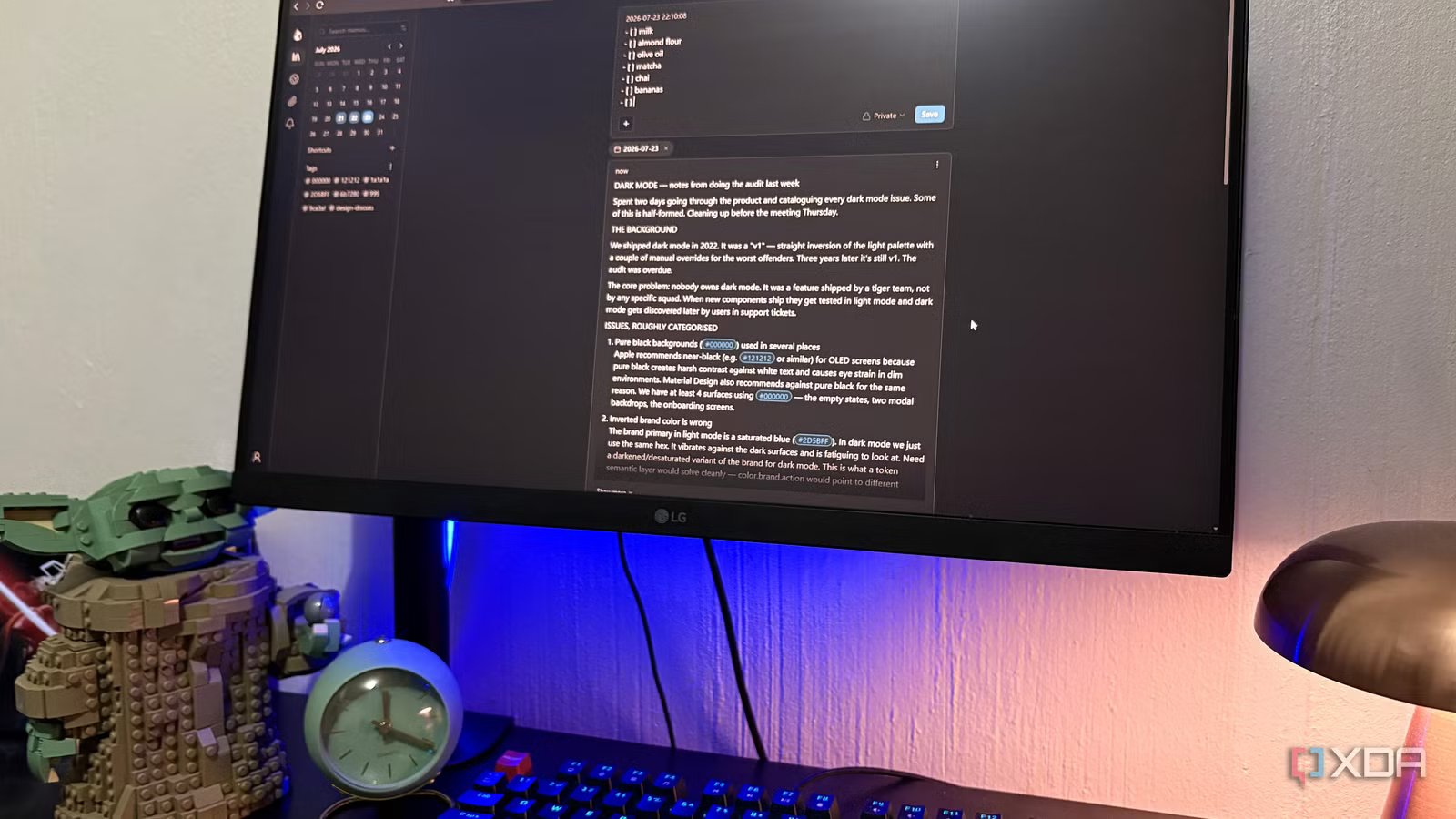
The interface is closer to Google Keep than OneNote, which sounds like a downgrade until you notice that the way most people actually use OneNote is Keep-shaped anyway. It’s meant for quick thoughts, lists, reference snippets, and whatever you plan on looking at again next week. There’s a timeline down the middle, tags in the sidebar, and even a calendar on the left for date-filtering.
The composer is at the top, and although it looks like a chatbar, which I think is pretty cool, this is where you take your notes. Then you hit Save and it drops into the timeline below for that day. Markdown works properly, so headers, bold, lists, code blocks, and checkboxes all render clean when you save. There’s also a slash command menu with options for a todo list, code, links, and tables, which I’ve been using for grocery lists and quick reference tables. It feels much faster than fumbling through OneNote’s ribbon.
Tags are inline, so when you type #design-discuss inside the note, it becomes a filterable tag in the sidebar automatically. Each note has a visibility toggle – private by default, or shareable if you want it – which is a small thing OneNote never really nailed. Attachments work by drag-and-drop, and I threw a folder of markdown files in as a test which got ingested cleanly as an attachment block.
The whole interface is just clean and easy to navigate, not to mention fast. It loads instantly because there’s no cloud round-trip happening. It’s literally just text in and text out.
What’s missing is the whole point
Every feature it doesn’t have is something that can’t leak my notes

There’s no account system beyond the local admin login. Which is one less thing that could get breached and dump the contents of my drive onto pastebin somewhere. And there’s no telemetry, confirmed on the Memos site and confirmed by watching what the container was actually doing.
There’s no plugin ecosystem either, which sounds like a downside until you think about what a plugin actually is. Code written by someone else, running against your notes, updating on its own schedule. That’s a great deal when the plugin is useful and a terrible one when it isn’t. Of course, also no built-in sync, which means the sync question is mine to answer. If I want Memos on my phone I set up a tunnel, or a reverse proxy, or something similar.
And lastly, no AI features. I actually like a lot of AI note features when I choose to use them, but I don’t want them wired into the app that holds my daily brain-dumps by default. Every “missing” thing on this list is a thing that can’t change its privacy policy on me next quarter. Feature-rich isn’t what I need from a quick-capture app.
Memos is what happens when a note app doesn’t ask for any of your trust
Memos isn’t going to replace every OneNote workflow. If you’re doing shared team notebooks, or handwriting on a tablet, or building out something closer to a wiki, this isn’t it. For quick capture, lists, throwaway thoughts, and reference snippets though, Memos hits every note without needing me to trust anyone else’s server.