Google adds FIDO2 keys and phone passkeys to Windows login via GCPW
Google has started rolling out FIDO2-compliant physical security key support as a second factor for authentication in Google Credential Provider for Windows (GCPW) to all Google Workspace customers.
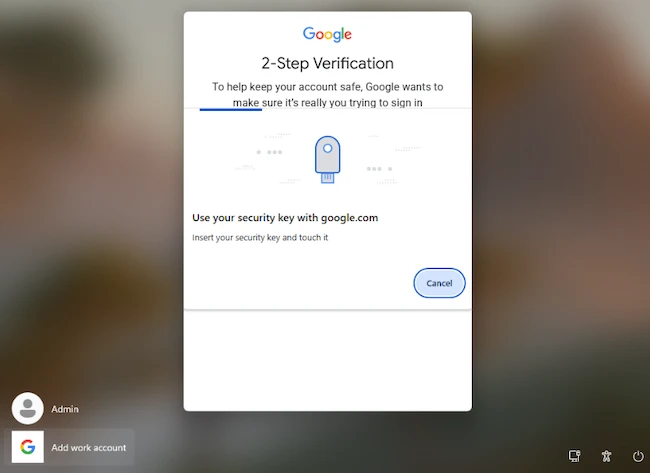
GCPW is a free tool that lets users sign in to Windows computers with their Google Workspace account instead of, or alongside, a Windows username and password.
The update allows organizations to strengthen account security by enabling administrators to enforce 2-step verification (2SV) with hardware security keys at the Windows sign-in screen. The feature does not include an end-user setting.
“Users can now use passkeys from nearby Bluetooth-connected mobile devices for their second-factor authentication,” the company said.
How administrators enforce 2SV
Google Workspace administrators can require users to complete 2-step verification by enabling an enforcement policy in the Google Admin console. Before applying the policy, they allow enrollment in 2SV and registration of a verification method, such as Google Prompt, an authenticator app, a security key, or a phone number.
Administrators can review enrollment status in the Admin console before enabling enforcement. The policy is configured under Security > Authentication > 2-Step Verification, where it can be applied immediately or scheduled for a future date for selected organizational units or configuration groups.
After the policy takes effect, users complete 2-step verification by signing in with their password and a registered second verification method.