How to Work Effectively with GPT-5.6
, I will give my first impressions of the newest OpenAI model, GPT-5.6. The model was released a few days ago, and I’ve gotten the chance to test it extensively since the release and compare it against other models such as GPT-5.5, Opus 4.8, and Fable 5.
I’ll give my judgment on the model, share my experiences with it, and explain how to work as effectively as possible with it. I believe it’s a model with some pros and some cons compared to the alternative Anthropic models such as Opus 4.8 and Fable 5. But overall, it’s a very good model, and I definitely recommend trying it out.

Why use GPT-5.6?
First of all, I’d like to cover why you should care about this article, and in this case, it’s why you should care about GPT-5.6 and how to use it effectively. First of all, the reason you should care about GPT-5.6 is that the previous generation of the same model, GPT-5.5, was a great model and a model I personally used extensively.
I believe GPT-5.5 was basically on par with Opus 4.8 in a lot of tasks, and in some tasks, such as code review, it was far superior in my opinion.
Thus, you should of course care about the next generation of the same model, GPT-5.6, as it should, on paper, be better. Furthermore, GPT-5.6 has some quirks which you should definitely know about. For example, the model comes in three different sizes:
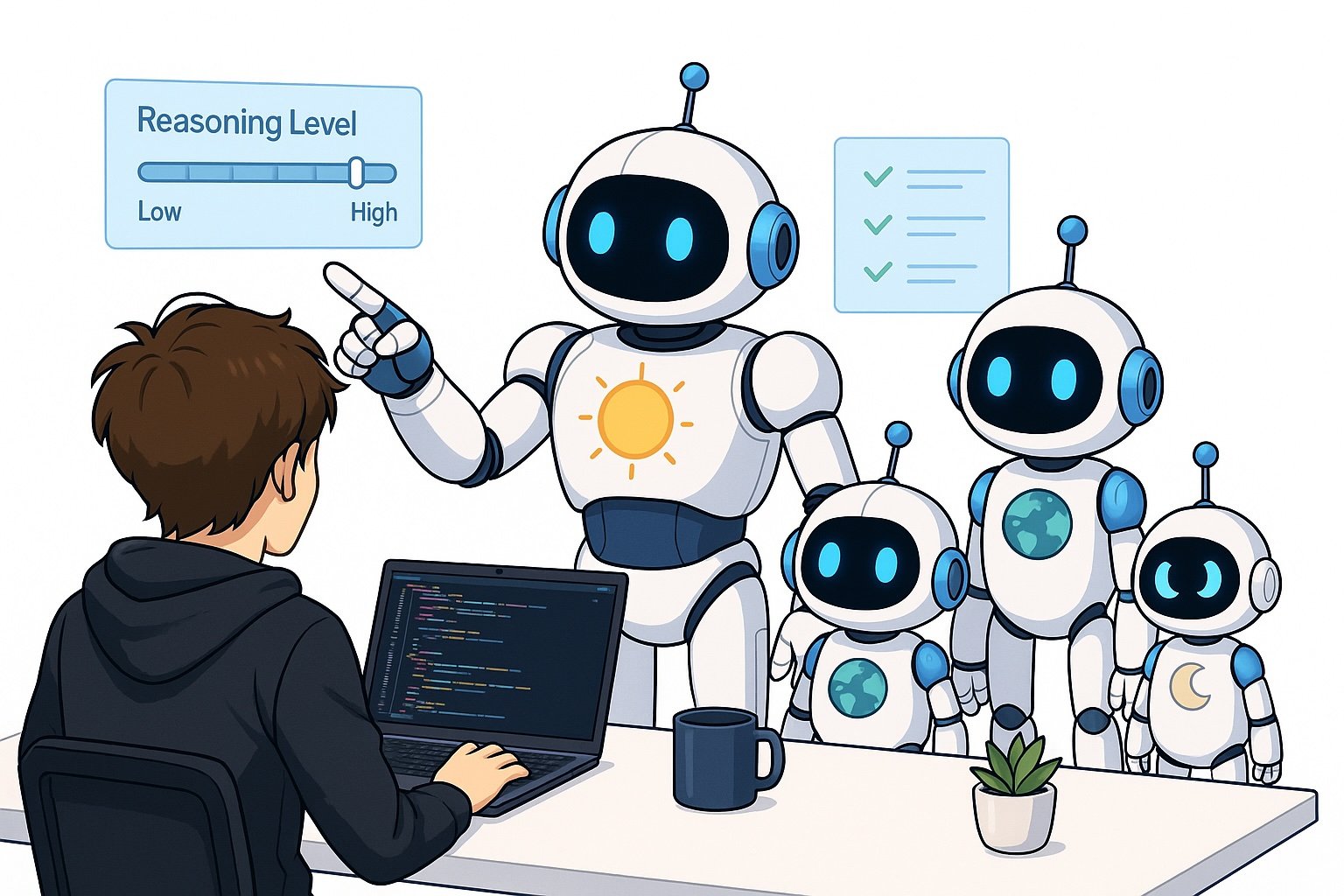
Where Sol refers to the Sun, Terra refers to the Earth, and Luna refers to the Moon, representing the sizes of the models. Sol is the best one and the frontier model. They also, with each model, released different reasoning levels, which can make the model think for longer or shorter before providing answers. The simple trade-off is that if you make the model reason for longer, it will give higher-quality responses, but it will take longer to provide responses.
I’ll share my techniques and thoughts on how to use the models as effectively as possible.
My thoughts on GPT-5.6
First, let me cover my overall thoughts on GPT-5.6. Overall, I would say it’s an improvement over GPT-5.5 in basically every aspect. It’s just a bit better than GPT-5.5 for everything.
I of course use the model for code reviews, in which it still discovers a lot of issues. I believe it’s slightly better at catching issues in the code, both with regard to precision and recall, i.e., catching all the bugs that exist, which is recall, and actually being correct when reporting a bug, which is precision.
I’ve also tried the model for actual implementations, and I believe GPT-5.6 is able to work for longer to complete tasks and is basically more thorough in the way it does its work. I still believe GPT-5.5 was pretty good at getting tasks done, but I think GPT-5.6 is slightly better.
However, it’s worth noting that I don’t think this is a very strong improvement; I believe it’s an incremental improvement over the previous GPT model.
One downside I would like to note is that if you use GPT-5.6 with extra high or even ultra thinking, it basically drains your usage limits right away.
Now it’s worth noting that OpenAI actually removed the five-hour usage limit, at least for a temporary amount of time, which definitely helps a lot here. So you only have the weekly limit; however, I believe that if you use the model with extra high or ultra-thinking, it basically drains your usage right away, and if you’re on a subscription, it’s very hard to use the model for an extended period of time, and definitely very hard to use multiple models in parallel.
Furthermore, I think that if you use the model with one of these high reasoning modes, it’s also very, very slow. Slower than I would expect it to be, definitely when working on simpler tasks. So, I’ve actually ended up using extra high thinking for planning and medium reasoning for actual implementations, which I’ll cover more in the next section. But I think it’s worth noting that I had to tune down the reasoning levels to avoid hitting rate limits right away.
This is, of course, important because when you look at the benchmarks, what’s reported is usually one of the super reasoning levels, and if you’re not able to use that because it drains your usage right away, then that of course makes the model effectively worse for you when trying it compared to the benchmarks.
I would also like to have a short section covering my thoughts on the different sizes that you can choose. I mostly use Sol, the largest model, as I believe it’s the best model. However, I have read some benchmarks saying that in some situations you’re better off using Terra with a higher reasoning level than Sol with the lower reasoning levels. I tested this a bit myself and wasn’t really able to notice any stark differences, so I ended up staying with Sol with the reasoning efforts that I mentioned earlier.
How to effectively apply GPT-5.6 to solve problems
Use cases for GPT-5.6
Now I’ll get into how to effectively use GPT-5.6 to solve problems. The number one thing you should start doing right away, especially if you’re using Claude Code, is to have GPT perform your code reviews.
In my opinion, you mostly don’t need human code reviews anymore. Of course, you might need it if there’s a critical piece of infrastructure or you really want a human to look at it, but for the most part, I believe that Codex is good enough as a code reviewer to avoid bugs being pushed to production.
Now you can also, of course, use GPT-5.6 for actual implementations. However, in my opinion, I have better success using the following setup for implementations. Step one is that I use Claude Fable to plan the implementation, and step two is that I switch and start executing the implementation with Claude Opus 4.8 instead. In my opinion, this gives me better results than just using GPT-5.6, even if I use a higher reasoning level for planning and then a lower reasoning level for implementations.
And another point you might use GPT-5.6 for is computer use or browser use. In my opinion, GPT is very good at computer use and browser use, and it is quite fast when interacting with the browser, especially if I use a medium reasoning level. I think GPT-5.6 navigates my browser incredibly well, which is, of course, important when verifying code end-to-end, for example, or performing actions in the browser for you. So I believe this is a very good use case.
Techniques to use GPT-5.6 effectively
Now, I’ll move over to some specific techniques that I implement and apply when utilizing GPT-5.6. The first topic I want to cover is the reasoning levels. As I mentioned earlier, if you go with the extra high or ultra-reasoning levels, I believe the model is both too slow and spends usage limits way too fast, which doesn’t really work if you’re on the subscription, even if you’re on the $200 subscription.
Thus, the technique that I started using is that I have extra high thinking when I’m planning with GPT-5.6. So, always when I’m starting a task, I start with plan mode, which has extra high reasoning. When the plan is done, I switch to a medium reasoning level to actually implement the code, considering code implementation is often easier than code planning. This is because code planning requires you to look into the entire repository and consider how something should be implemented, while the actual implementation is just implementing the plan that was already made for you.
Another very important technique when using GPT-5.6 is giving it access to everything. One thing that I noticed that was quite inconvenient was that I’ve worked mostly with Claude Code before and had given Claude access to everything I’m using through MCP, such as Gmail, Google Calendar, Slack, Playwright MCP, etc. And then when I started using GPT-5.6, it performed worse because I didn’t remember to give it access to all of these tools. So my other main tip here is to actually provide GPT-5.6 access to all the tools that it needs.
OpenAI has basically all the same connectors that Claude Code has, and there’s no reason you shouldn’t give access to Codex if you already give access to Claude Code.
And lastly, the last tip I want to cover is to remember that OpenAI often gives out resets, which is one of the big differences between Claude Code and Codex. So, with Claude Code, they sometimes do resets of usage limits for everyone, which is, of course, great if you’ve spent some of your limits; however, Codex also does that, but they usually actually provide you a banked reset, which is basically a reset that you can trigger at any point in time and will reset your usage limits.
This can be great if you have high expected usage for a shorter time, or if you just spent all your tokens and need to spend more tokens. However, it’s worth noting that resetting the usage limits not only, of course, sets your usage to 0%, but it also resets the date of when the next usage reset occurs. So your next five-hour limit will be five hours later, and your next week limit will be one week later. So they also reset, which reduces the benefit of the banked resets, though they are still very valuable, of course.
Historically, OpenAI has provided banked resets every now and then, so if you have a subscription, you’ll get them over time.
Conclusion
In this article, I covered my opinion on the latest OpenAI model, GPT-5.6, and my thoughts on it. I discussed why you should use the model, highlighting that the previous generation of the OpenAI model, GPT-5.5, was already very good, and that this is an improvement over the model. I also shared some specific techniques on how to use the model effectively, which is very important because GPT-5.6 comes with some different usage settings. For example, it comes in three different sizes of models, and they also have different reasoning levels you can choose between. I believe you should be using GPT-5.6 for code reviews, definitely. And the difference between GPT-5.6 and Opus 4.8 is not that big when it comes to code implementations, computer use, and so on. So my current coding setup will still remain: Claude Fable for planning, Opus 4.8 for execution, and GPT-5.6 for reviewing my code. Of course, you should always stay on top of the latest models, try them out yourself, see if they work better for your use cases, and thus figure out if it’s relevant to you.
👉 My free eBook and Webinar:
🚀 10x Your Engineering with LLMs (Free 3-Day Email Course)
📚 Get my free Vision Language Models ebook
💻 My webinar on Vision Language Models
👉 Find me on socials:
💌 Substack