I stopped using Apple CarPlay after discovering Android Auto’s smartest feature
Even though I carry both an iPhone 17 and a Galaxy S25 Ultra, CarPlay felt like the obvious choice whenever I got behind the wheel. It had a beautiful liquid-glass design and did everything I expected from a phone-powered dashboard.
But after spending more time with Android Auto, I ran into one feature that changed the entire experience for me. Now, going back to Apple’s CarPlay has started to feel limiting.
Apple CarPlay was already good enough
But it never felt truly smart

I didn’t stop using Apple CarPlay because it was a bad experience. In fact, it had almost everything I needed in a car. The dashboard looked polished, animations were smooth, apps were easy to access, and the entire system felt predictable every time I connected my iPhone.
Navigation, calls, messages, podcasts, and music all worked without much effort. CarPlay also had the consistency I expect from Apple, with familiar icons and a layout that never felt distracting behind the wheel. For basic driving needs, it was more than good enough, and I could easily understand why many people never feel the need to look elsewhere.
The problem was that CarPlay rarely felt intelligent. Most of the experience still revolved around opening an app, choosing an option, or giving Siri a very specific command. Siri’s voice recognition was especially frustrating with my Indian English. I often had to slow down, repeat contact names, or change the way I naturally pronounced certain words just to get the right result.
Even simple requests could turn into multiple attempts, which is the last thing I want while driving. Siri could call someone, play a song, or start navigation, but it struggled once my request became even slightly conversational.
Android Auto’s secret weapon changed everything
Unlock it using this trick
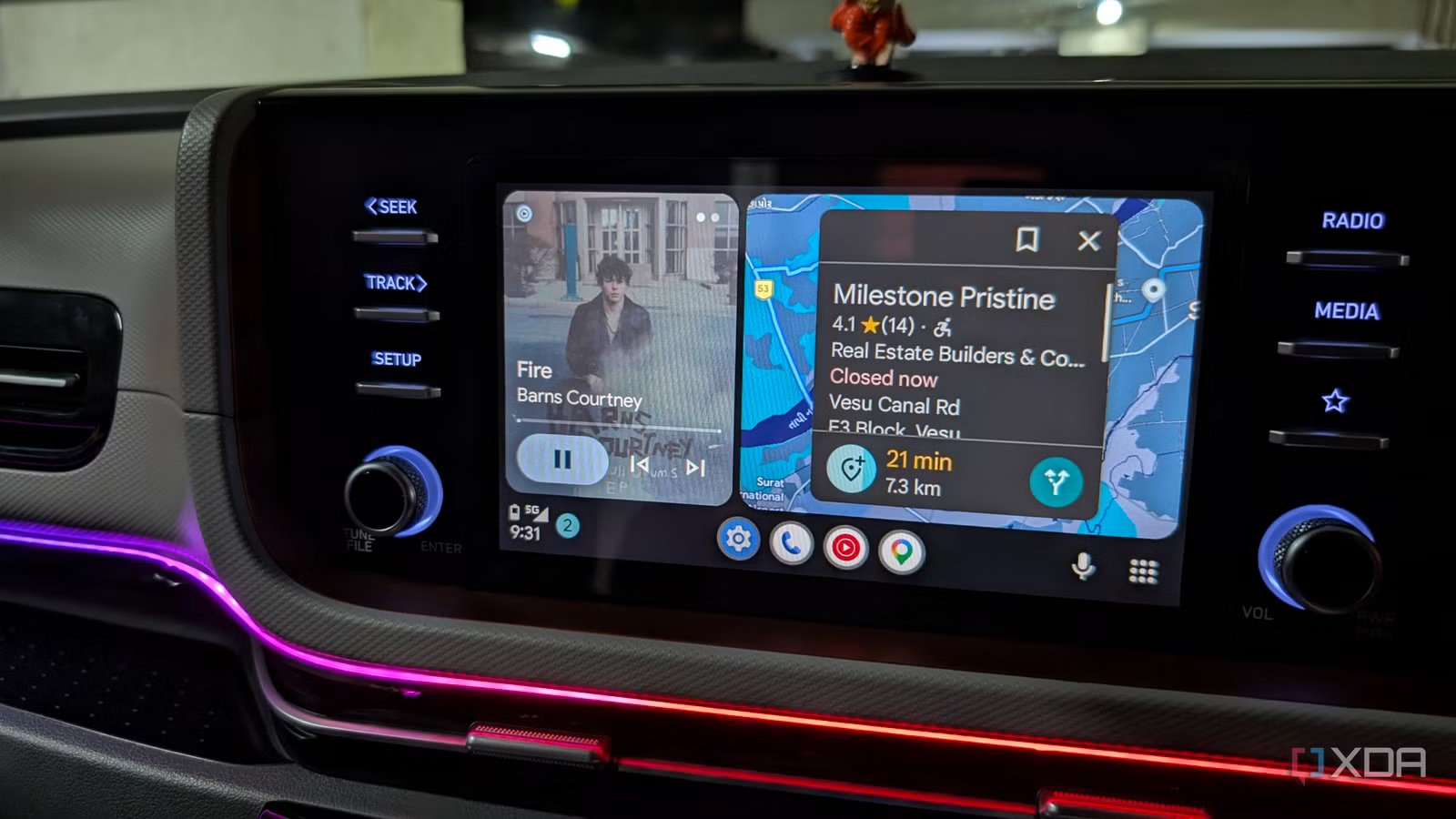
The entire experience changed when Gemini appeared on my Android Auto dashboard. Unlike Siri, it did not feel like a basic voice-control layer designed only to open apps. I could speak naturally, add context, correct myself midway, and ask follow-up questions without restarting the entire request.
Getting Gemini on Android Auto was simple, although the relevant setting lives on the phone rather than the car’s dashboard. I first ensured that the Google and Gemini apps were updated.
I then headed to the Android Auto menu on my phone and opened Digital Assistant from Google, and chose Gemini. This replaced Google Assistant as the primary assistant on my phone and, once I connected it to my car, inside Android Auto as well. After that, I could launch Gemini by tapping the microphone icon, pressing the voice button on my steering wheel, or saying “Hey Gemini.” And here is where it gets interesting.
I can speak naturally while driving
It connects information across my apps

The biggest difference I noticed was how naturally I could talk to Gemini. I no longer had to slow down, simplify my sentences, or repeat the same request. I could speak in my usual Indian English, mix casual phrasing into the command, and still expect Gemini to understand what I wanted.
For example, I can say, “Take me to that clinic I saved in Keep and tell Mike when I will reach.” Gemini feels much more forgiving than Siri ever did to me. Gemini becomes even more useful when it starts pulling information from the apps I already use. I can use details from Google Keep, Tasks, Calendar, Maps, YouTube Music, and supported messaging apps to complete requests that would otherwise require several taps.
I can ask Gemini to find an address from one of my Keep notes and start navigation. I can tell it to retrieve my grocery list from Google Tasks and send it to Harvey on WhatsApp. Before a meeting, I can ask for my next calendar event, check the location, and begin navigation without opening the calendar app itself. This cross-app awareness is the feature that keeps pulling me back to Android Auto.
Multi-step commands save me real effort
Discover the range of possibilities

Gemini can handle multiple commands in one go. For example, I can say, “Navigate me to home, check the traffic, play my liked songs, and send ETA to Vidhi on WhatsApp.” Gemini understands the individual parts of the request and handles them without forcing me to jump between apps or even touch the dashboard.
I use the same approach during work drives as well. I can ask Gemini to read my next calendar event, navigate to the meeting location, and send a quick message to the person I am meeting. Gemini Actions make this workflow even better. I can save frequently used commands and pin them for quick access, so I do not have to repeat a long prompt every morning. Read my dedicated post to learn more about it.
Siri has a lot to catch up
Apple CarPlay still has the more polished interface, and I continue to appreciate its clean design, smooth animations, and reliable app support. But once I experienced Gemini on Android Auto, those strengths were no longer enough to pull me back.
Android Auto now feels like a capable driving companion. Gemini is not perfect yet, but it already makes Siri feel limited.