I switched from Google Maps to Waze in Android Auto, and I finally get it
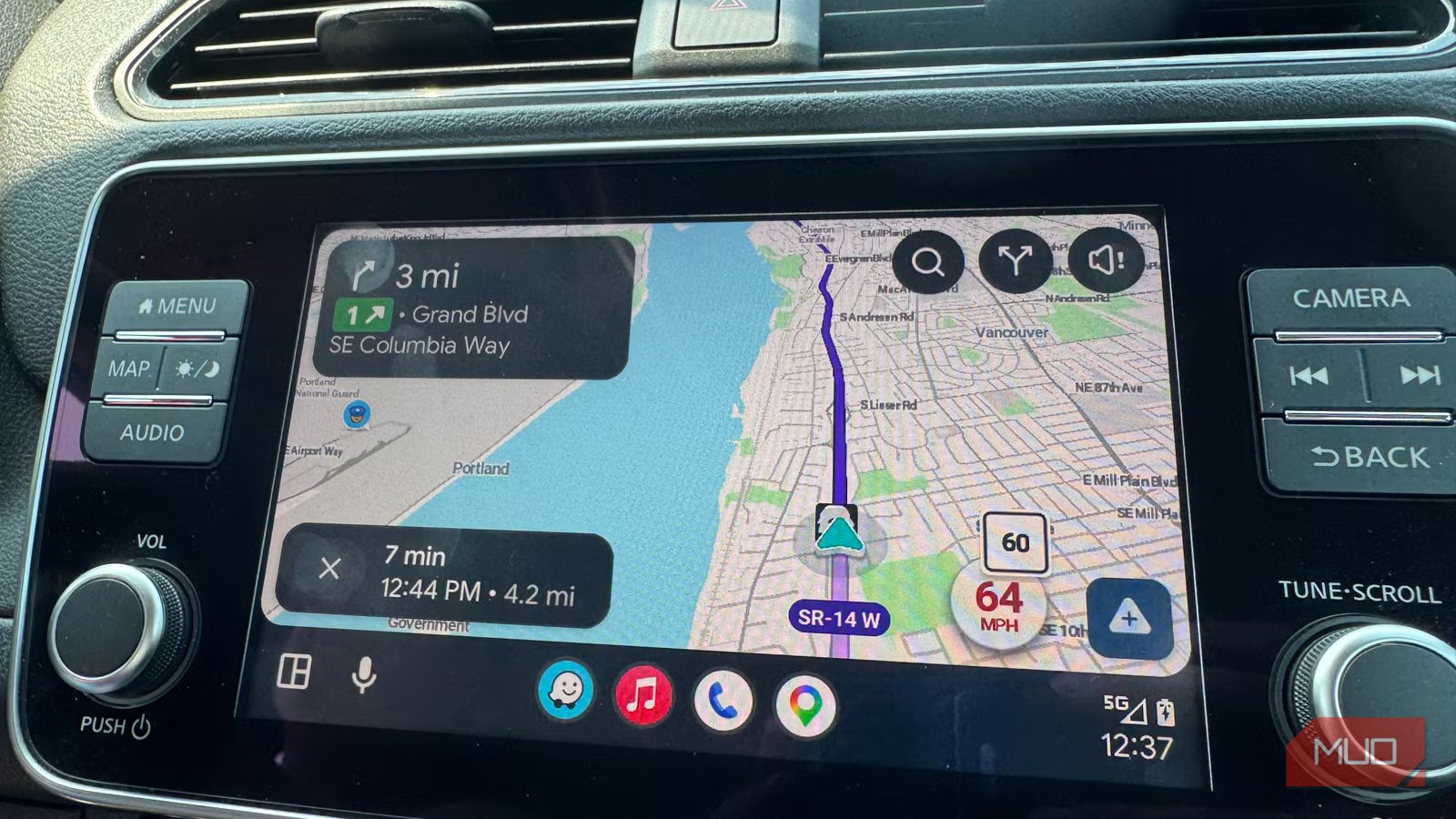
When I use Android Auto in my Nissan Leaf, I usually use Google Maps to get around town. Mostly because it’s the default mapping app for Android, and it’s the icon that’s already there. Still, every time I read an article about someone switching to Waze, I felt like maybe I should try it out, but I never quite did. Now, though, after testing both apps side by side on my Pixel 9, I get it. There’s no single dramatic feature behind my choice to start using Waze, but a handful of small things that add up to Waze fitting how I actually drive.
Why I finally see what Waze fans are talking about
It shows up in more than one place

The clearest example happened underground. Driving through several tunnels on my regular route, Waze switched to its night theme within a few seconds each time. Google Maps didn’t switch at all, staying in its daytime look the entire time I was in the dark. That’s the opposite of the more commonly reported Google Maps issue, where the app gets stuck in night mode after a light sensor misreads the ambient light, rather than failing to switch to it in the first place. It’s a small but real sign that Waze is paying closer attention to the actual driving conditions in front of me.
It’s not just the tunnels, either. Driving an EV, I poked around Waze’s EV charging category, which lists nearby chargers by connector type and speed right alongside gas stations. Google Maps has it buried a bit further in its navigation system. For an EV driver, that kind of detail matters more than it sounds like it should: knowing where the nearest charger is before your range estimate starts dropping beats hunting for one after the fact.
Searching for gas stations near me, Waze also surfaced the nearest station by price first, while Google Maps led with rating and drive time. I dig Waze’s sorting better, to be honest, especially when I’m in my gas car.
One piece on Android Auto settings warned that a voice command like “find a gas station” will force-launch Google Maps even when you’re mid-route on Waze. That’s not what happened on my Leaf. When I was actively navigating in Waze and gave Gemini a fresh command, it stayed in Waze. It’s only when there’s no active route that a context-less command defaults to Google Maps, and saying “find in Waze” routes it there directly. Google recently added Gemini-powered features to Waze for conversational reporting and destination search, so this behavior may keep shifting as that rolls out further.
How to actually make the switch
It’s a two-minute settings change

If any of this has you curious, setting Waze as your default takes less time than reading this article. Install Waze from the Play Store, sign in, then head to your phone’s settings, not the Android Auto screen itself: Settings > Android Auto > Customize launcher. Drag Waze above Google Maps in the list. You can’t remove Google Maps from the launcher entirely, but as long as Waze sits higher on the list, Android Auto treats it as your default the next time you plug in.
Where Google Maps still holds its own
There’s still a good reason to stick with the classics
For the basics, both apps work just fine. Text and icons are legible when driving and ETA accuracy works just fine in both. Both apps were easy to read at a glance from the driver’s seat, and turn arrows and street labels were large enough that I never had to get closer to the screen. Both called out which lane to be in well before an exit instead of at the last second, and both predicted arrival times closely enough over repeat drives, that I wouldn’t recommend one over the other for that reason alone.
Google Maps did edge out Waze when I needed a reroute, though. After missing a turn on purpose to test it, Waze took a beat or two longer to recalculate each time, but it’s still eminently usable.
I’m sticking with Waze
None of these differences moved me on their own. Together, they add up to an app that feels built for someone actually behind the wheel, rather than one that happens to work fine there. The cartoonish icons and bright colors some people knock Waze for actually help at a glance, since they’re easier to tell apart at speed than Google Maps’ more muted palette.
I’m not deleting Google Maps, since it still recalculates a hair faster, and I trust it for anything off the beaten path. But Waze is my default now, sitting in the top map launcher slot on my phone, and after years of shrugging off the recommendation, I finally understand why everyone kept making it, even though some still argue that Google Maps is better. The upgrade turned out to be an app that pays attention to the same things I do behind the wheel.
![What’s new in Android’s July 2026 Google System Updates [U]](https://jobssz.com/wp-content/uploads/2026/07/google-play-services-1-768x402.jpg)