I tried Google Notebook’s roast mode and my work got noticeably better
Nobody enjoys being told their work has problems. It feels even stranger when that criticism comes from artificial intelligence (AI) chatbots.
However, Google Notebook (formerly NotebookLM)’s new Critique mode isn’t quite as weird as you might imagine. Even though it felt like I was being roasted by two AI hosts, the feature highlighted structural weaknesses and logical gaps I had overlooked, ultimately improving the quality of my work. Once you understand how it works, you’ll also be able to use it to strengthen your own write-ups.
How Google Notebook’s Critique mode works
Less podcast-y, more peer review-y

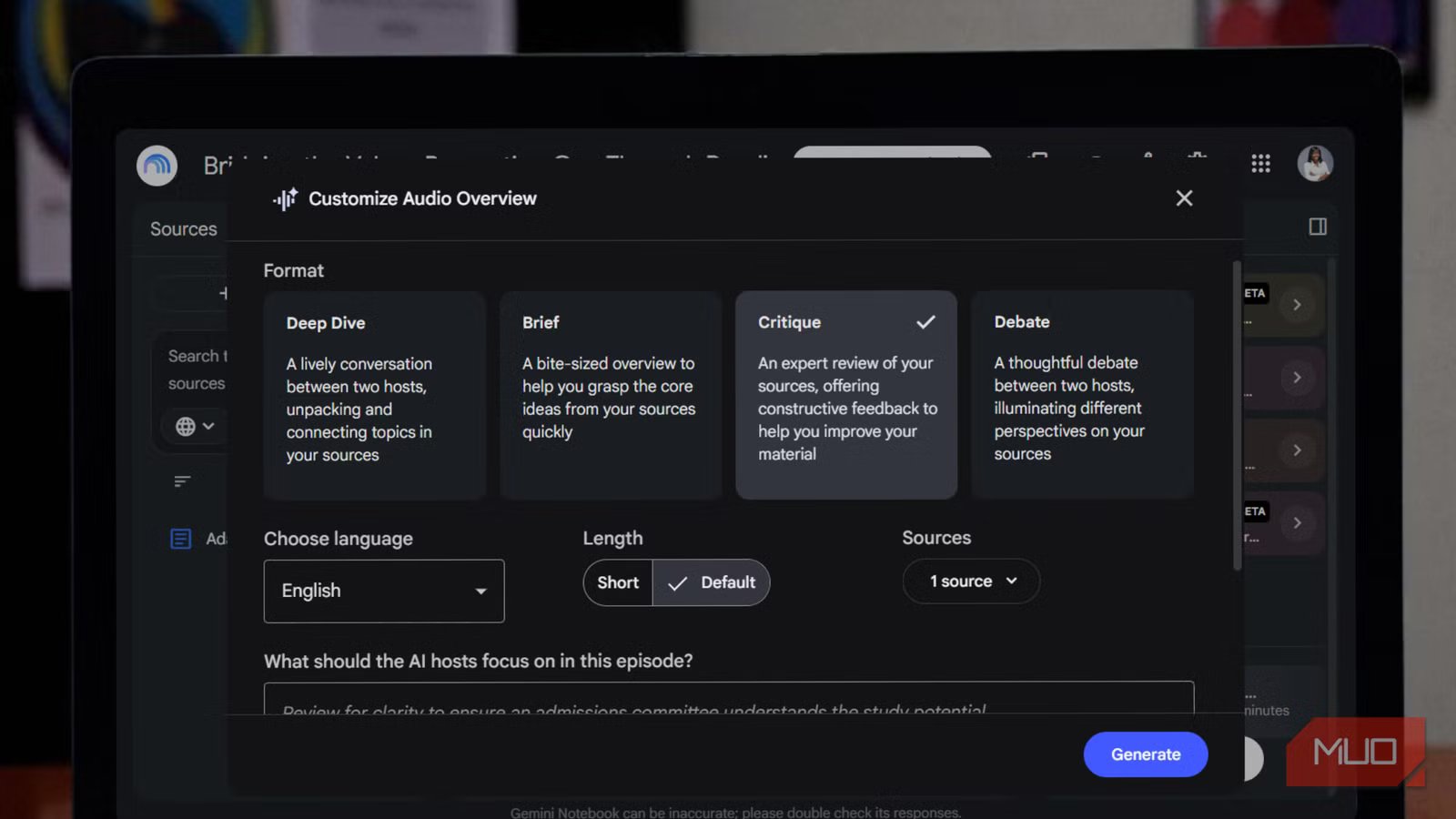
Critique mode is a format within the Audio Overview feature in Google Notebook. You’re probably already familiar with the default Deep Dive mode, where two AI hosts chat their way through your sources, connecting ideas and summarizing themes, as in a podcast. Critique mode swaps that conversational approach for scrutiny. The same two hosts show up, but instead of exploring your material, they interrogate it, pointing out structural weaknesses, logical gaps, and places where your argument doesn’t quite hold together. It’s designed to be constructive rather than harsh, but it doesn’t pull punches. The goal is to give your work a rigorous, honest review.
The mode is aimed at anyone working with a structured draft. Essayists can use it to stress-test their arguments and check whether their evidence actually supports their claims. If you’re writing design documents, it can uncover any holes in your plan before a reader does. Writers developing story plots can get detailed feedback on pacing and structure. Really, almost any professional draft can benefit from this artificial second set of eyes.
Getting started is simple. Upload your document to a notebook where you have to edit access, open the Studio panel, select Audio Overview, and choose Critique from the format options. Hit Generate, and the audio will process in the background, so you can keep working or going through your sources while you wait.
There’s also room to customize the experience. You can give the hosts custom instructions, asking them to focus on tone, structure, clarity, or whatever matters most for your project. Through your prompts, you can also adjust their level of expertise to better match your subject. If you want, you can choose a shorter or longer runtime, though that option is currently limited to English; the feature itself supports more than 80 languages. Once your critique is ready, you can adjust the playback speed, listen in the background while you do something else, and share or download the file so your human editors can weigh in too.
Putting Critique mode to the test
I let it tear apart my PhD proposal, and it was right

All the features of Critique mode sound great in theory, but I had to put them to the test to see whether they’re actually helpful. I used the feature on a proposal I was preparing to submit for a PhD program. I stuck with the default settings without adding any custom prompts because I was just curious whether the logic of my proposal held up and whether the scope felt appropriate for doctoral-level work.
Google Notebook titled the audio “Fixing a Reading Circle Research Proposal,” which immediately told me what kind of conversation I was about to hear. The hosts didn’t waste any time. The first thing they flagged was the scope. With two pedagogical environments and three group dynamics layered into the same study, they argued it was far too ambitious for a three-year project and would likely produce a mountain of shallow data instead of the depth the topic deserved. They suggested narrowing the focus to something between the two environments and cutting down several other elements.
Next, they pointed out that while my theoretical foundation was solid, the actual mechanics of running the reading circle (my independent variable) were too vague. They wanted a clearer logistical blueprint and a more deliberate, consistent method for choosing texts. Then came the sharpest critique: my research questions were measuring the wrong thing entirely. I’d framed them around alignment and conformity, when what I actually needed to evaluate was perception accuracy and relational trust.
None of these were issues I’d noticed on my own. Hearing them discussed aloud, almost like two colleagues debating my proposal over coffee, made the flaws impossible to ignore. I ended up rewriting the proposal as a result.
Of course, the feedback won’t always be this accurate or insightful. Depending on the sources you upload, you might get generic observations like, “Some paragraphs are too long.” There’s also a chance that the AI tool might hallucinate. That’s why human judgment still matters.
Even so, hearing your work discussed instead of reading through a list of comments makes criticism land differently. I found it more engaging than deflating.
The roast will be worth it
Critique mode doesn’t turn Google Notebook into a better writer than you. Instead, it turns the tool into a first line of defense: an editor that’s willing to say the uncomfortable things your work needs to hear. Even when the roast isn’t perfectly calibrated, it tends to surface the kinds of issues you might otherwise overlook.
Good writing rarely comes from generating more words; it comes from revising the ones already on the page. In my opinion, an AI tool that helps you improve your writing is far more valuable than one that’s simply happy to write it for you.