This open-source Android video player has features VLC and MX Player should’ve added years ago
Though most Android smartphones ship with a dedicated gallery app, it rarely works well for video playback! These gallery apps often lack basic video playback features, prompting people to turn to third-party options like VLC media player and MX Player. These apps, however, have always left much to be desired, especially in terms of gestures, subtitles, and content diversity. Recently, though, I came across an open-source media player that fixes almost everything wrong with video playback on Android: mpvRex.
Frame-level control that finally respects precision
Cancel a seek, loop a scene, and more with ease
mpvRex is a free, open-source media player for Android that you can side-load from GitHub or F-Droid. The slightly lengthy setup process aside, mpvRex looks like any other media player you may download from the Play Store, but you’d definitely notice the lack of ads or pop-up messages. I felt its UI design resembles that of Next Player, another great yet free video player for Android. However, the moment you start video playback on mpvRex, you realize how it differs from most Android media players you may have used.
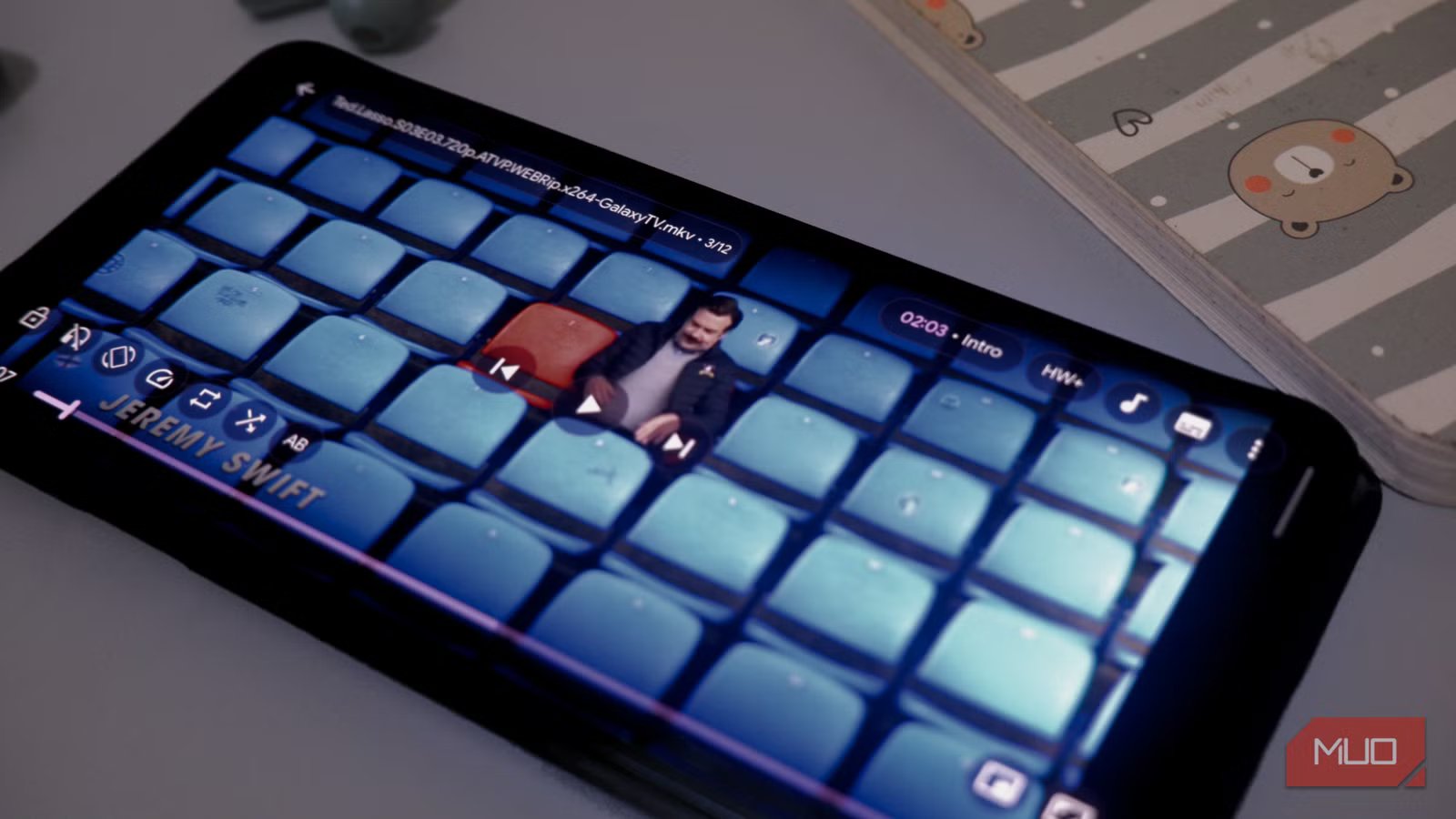
As soon as you open mpvRex for the first time, it will scan your device for possible folders and other directories. You can choose one of the many video files to start playback. The first thing I noticed was how detailed the control panel was and how optimized the interface was for gestures. mpvRex is also the first player I’ve come across to offer a feature called seek cancellation, which lets you cancel an in-progress seek by dragging your finger back. As for playback, you get options like A-B loop and frame-by-frame.
I am happy that mpvRex does not try to reinvent the wheel in this process. On the other hand, the controls are arranged in a way that you recognize, especially if you have used something like MX Player before. You have the playback options in the center, and you use the drag bar at the bottom to control everything. All the other options, including horizontal shift and playback, are arranged in the bottom-left and top-right corners of the screen.

- OS
-
Android
- Individual pricing
-
Free, open-source
- Developer(s)
-
sfsakhawat999
mpvRex is a free, open-source media player for Android that packs great features and customization options.
Subtitles finally sit where I actually want them
Drag them up, swipe past a line
Subtitle management is another area where even my favorite media players struggle. There are options like Next Player that offer subtitle management but lack an online import function, and others like MX Player that allow online subtitle search but lack in other areas. With mpvRex, however, I get the best of both worlds: advanced subtitle customization and the ability to search for and download suitable subtitles for movies and TV series.
For starters, you can hold and drag the subtitle text to change its position on the screen, and you can dig deeper if you’re interested. For instance, you can change the font size, color, and even the orientation of the subtitle text. mpvRex also offers options to scale the subtitles based on the screen size. I also love how simple the subtitle delay control options are. These options are available for a variety of subtitles.
The second aspect is how to easily search for and download subtitles from the internet. This process requires a bit of setup, including gathering an API key from the service wyzie.io. It allows you to search for 1,000 queries per day for free, which is pretty great. The video player also lets you set preferences for subtitle language, save location, and whether you want subtitles at all.
Vertical clips and my NAS live in the same app now
Reels-style scrolling and SMB streaming, oddly under one roof
mpvRex is also one of the few video players with native support for vertical clips. When combined with its support for NAS and other network-type sources, this video player becomes an all-in-one space for visual entertainment. The UI design is also optimized, allowing you to choose the section you want to focus on, such as Home, Shorts, Recents, Playlists, and Network. Each section also allows you to customize how media elements are displayed.
The Shorts section of mpvRex is a nice touch if you store a lot of vertical content on your media or if you are a content creator. It provides a user interface you’re familiar with on Instagram or YouTube Shorts, and you can scroll vertically through all the vertical videos that have been shown. There are also a couple of buttons for liking and blocking videos, and you can use the auto-scroll function if you want to go through many videos. Overall, this feels like a much-needed feature, given how much we are working with vertical content.
The Network tab of mpvRex offers you two major options. If you already have a video URL, you can paste it into mpvRex to start screening. Alternatively, you can establish an SMB, FTP, or WebDAV connection to a local media server you’ve set up and stream content from that library. Both work fine, and I found it as reliable as VLC media player in this regard.
The polish I only noticed after a few weeks
Zoom memory, a sleep timer with no keyboard, and gestures
Small improvements to video playback also enhance the overall experience this open-source media player delivers on an Android smartphone. For instance, per-video zoom memory is an interesting feature because it remembers the zoom you set for each video so that you don’t have to play the resizing game when you switch between media. Similarly, you can count on features like background media playback and picture-in-picture mode.
Even something as small as a sleep timer that you can set up without using the keyboard adds a lot of value when you spend a lot of time watching media on your smartphone. I must also mention the extensive Settings page, which lets me change many aspects of how everything looks and works. This page even lets me customize the player’s layout and other appearance-related aspects. You can also use this page to customize gestures across the app.
These features have essentially helped me create a video player experience where most of the content I download plays very well!
Where this app still asks something of you
Almost everything about mpvRex stays on top of what other Android media player apps have attempted. More importantly, this app does it all without asking for payment or subjecting you to the monstrosity of annoying ads. However, you must be ready to download the APK file from GitHub or another platform such as F-Droid. Even then, I’d still argue that you get more value for the effort you put into the step, because the media playback experience is just right!