This single launcher does the work of 6 Windows utilities, and it’s better than any optimization hack
When you spend all day working on your computer, finding new ways to be more productive and speed things up is very important. Many people look to debloating Windows 11 as a way to speed up their computers so things load and happen faster and they get work done more quickly. But sometimes the solution is simpler: you just need the right app.
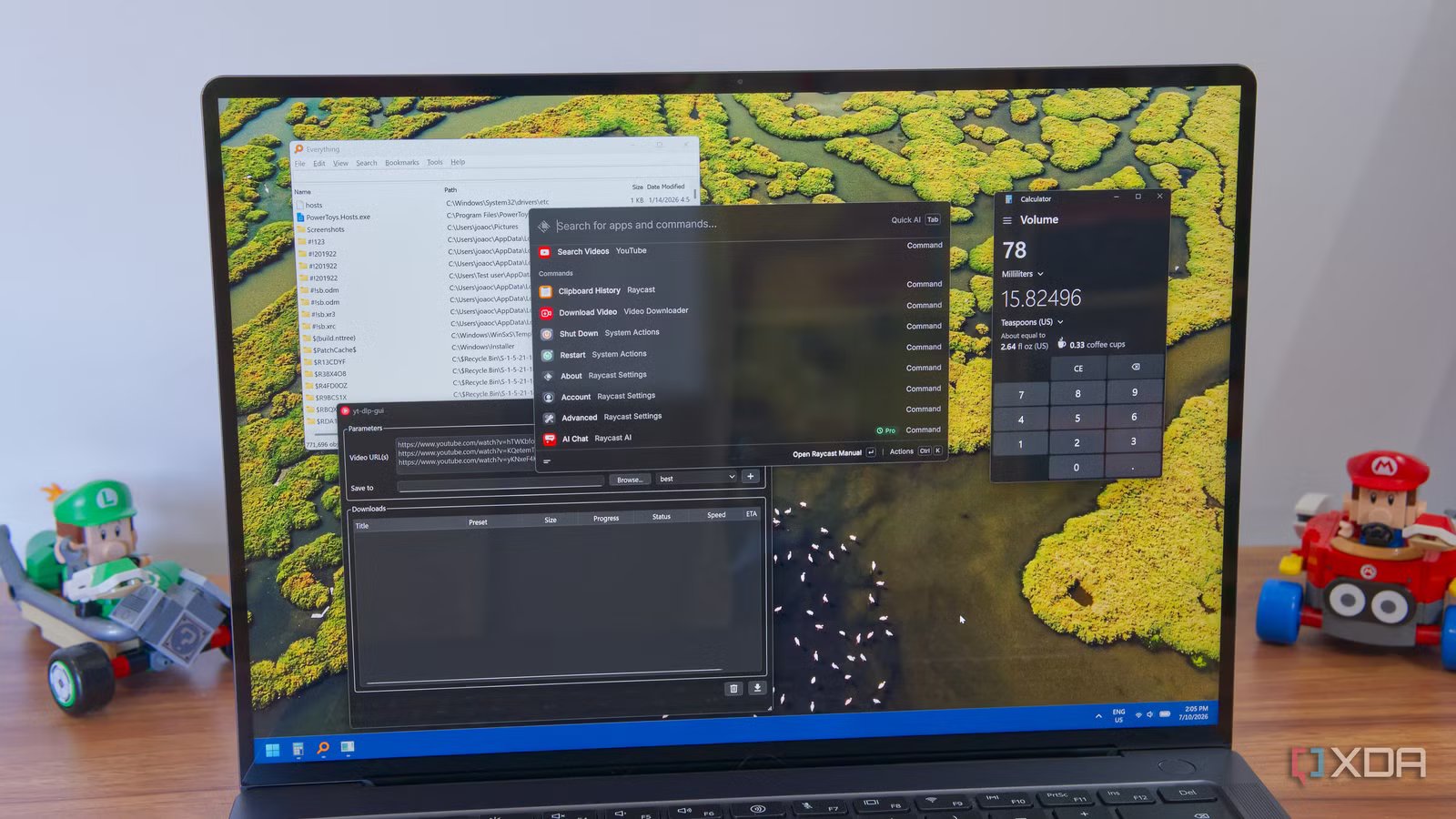
I’ve been using Raycast as my desktop launcher for months now, but its usability goes far beyond just opening apps. It’s an incredibly useful tool that replaces a lot of features built into Windows or only available through third-parties, and it makes everything so much faster. Instead of debloating, you might want to try replacing some of the following utilities with Raycast to speed up your workflow.
Clipboard history
The biggest time saver
Working on my PC, there are some pieces of text I re-use frequently. Sometimes I may just need to re-use it once, but that one time I need it can take forever to find the right piece of text if I don’t have it saved properly. Simply copying a new piece of text can overwrite the previous clipboard entry, and then finding that previous one can be a nightmare.
Windows 11 has a clipboard history built in (though it’s disabled by default), but there are some things that make it less than ideal. By default, it only saves your clipboard entries until you restart your PC, and you have to manually opt to save an entry permanently. Entries can also get overwritten quickly if they’re large (like screenshots), and worst of all, the clipboard history is a tiny window with no search capabilities. Finding anything in it can be a nightmare.
Raycast makes the clipboard history so much more useful. It can save your entries for up to three months (or more if you pay for the Pro version) regardless of any restarts, and they’re easily searchable. Just start typing a snippet of the text you want to find, and it’s right there. Copied an image? Raycast also uses OCR to recognize text in your screenshots, so you can always try searching for that, too. This tool has saved me so much time at work that I can’t imagine living without it.
Calculator
And a unit converter, too
No matter your line of work, sometimes you just need to do a quick math expression, or convert some measurements between different units. Windows can do this using the search bar, but it can be a bit slow to connect to the internet and get you proper results, and your other option is usually the Calculator app, which does work offline, but it’s an extra step to open it.
Raycast does all of this for me instantly. I can type math expressions and have them quickly solved, or just type in any unit I want and have it instantly be converted. For popular units, Raycast can convert before I even specify, so if I write “17lbs”, it will automatically give me that value in kilograms (and vice versa), but I can keep typing to specify a unit to convert to, and it adapts as needed. This also works for currency conversions, which is even more helpful.
Everything
Don’t get that mixed up
I’d love it if Raycast could replace every single app I use, but that’s not what I mean. Everything is the name of a file search utility developed by VoidTools, and it’s both incredibly lightweight and extremely fast compared to using the built-in Windows search, so it’s an obvious recommendation you’ll find in many articles on XDA.
But why use Everything when Raycast has file search built right into its main launcher? In the latest versions of Raycast, the main search bar can now return results from your files, and it’s just as fast as using Everything. Not only can you search basically any file or folder on your PC, you can actually use Raycast to start browsing within a folder if you want to find a file manually rather than by name, all without having to open File Explorer. It’s so helpful.
The emoji picker
Express yourself faster

I understand that sending emoji isn’t exactly a productivity tool, but communicating with other is one of the things we do the most on our devices, and being able to express yourself quickly can still be a huge time saver in the long run. Windows has a built-in emoji picker, but it’s very small, not very fast to load, and it’s also kind of clunky to navigate.
Raycast’s emoji picker is basically perfect. It shows you a ton of emoji at once, they’re all shown in large, easily visible sizes, you can navigate them quickly with the keyboard, and most importantly, they’re searchable, even with some fuzzy matching capabilities. If you’re looking for a specific emoji, just start describing it, and you’re bound to find it. Raycast also remembers the emoji you use and ranks them based on how often you use each one, so your favorites are always available at a moment’s notice.
Task Manager
Kill apps instantly

Another underrated use for Raycast is that not only can it launch apps, but it can also terminate them directly, without needing any other tools. When you search for an app that’s already running, you can press Ctrl+K to see additional options, and there are both Quit and Force Quit options available, equal to closing an app or terminating it in Task Manager.
There’s a lot more that Task Manager can do, of course, but most of us tend to open it to kill unresponsive apps, and it’s great that Raycast can do that as well. Plus, like almost everything in Raycast, there’s a keyboard shortcut that can make this even faster.
A YouTube downloader
It’s even a search engine
Something else Raycast has replaced for me is the need for a dedicated YouTube downloading program like Persepolis Download Manager. Through its rich extension ecosystem, Raycast can download YouTube videos using yt-dlp and ffmpeg, giving you a convenient UI for doing so.
What’s more, through another extension, you can also search YouTube, so you don’t even have to open your web browser to find a video if you don’t want to. Search for it with the YouTube extension, copy the link, and paste it into the Video Downloader extension. Whenever I need footage from a video for one of my own, Raycast saves me a ton of time this way, and it’s fantastic.
Don’t forget the basics
These are just some of the tools you may not immediately think of replacing with Raycast, but there are even more time savings to be had if you do look at the more obvious points. Raycast entirely replaces the Start menu for me, as it’s just a much faster way to launch apps, and I can even set it to open with the Windows key, so it always comes up naturally. Not only can it launch apps, but I can also do things like put my computer to sleep, turn it off, or restart it instantly. It’s so much faster doing it this way than the way Microsoft intended.
All of this doesn’t even get into the more complex extensions that replace or enhance other tools. Raycast is truly a marvel for Windows PCs (and Macs, too), and I can’t recommend it enough.