Why My 6-Year-Old Gaming Laptop Is Still Better Than The Steam Machine
We may receive a commission on purchases made from links.
If you’re a PC gamer and a fan of Valve, which makes the Steam Deck, you’re probably hyped for the Steam Machine. For those who aren’t into PC gaming, Valve says that the Steam Machine is “powerful PC gaming packed into a roughly 6-inch cube.” This makes it an excellent living room PC console, where you can finally play your entire Steam library on your TV without worrying about building a small-form-factor desktop PC (which could get expensive). You can also easily plug and play this into your TV, which is probably the biggest advantage of this device.
The PC gaming company announced the Steam Machine in late 2025, and many got excited about its imminent arrival. That’s because it uses the same SteamOS found on the Steam Deck, but pairs it with much more powerful hardware. This is especially important for gamers who have grown tired of the bugs and bloat Windows 11 comes with, and multiple tests have suggested that the former is much better when it comes to gaming.
However, that does not mean that the Steam Machine is a generally superior product for everyone. In fact, even though I am interested in getting the console, I realized that my six-year-old gaming laptop is still a better device for my use.
The Steam Machine is expensive
The biggest drawback with the Steam Machine is that it is quite expensive for what you get. The base model console, which only comes with 512 GB of storage, starts at $1,049, and you must pay $79 more if you want to bundle a Steam Controller. If you need more storage, you’ll have to pay $300 more to get the 2 TB version. For over $1,000, you’re getting a semi-custom AMD Zen 4 processor and a semi-custom AMD RDNA3 GPU with 8 GB of GDDR6 VRAM paired to 16 GB of DDR5 RAM.
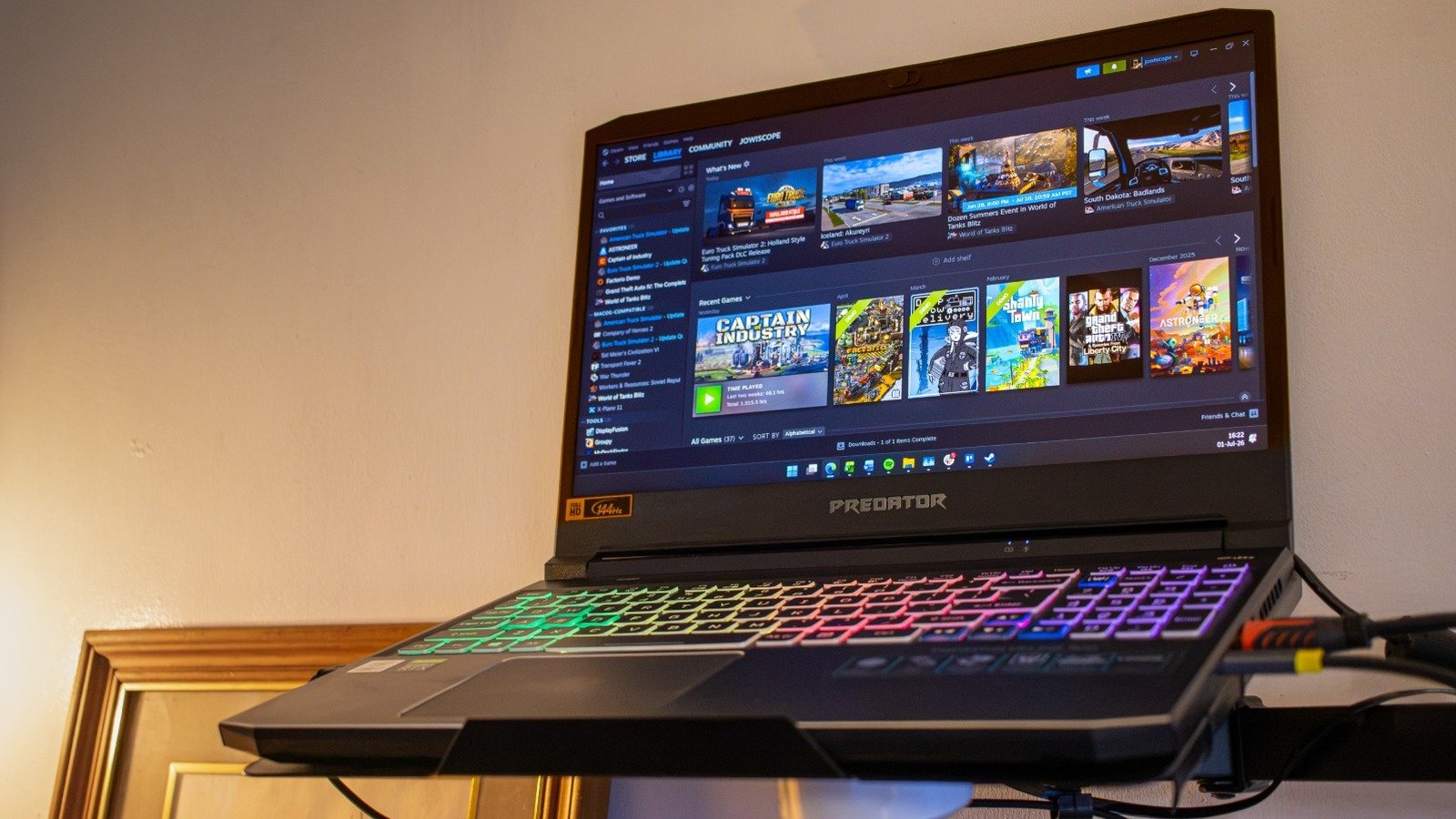
Unfortunately, this isn’t much when it comes to PC specifications. My current gaming PC, which I bought in 2020, has an Intel Core i7-10870H processor and an RTX 3060 laptop GPU with 6 GB of VRAM, 32 GB of DDR4 RAM, and 2.5 TB of storage. The Steam Machine has better performance than my gaming laptop given its more recent hardware. However, the processor and GPU in the console aren’t that new — AMD released both the Zen 4 and RDNA 3 architectures in 2022, meaning you’re getting four-year-old hardware — and the difference from my current hardware isn’t worth the $1,049 price tag.
If you’re willing to spend that amount of money on a new gaming device, you’re better off purchasing something like this Asus V16 gaming laptop, which comes with an RTX 5060 laptop GPU, an Intel Core 7 240H processor, 16 GB of RAM, and 512 GB of storage. Its regular price is $1,299.99, making it close to the more expensive 2 TB version of the Steam Machine, but it’s sometimes on sale for around $1,099.99. If you miss this sale price, you could find other models with similar or even better specifications at a discount.
My laptop can do almost everything the Steam Machine could (and then some)
Valve’s Proton compatibility layer has enabled tons of games specifically made for Windows to run seamlessly on SteamOS. But despite that, SteamOS (hence, the Steam Machine) has several limitations — the biggest one, when it comes to gaming, is its incompatibility with several anti-cheat apps. So, if you like playing games that require these, like Fortnite or Battlefield 6, then the Steam Machine is automatically out of the question. On the other hand, this won’t be a problem with my old Windows gaming laptop.
Aside from that, the Steam Machine is primarily designed for gaming. While you could potentially use it for productivity in Desktop Mode, you’re bound to encounter limitations that wouldn’t otherwise be a problem with Windows. This is especially true if you prefer apps that aren’t natively available on Linux, such as Microsoft 365 or the Adobe Creative Suite. While you can rely on the web versions of these apps or use free and compatible alternatives instead, there are times that you just can’t avoid using essential Windows software that isn’t available on Linux.
If I’m really intent on gaming with a controller, I could just get the Steam Controller and attach it directly to my computer. And since I have a gaming laptop, I can just move it under my TV and connect it via an HDMI cable to play on the larger screen.
I can use my gaming laptop anywhere I like
The biggest advantage I can say that my gaming laptop has over the Steam Machine is that I can use it practically anywhere. Even though its battery is already pretty old, I could still squeeze a few minutes of gaming away from an outlet on my device, which is next to impossible on the Steam Machine unless I bring a battery bank with a built-in AC outlet. Aside from that, a Steam Machine doesn’t have a built-in screen, meaning you need to bring a portable monitor if you want to use it outside or at least an HDMI cable if you want to play games in your hotel room.
A gaming laptop is also much easier to bring around than the Steam Machine. Although its small form factor means it doesn’t have the bulk of other desktop PCs, the thin slab of a gaming laptop is still more ergonomic to slip into a bag or luggage than the cube-shaped console. Also, if you prefer gaming on the go, you’re better off getting a Steam Deck than a Steam Machine. But since I find the handheld’s screen too small, I usually end up playing on the 15-inch screen of my gaming laptop instead.
Upgrading the Steam Machine is a pain
Many gaming laptop models offer an easier upgrade path compared to the Steam Machine. Note that not all gaming laptops are equal, and some models don’t come with upgradable RAM and storage, but my old laptop features two SODIMM slots, two NVMe M.2 SSD slots, and one 2.5-inch SATA drive slot. That means I could easily upgrade it by just popping out the back panel and slotting in the memory and storage that I want. In fact, this is precisely what I did in 2024: I upgraded my computer from 16 GB to 32 GB of RAM, replaced the 2.5-inch hard drive with an SSD, and added another 1 TB of NVMe storage. It took me all of 30 minutes to do that.
Unfortunately, this isn’t true for the Steam Machine. The console has one easily accessible M.2 slot, meaning you’ll need to transfer the operating system to the new drive if you want to upgrade the 512 GB it comes with to something even larger. Accessing the SODIMM RAM slots is also a rather involved process, and you need to remove several components before you can reach them.
The only advantage for those who are looking to install more RAM on the Steam Machine as soon as they get it is that it comes with a single 16 GB stick. This means that you can just buy a compatible 16 GB and slap it on your console to bring it to 32 GB. However, users who don’t want to touch the innards of the console would be stuck with single-channel memory, which limits performance.
Steam works well on PC, too
If you already have a reasonably good gaming PC and you fell in love with Steam’s gaming interface on the Steam Deck, you actually don’t need a Steam Machine to enjoy it on your desktop. You can just use Steam’s Big Picture mode by going to View > Big Picture Mode; you can even set it as the default view by clicking on Steam Menu > Interface and then selecting Start Steam in Big Picture Mode. That way, you can easily use Steam with your controller as soon as you launch it.
As I said earlier, the Steam Controller also works well on PCs. So, instead of spending $1,128 on a Steam Machine and a Steam Controller, why not just buy the $99 Steam Controller directly and just plug it into your gaming laptop? The only true advantage that the Steam Machine has over an already existing gaming PC with decent performance is HDMI-CEC, which allows for a seamless experience with your TV.
Since I’m not much of a TV gamer, the Steam Machine does not really appeal to me. When I get the occasional itch to play on my 55-inch TV, I could either just plug my laptop directly into it via HDMI or use Steam Remote Play for convenience.
The living room PC console is a niche product
The Steam Machine is not necessarily a bad product, even considering its relatively high price (which isn’t Valve’s fault, anyway). It does have advantages over a traditional desktop PC, such as providing a seamless experience with your TV or not requiring you to build an SFF PC yourself. You also don’t need to pay for a subscription for online gaming, unlike the PlayStation and Xbox, which require you to pay a monthly fee.
However, it’s a niche product designed for specific types of gamers — those who already have a Steam Deck and want to play games on a larger screen while sitting on the couch, those with a massive Steam library and want to enjoy them on their TV, or those who want to add a small gaming PC beside their PlayStation or Xbox.
If you’re like me and prefer gaming on a mouse and keyboard on a desk, you should just save that $1,049 and spend it towards a new gaming PC that will last six or more years once the memory shortage is over. If you’re a console gamer with an already extensive library on PlayStation or Xbox, you’re better off staying on your current platform unless you want to try PC gaming with a controller and you’re willing to buy your favorite titles on Steam again.