I ditched Claude Code’s $20 plan for a local LLM in VS Code, and I’m getting more done
Claude Code is one of the best coding agents out there, but it’s really hard to get anything done with it because of its almost unusable usage limits. I’d been using the $20 plan for almost six months, but I recently canceled it because of the sheer number of options available out there. I ditched it for a local LLM layer I built into VS Code, and while the experience hasn’t been the same, it lets me get a lot more done than I could with Claude Code.
Most of my work usually doesn’t require a very high-end model. It typically involves fixing bugs, adding small features, or improving what’s already there. A local LLM does a very good job with these tasks without me having to pay anything.
Selecting the right model
The right model matters more locally

The most important task in this setup is to find the right model that could run comfortably on your hardware alongside VS Code. I have an M5 MacBook Air with 16GB of unified memory, so choosing the most capable open model wasn’t really an option.
I tried multiple models, including GPT-OSS 20B. It has strong reasoning and tool-calling capabilities, but it requires around 16GB of memory on its own. I could run it, but using it alongside the rest of my development setup put too much pressure on memory. Codestral 22B is lighter, with more aggressive quantization, and produces good code completions, but it works better as an autocomplete model than as an agent responsible for changing a project. DeepSeek Coder V2 Lite is another good option and only occupies around 9GB.
I also tested the 7B and 14B versions of Qwen2.5 Coder. The 7B model is considerably faster, but it starts to lose track when a change affects multiple files. The 14B version offers the best balance. Its Q4 version occupies around 9GB, which leaves enough memory for everything else, and it is specifically trained for code generation, reasoning, and fixing. It also supports tool calling, which is important when Continue needs the model to inspect files and execute changes rather than simply return a block of code.
Qwen2.5 Coder 14B still doesn’t understand a large project as well as Claude does, but it performs well when I give it a clearly defined bug or a small feature to implement. More importantly, it runs fast enough that I can keep it active while working normally in VS Code.
Building the local LLM layer in VS Code
Continue connects VS Code to Qwen

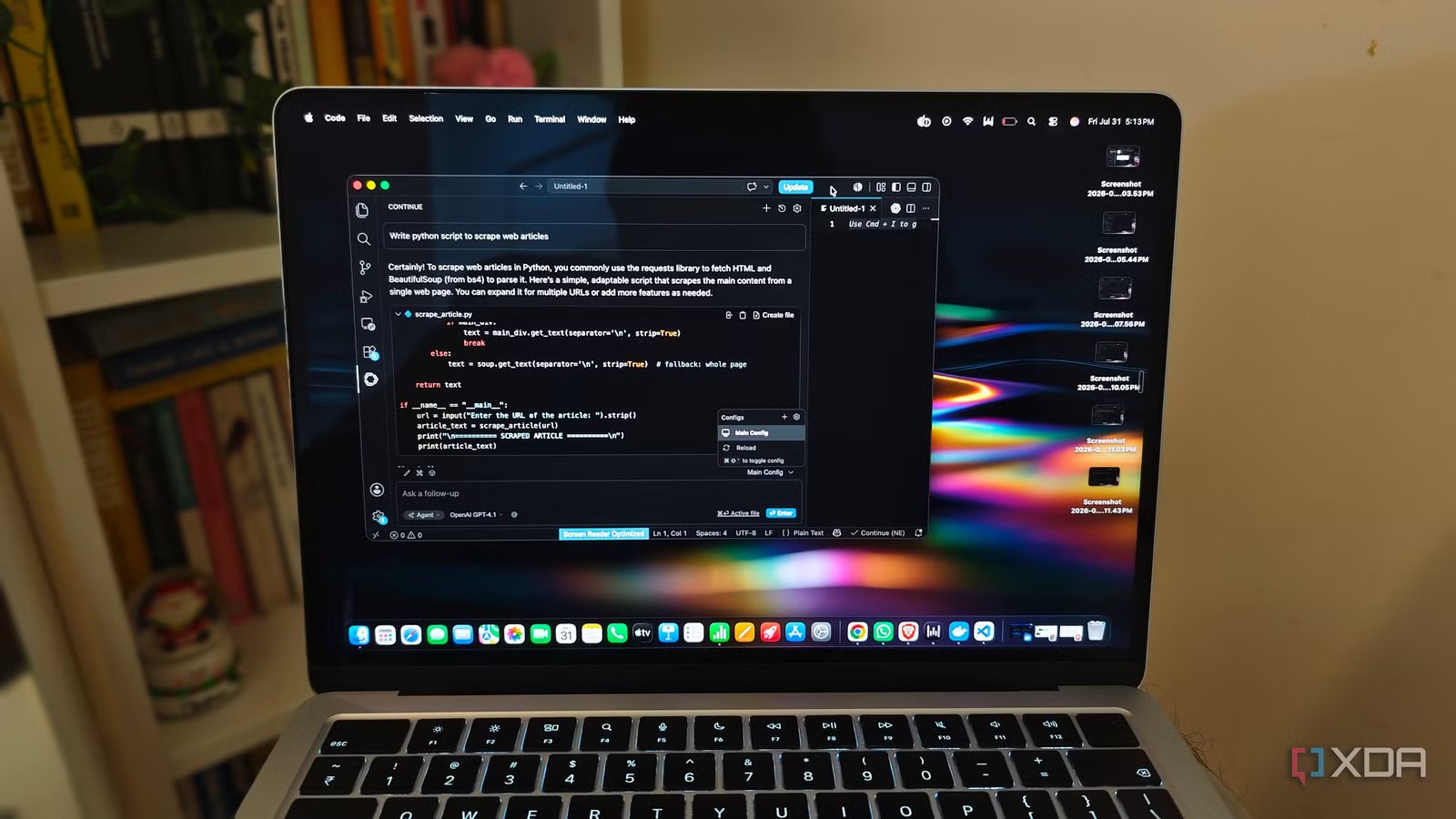
The next step is to make it feel like part of VS Code rather than a chatbot running in a separate window. I used Docker Model Runner as the inference backend and Continue as the interface inside VS Code. Docker handles downloading, storing, and running the model locally. After enabling it in Docker Desktop, I exposed its OpenAI-compatible API on port 12434 and pulled the model.
The VS Code part comes from Continue. It provides the interface between the editor and the model. It adds a chat panel, inline code editing, autocomplete, and an agent mode that can search the project and modify files. Continue supports cloud models from providers such as OpenAI and Anthropic, but it can also connect to a local model through an OpenAI-compatible API. After installing the extension, just add the local model to ~/.continue/config.yaml:
 - name: Qwen2.5 Coder 14B
provider: openai
model: ai/qwen2.5-coder:14B
apiBase: http://localhost:12434/engines/v1
apiKey: not-needed
contextLength: 8192
maxTokens: 2048
temperature: 0.1
capabilities:
- tool_use
roles:
- chat
- edit
- apply
This configuration makes the locally running model the main coding model in Continue. It can inspect the current project, search through files, suggest edits, and apply changes without sending the code to an external API. Continue also provides an agent mode that can use tools such as file search and terminal commands, although the quality of those actions still depends heavily on the model.
I use the 14B model for chat and code edits, but a smaller Qwen2.5 Coder model can handle autocomplete with much lower latency. I also keep project-specific instructions inside .continue/rules/, including the project structure, test commands, and files the model should avoid changing.
The actual experience is better than I thought
Capable enough, with a few compromises
The experience is nowhere near as polished as Claude Code. Qwen2.5 Coder 14B takes longer to understand a large project, makes more mistakes, and sometimes needs much more specific instructions. I can’t give it a vague request and expect it to work through the entire problem.
However, most of my coding work does not require that level of autonomy. If I ask the model to fix a specific bug, update an existing component, or add a small feature, it usually gets the job done. Continue automatically gives it the relevant files, and I can apply the suggested changes without copying code between different windows.
The performance is also good enough on my M5 MacBook Air with 16GB of memory, although running a 14B model leaves less RAM for everything else. The responses start more slowly than with a cloud model, and the laptop warms up during longer sessions. I usually avoid running multiple memory-heavy applications alongside it, especially when Docker is already handling other containers.
The biggest improvement is that I no longer think about usage limits. I can ask the model to explain the same function three different ways, retry a failed edit, or work through a long list of small fixes without worrying about burning through a five-hour allowance.
Make use of local LLMs
Claude Code uses the models available through Claude, and while those are pretty good, they’re also quite expensive. Whether you’re using Opus 4.8, Opus 5, or Fable 5, you’re spending a lot more than you normally would. Of course, you can’t match the same level of performance with local models, but you can use them for tasks that wouldn’t use Claude models to their full potential. Local LLMs are quite good at things like fixing minor bugs, adding small features, or doing research.