I replaced my entire multi-room setup with one Spotify feature
My home music setup grew with the constant march of technological innovation until it dawned on me just how complicated things had become. My music streaming devices include a smart speaker, streaming dongles, a Bluetooth soundbar and subwoofer, and a project studio linked to a computer. Moving music from one room to the next meant disconnecting one device and connecting to another, hoping Bluetooth pairs correctly and cueing up my audio again.
Of course, there had been a better solution staring me in the face. Now, through proper use of Spotify Connect, I can control playback across almost every streaming device I own without relying on Bluetooth or keeping my phone tied up.
The power of streaming directly versus streaming via Bluetooth
Spotify Connect does much more than just Bluetooth streaming
Spotify Connect isn’t Bluetooth with a fancy name; it’s a different beast entirely. With Bluetooth, your phone does most of the work by streaming audio directly to your devices, which not only means your battery drains faster but also limits range and can cause disconnections and interruptions.
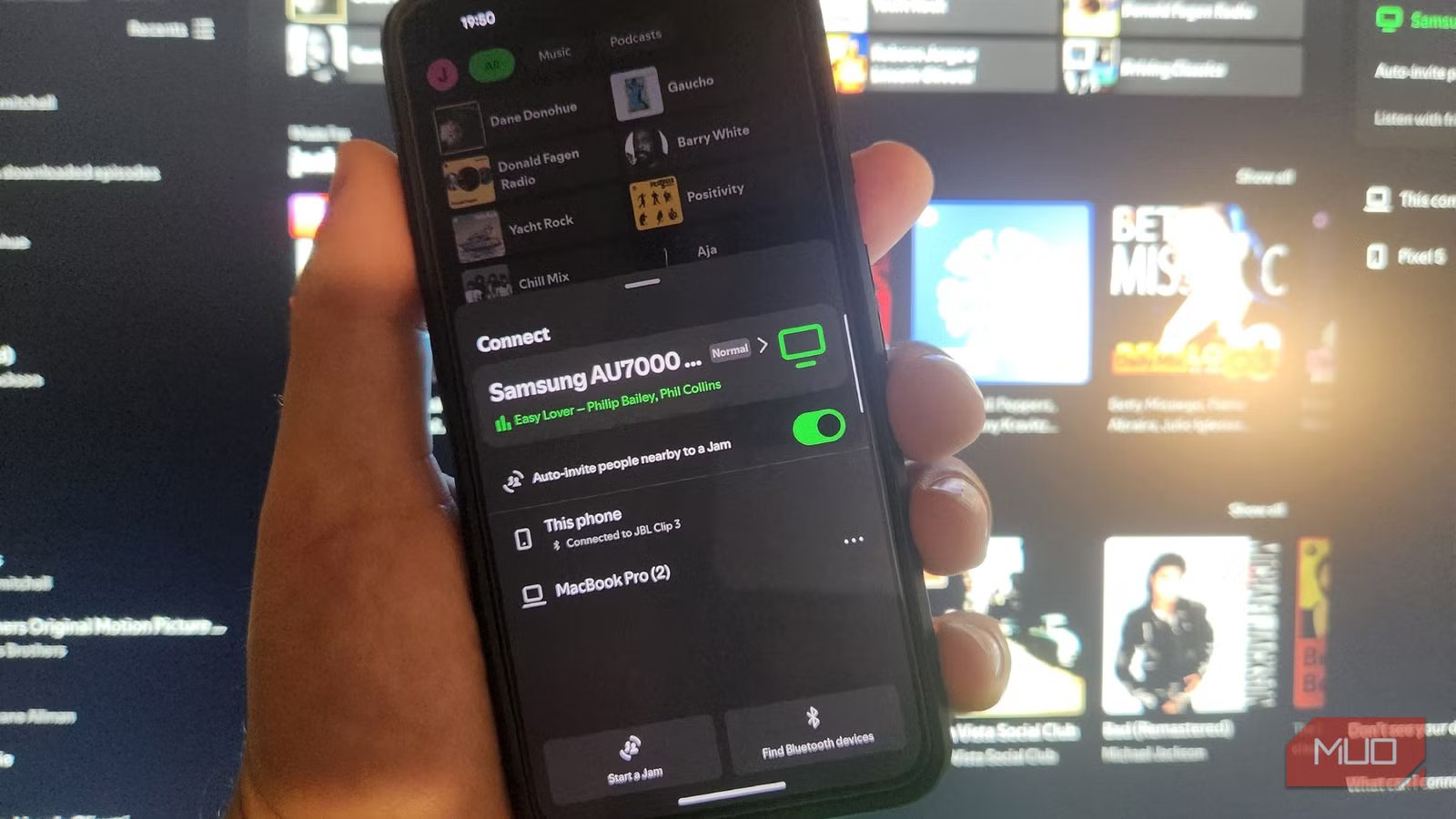
With Spotify Connect, you select a compatible speaker, smart TV, streamer, or amplifier by pressing the little gadget icon in the playback window, and the device streams music directly from Spotify’s servers. You can lock your phone, answer calls, leave the house, or even switch devices without interrupting music playback. This distinction is crucial, as it has entirely changed how I control music.
Dedicated streaming hardware takes a backseat
Some of my gadgets have been made redundant by my new streaming practices

I used to rely on several devices to play my music through different speakers. These included an old Chromecast audio receiver and a Bluetooth receiver for my stereo amplifier. Since upgrading most of my equipment, including a Google Nest Hub smart speaker, an iPad, and a Bluetooth-ready soundbar, I realized that Spotify Connect natively supports all of these.
Now, instead of figuring out which input each device uses and switching between them, I simply open Spotify, tap the Devices button, and select where I want to play my music. This adds a whole new level of simplicity and consistency to my listening experience, and I no longer need any additional accessories to get my older equipment working. As a bonus, many newer devices, such as the excellent WiiM Pro, already have Spotify Connect built in.
Switching between rooms couldn’t be simpler
I underestimated how easy Spotify Connect makes it to move playback between devices

I mostly listen to music or podcasts while sitting at my desk in my home office, then, when I break for lunch or dinner, I stroll through to the kitchen/living area and switch over to my soundbar. The whole experience is seamless, and this somewhat small convenience makes a big difference.
Because each device appears in the app, I no longer have to juggle remotes and fiddle with devices. Everything can be controlled via my phone, effectively turning my handset into the universal controller for all my audio needs. Another cool feature is that I can invite friends to “Jam” via a link or QR code, so if we are chatting over FaceTime, working together on Slack, or I find something I want to share, they can enjoy the exact same listening experience as I do.
I still use other streaming options, but much less often
Spotify isn’t the only option out there, and some offer higher audio quality

While it has revolutionized how I listen to music at home, Spotify Connect hasn’t completely replaced every way I stream tunes. There are still situations where Bluetooth makes sense, particularly when I’m using portable speakers away from Wi-Fi or connecting devices that don’t support Spotify Connect.
For example, when I stream music through my motorcycle headset or using my portable speaker where there’s no Wi-Fi connection, Bluetooth is still the answer. Likewise, if I’m streaming from YouTube Music, Apple Music, or local music files, I’ll use different methods depending on the device.
Spotify Connect has simply become the default, having removed several steps from my listening routine and making the whole experience more cohesive. And while I was previously on the fence about switching to another service (I already subscribe to YouTube Premium for video and Apple Music for lossless audio), this simple feature has convinced me otherwise.
Spotify Connect does what some premium brands have done for years
I remember reviewing the whole-home Sonos streaming system years back and thinking what a cool feature that was, to be able to stream music throughout your house. Spotify has achieved something similar with Connect; the main difference is that you can stream to most Wi-Fi-ready devices around the home without having to stick to a single brand or ecosystem.
After spending just a few minutes with Spotify Connect, I realized that, not only were many of my streaming devices obsolete, but the ones that were compatible worked so much better together, with no interruptions and seamless streaming as I moved from room to room. Now it has become the hub of my entire listening experience, which makes my monthly premium payments seem that much more worthwhile.

- OS
-
Android, Windows, Linux & Mac
- Price model
-
Free, Premium
Spotify is a leading music and audio streaming service offering millions of tracks, podcasts and personalised playlists. Users can discover, save and share content across devices, enjoy curated recommendations, and choose free (ad-supported) or premium (ad-free, offline) plans. Its algorithm-driven discovery keeps listening fresh and tailored to tastes.