Obsidian still has no AI features — and that makes it the best AI notes app
Every note-taking app seems determined to become an AI app. Notion, Evernote, and OneNote all have AI built in, while Mem and Reflect were designed around it from the start. That makes sense. Notes are an obvious place for AI.
But, having AI features doesn’t automatically make those features useful. I’ve tried plenty of AI note-taking tools, and I have a winner. Paradoxically, the best app for AI note-taking has no native AI features, no assistant, and no premium AI tier.
It’s Obsidian, and its lack of AI features is exactly why it works so well with AI.
Obsidian is still king
It’s just built different

When the AI boom arrived and every company started building assistants into their apps, note-taking tools were an obvious target. LLMs work with text, and notes are text. It’s a perfect match.
Plenty of note-taking apps started integrating AI. Even relatively simple apps such as Google Keep picked up AI features. For a vault-based tool like Obsidian, AI promised even more. One of the app’s most prominent features, the graph view, is designed to reveal connections between notes. It felt like Obsidian could benefit from AI more than almost any other app.
But while everyone else raced to add more AI features, Obsidian did nothing. There was no assistant and not even a simple summarize button. To this day, there still are no AI tools. It would be easy to see that as a missed opportunity. Obsidian had apparently ignored the biggest software trend in years while users were being offered shiny AI assistants elsewhere.
Yet Obsidian is still king. It’s not because Obsidian users avoid AI. In fact, they might be one of the biggest AI power-user communities around. Obsidian didn’t need to do anything special to embrace AI because it was already built for it.
The power of Markdown
An Obsidian vault is an ordinary folder on your computer. The notes inside it are Markdown files. Obsidian adds links, properties, plugins, search, and a polished interface, but the underlying information isn’t trapped inside the app.
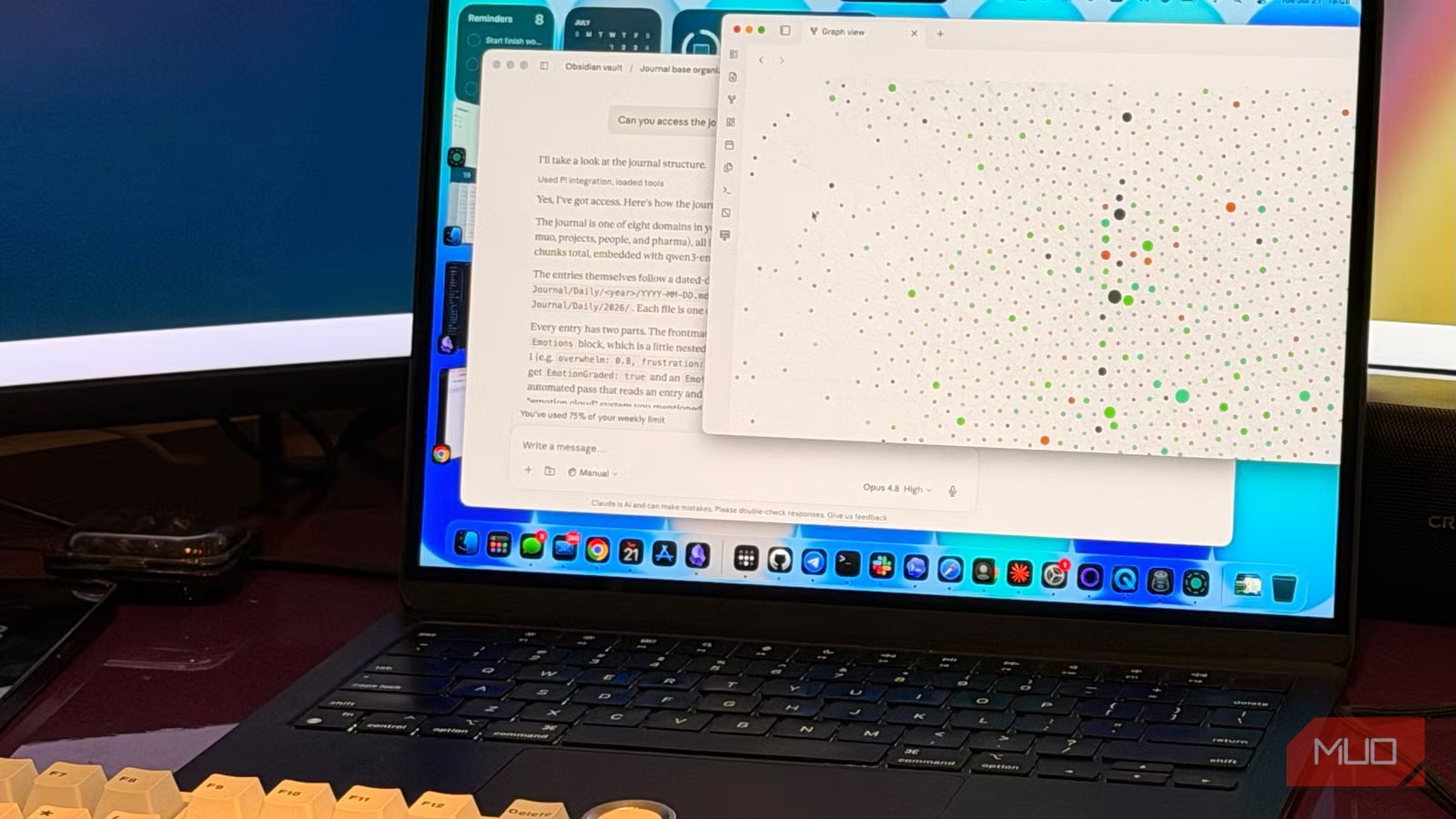
That makes an Obsidian vault unusually easy for LLMs to understand. Claude Code, Codex, Antigravity, and similar agents are designed to work inside project directories. They already know how to inspect folders, read Markdown, edit documents, and follow instruction files. Many agent skills are little more than a SKILL.md file containing a set of instructions. Markdown is already Obsidian’s native language.
I can open one folder from my vault, or the entire vault itself, in Claude Cowork, ChatGPT Work, or another folder-aware agent and start working with it immediately.
That’s already more capable than many built-in AI integrations. I can connect the vault to a frontier model with strong tooling abilities and MCP access, then ask it to make almost any change. It can find relevant context across my notes, build tables, summarize documents, reorganize folders, generate properties, create new notes, or update existing ones.
The AI can modify Obsidian itself, too
Not just the notes
The open file format gives AI access to the notes, but the advantage doesn’t stop there. Obsidian keeps vault-specific settings inside its .obsidian folder, including themes, hotkeys, workspace information, and plugin configurations. The installed plugins and themes are also stored there as ordinary files. Themes, snippets, and plugins all use editable CSS, JavaScript, and JSON files.
This means the AI I choose can modify the environment around my notes almost as easily as it can modify the notes themselves. I can ask it to adjust my theme, write a CSS snippet, troubleshoot a plugin, create a script, change a configuration, or help me build an entirely new plugin for a workflow that only makes sense to me.
That is much broader than the usual summarize this note button. In a way, I’m not adding AI to Obsidian. I’m adding Obsidian to the AI. Does that make sense?
Obsidian doesn’t add another AI bill
Plug in what you already use

Would paying for Notion make me cancel ChatGPT, Claude, or Gemini? Probably not. But if I already pay for one of those services, I can use the agent I already have with my Obsidian vault instead of buying another AI tier inside my note-taking app.
I also get access to the broader agent and its full toolset, rather than a small collection of features selected by the developers of the notes app.
There is also an easier route for people who want AI directly inside Obsidian. Community plugins such as Copilot, Smart Connections, and Text Generator can add chat, semantic search, and model access to the app itself. Those plugins are optional, though. The vault is never tied to a single assistant or provider.
Local AI fits naturally into this setup, too. Notion may let me choose among hosted models, but it doesn’t let me plug in Ollama or LM Studio. Obsidian doesn’t need special support for either one. My vault is a folder, so I can run OpenCode with a local model and add that folder as a project.
I can also open the vault in VS Code, which is a capable Markdown editor, and use an extension connected to my local model. For simpler but larger jobs, like generating metadata properties for hundreds of notes, this is exactly what I do instead of burning through Claude credits. I also use local AI with my journal so my private notes don’t need to leave my computer.
Some Obsidian plugins require separate API access, so an existing chat subscription won’t cover every possible setup. But the main workflow doesn’t depend on those plugins. A folder-aware agent can work with the vault because the vault is simply a folder.
Having no AI is the whole point
Obsidian has always provided broad building blocks instead of prescribing one perfect system. Markdown, folders, links, properties, themes, scripts, and plugins are useful individually, but their real value comes from combining them into workflows the developers never planned.
AI follows the same pattern. Obsidian doesn’t force AI on anyone, but if you want to use AI, it’s the best way to use it. It gives you a vault made from ordinary files that almost any capable agent can work with. You can use a frontier model, a local model, a community plugin, or no AI at all, and your notes remain yours. That is why the app with no native AI features is still the best AI note-taking app.