Samsung fixes confusing One UI 9.0 power menu security change
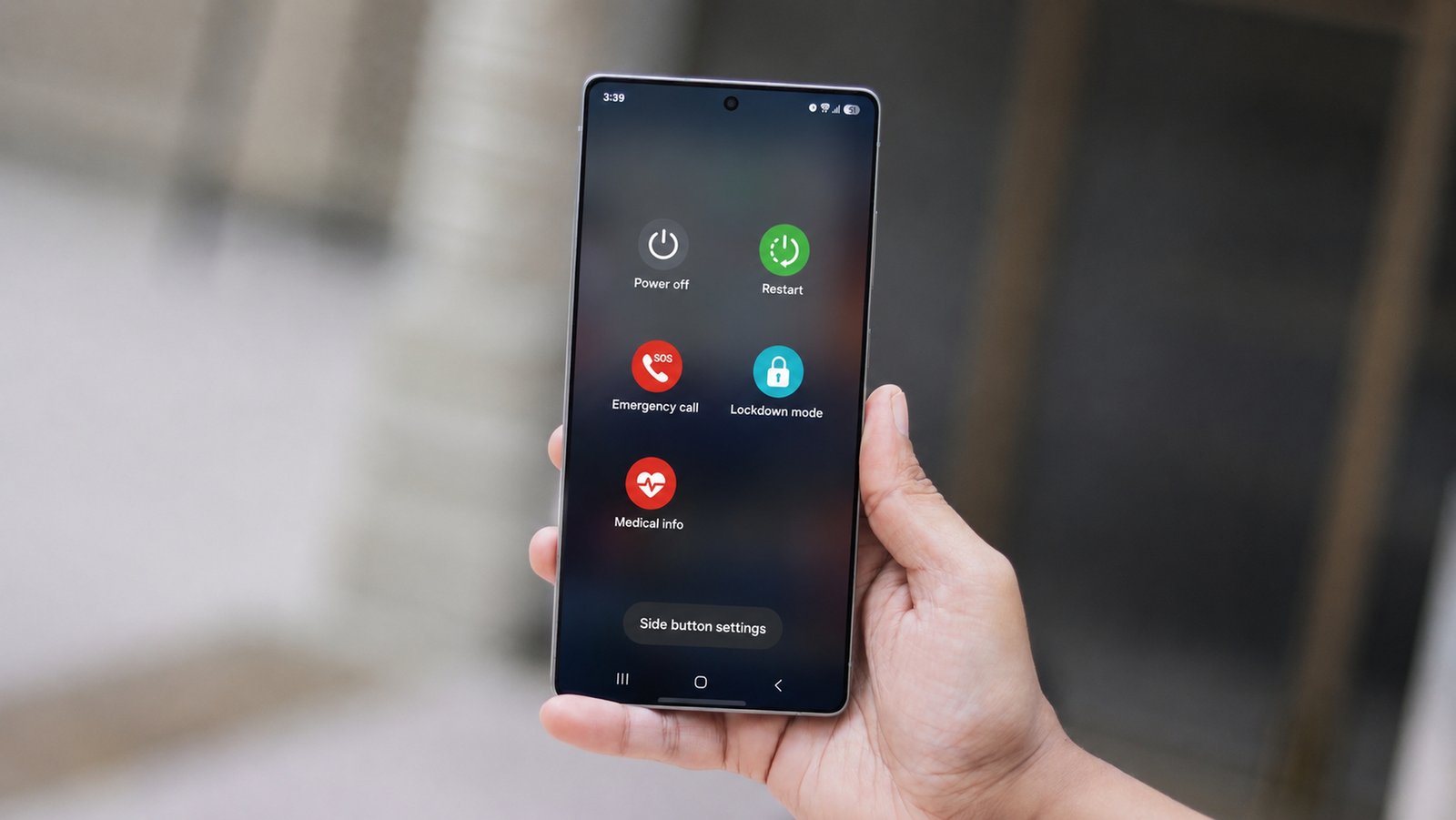
Samsung’s latest Android skin for Galaxy smartphones, One UI 9.0 (Android 17), introduces several changes and improvements. One of them is the removal of the Lockdown Mode from the power menu, which previously locked the phone and disabled biometric authentication, requiring you to enter your PIN, pattern, or password to unlock it.
Despite removing the option, the brand has actually strengthened security. One UI 9.0 now automatically locks the phone and disables biometric authentication as soon as you open the power menu, eliminating the need to manually enable Lockdown Mode. However, this behavior wasn’t immediately obvious. The company has now addressed that.
Last week, Samsung released the fourth beta version of One UI 9.0 for the Galaxy S26 series. The update adds a message to the power menu that reads “For your security, your phone is locked“(via Tarun Vats). It makes the new security behavior much more obvious.
Just like before, once you exit the power menu, the biometric unlock options will be disabled, and you will have to enter the PIN, pattern, or password to unlock the device. The brand is expected to debut the stable version of the new software tomorrow with its next flagship foldable phones.